
Now here is the good news. Wholesale Suite just released Wholesale Quotes! This plugin for quote for WooCommerce is built for stores that handle bulk orders, approvals, and back-and-forth changes. If you’re choosing a wholesale solution from scratch, you can compare it against other Barn2 Wholesale Pro alternatives before committing.
In this article, I will walk you through what Wholesale Quotes does and how it can be useful in your store.
Let’s get to it!
How Wholesale Quotes Helps Your Store
So now that we agree quotes matter, let me show you what Wholesale Quotes actually does.
1. Let customers build a quote while browsing
Instead of asking customers to email you a list of items, they can build the request while they shop. They can click Add to Quote from your shop pages and product pages. Because of that, the quote for the WooCommerce request starts with the right items and quantities, not a confusing list pasted into an email.
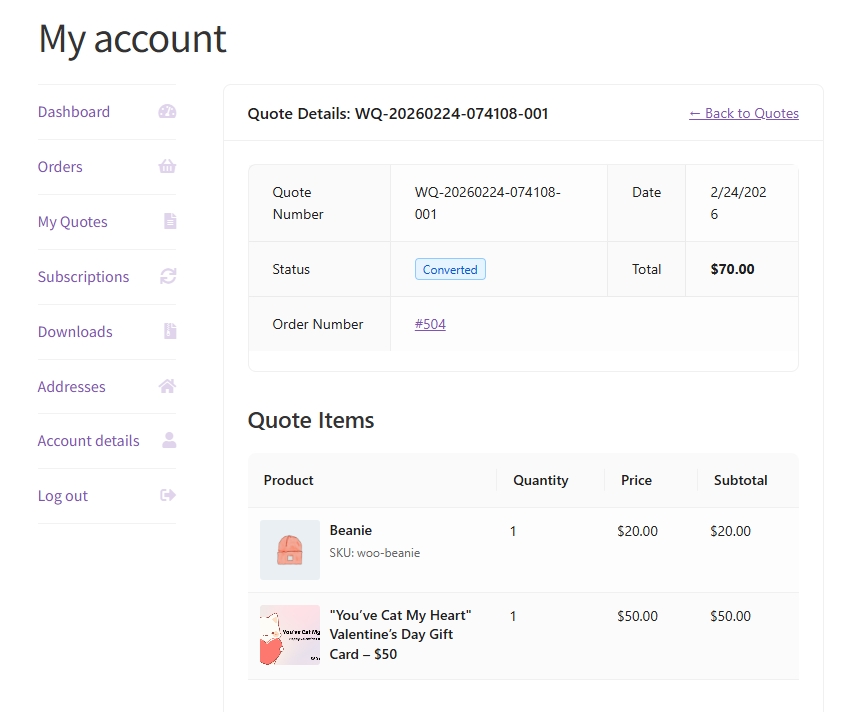
Also, the button behavior stays simple. When a product is already in the quote, it becomes obvious so customers do not add duplicates by mistake. Plus, the Add to Quote button can still show up in block-based layouts, so your quote for WooCommerce flow does not disappear when your site uses WooCommerce blocks.
2. Save quote drafts so nothing gets lost
Many B2B buyers do not finish in one sitting. They might build the list now, then pause to confirm the budget, then come back later. That is why Wholesale Quotes stores quote requests as drafts until the customer submits, which helps your quote for WooCommerce process match real B2B behavior.
Customers can also adjust quantities on eligible quotes, and the updates can save automatically after a short delay. That helps a lot when a quote has many items. Also, edits are labeled to the right statuses, like Pending and Expired, so the quote for WooCommerce history stays clean once a quote is approved, declined, or converted.
3. Keep negotiations and updates inside the quote
Instead of having the quote conversation split across email threads, you and your customer can message each other inside the quote itself. The items and the messages stay together, so you do not lose context. So when you open a quote for WooCommerce request, you can see what changed and why.
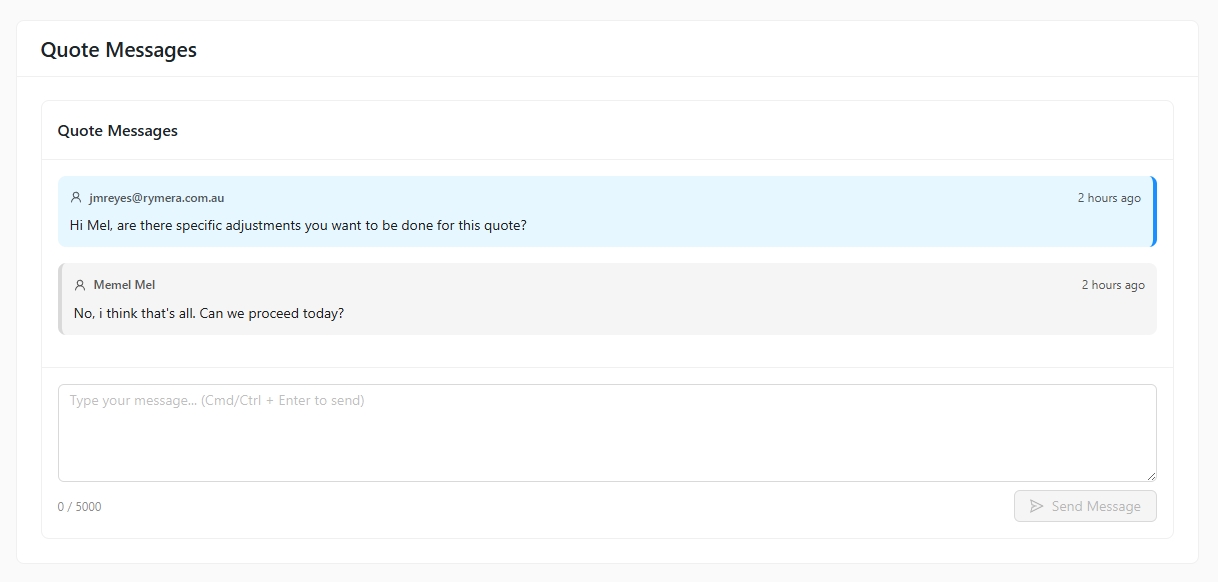
Messages can also send email notifications. That way, you still get a heads up when the customer replies. Customer messages can also have a per-hour limit, which helps discourage spammy behavior while keeping the quote for WooCommerce conversation practical.
You can even control whether messaging is allowed on Declined or Converted quotes. Some stores like that because questions can still come up after a decision.
4. Share quotes for approvals without extra steps
Approvals are a big reason quotes slow down. So the easier it is to share the quote, the faster it moves.
Wholesale Quotes gives each quote a public view link that uses a secure token. Anyone with the link can view the quote without logging in. This is great when a buyer needs to forward a quote for woocommerce request to a manager, purchasing team, or accounting.
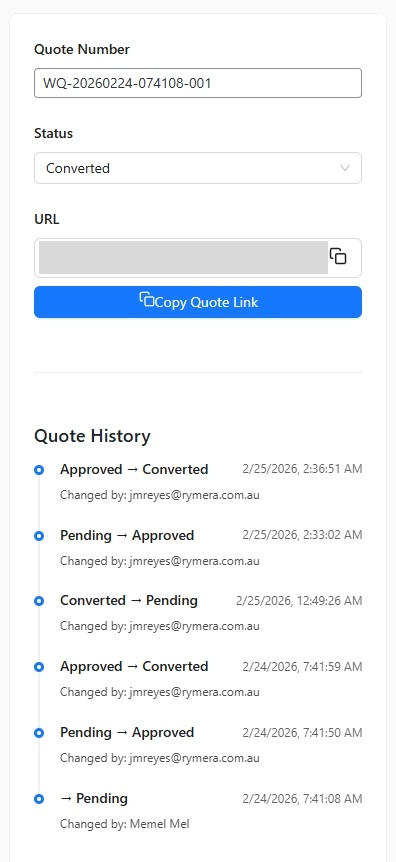
At the same time, it does not turn into a free-for-all. The quote owner can still see management actions, while other viewers have read-only access. So people can review the quote, but they cannot change the request.
Also, quote emails can include the view link. That matters because buyers often check their inboxes for the latest update. With the link right there, it is easier to return to the correct quote for WooCommerce page.
5. Support guest quotes, but keep spam under control
Some stores want guest quote requests because not every buyer wants to sign up right away. They might just want pricing first.
When guest quotes are enabled, a buyer can start a quote for WooCommerce request without logging in. Then the system can ask for an email address so the quote still connects to the right person.
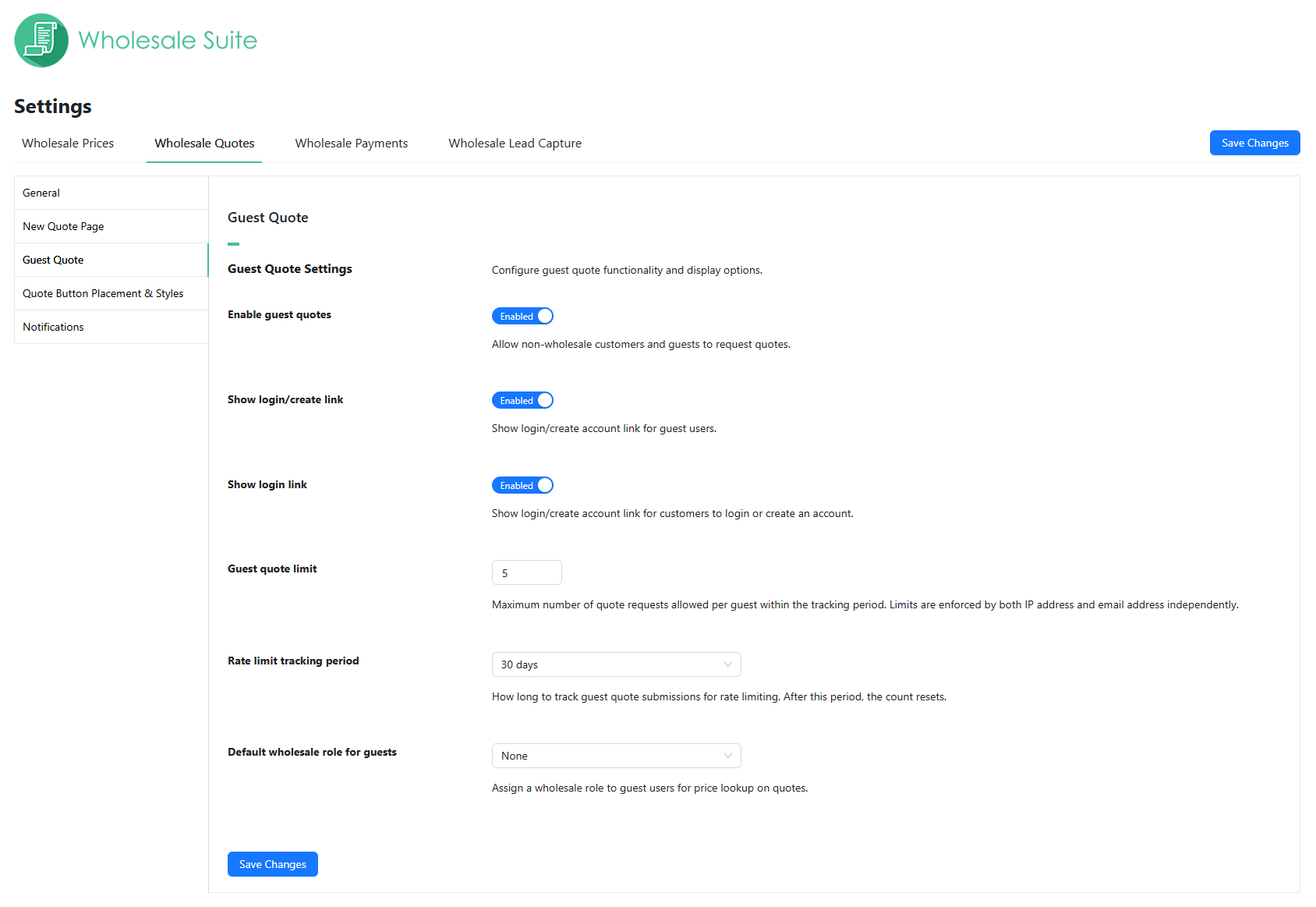
To reduce spam, Wholesale Quotes includes guest quote rate limiting. You can set how many quotes a guest can submit within a time period, and you can set the tracking period, too. It can track by IP address and email, while real buyers can still request a quote for WooCommerce when needed.
6. Convert approved quotes into WooCommerce orders
Wholesale Quotes supports quote-to-order conversion. So when everyone agrees, you convert the quote into a WooCommerce order using the items and quantities that were already approved. This keeps your quote for WooCommerce process moving forward with less manual work and fewer mistakes.
It can also collect billing and shipping addresses during the quote process. That helps because you already have the details when it is time to create the order.
7. Find and manage quotes faster
Once quotes start coming in regularly, speed matters. Nobody wants to spend 10 minutes searching for a single request.
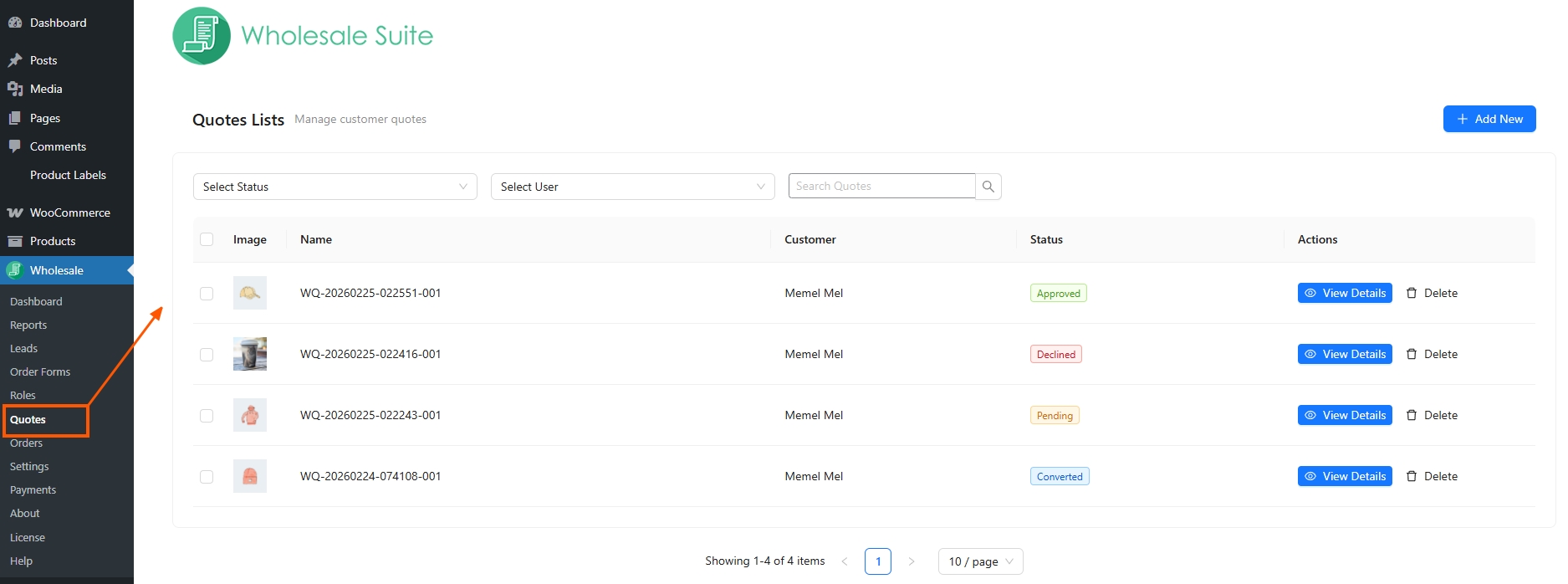
On the admin side, you get a multi-field search. You can search by quote number, customer info, email, and even products. You can also set custom quote numbers that match how your business tracks requests. So when a customer says, “It was quote 001,” you can locate the quote for WooCommerce request faster.
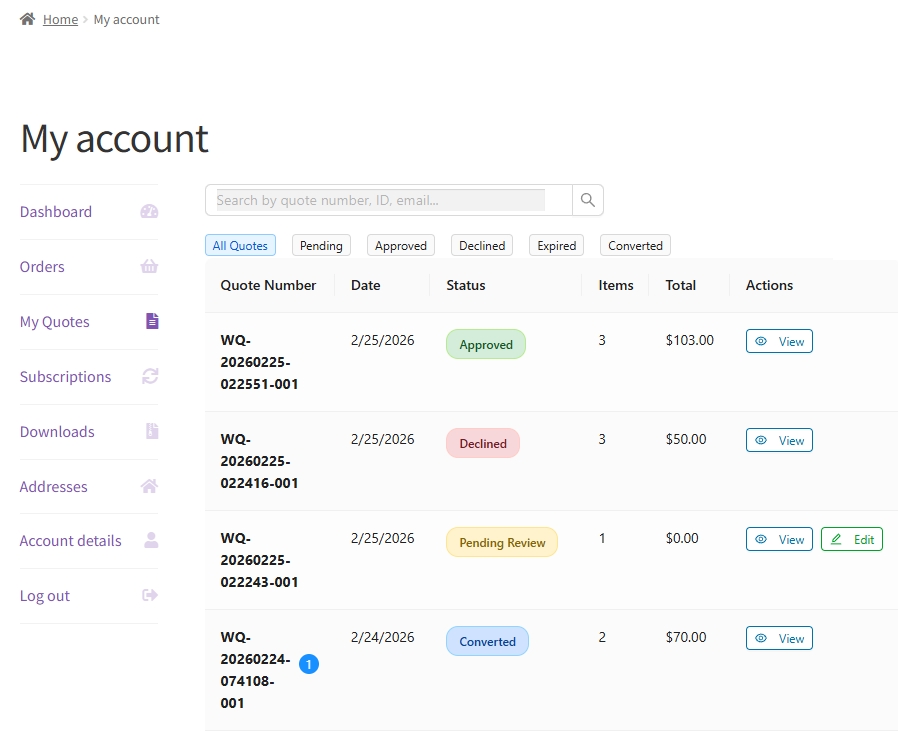
On the customer side, My Account includes a Quotes page. Customers can search their own quotes, too, so you get fewer “Can you resend it?” messages.
Takeaways
If you have been doing quotes through email threads or spreadsheets, you already know the pattern. It starts simple. Then it turns into follow-ups, small edits, and version confusion. After a while, quoting stops feeling like “just pricing.” It starts feeling like admin work that slows down the sale.
That is why we built Wholesale Quotes. It gives quotes a proper place inside WooCommerce, so you can keep the items, the conversation, and the status in one view. Then, when the buyer is ready, you can move from quote to order without rebuilding everything.
Here’s what it can do:
- Let customers build a quote while browsing
- Save quote drafts so nothing gets lost
- Keep negotiations and updates inside the quote
- Share quotes for approvals without extra steps
- Support guest quotes, but keep spam under control
- Convert approved quotes into WooCommerce orders
- Find and manage quotes faster
If quoting is part of your flow today, Wholesale Quotes is worth adding. It helps you keep momentum. It also helps your buyers feel more confident about what they are approving. Give it a try today! 🙌🏻
Frequently Asked Questions
What can someone do with a public quote link?
They can view the quote. Only the quote owner sees management actions, while others get a read-only view.
Can guests request a quote without an account?
Yes. Guest quote requests are supported when enabled in settings.
Can I allow messaging on converted or declined quotes?
Yes. There are settings to allow or disable messages on Converted and Declined quotes.
Can customers edit their quote after creating it?
Yes, but only for eligible statuses like Pending or Expired. They can add or remove items and adjust quantities.

