

Building a multi-vendor marketplace on WooCommerce means choosing the plugin your entire business will run on. Get it right, and you have a stable, scalable foundation. Get it wrong, and you’re dealing with plugin conflicts, payout headaches, and a vendor onboarding process that drives sellers away before they’ve listed a single product. Finding the best WooCommerce multi-vendor plugin isn’t just about ticking feature boxes. It’s about understanding how each solution handles real-world marketplace operations such as automated payouts, vendor management at scale, and long-term compatibility with WooCommerce core updates.
I’ve set up and tested the five most widely used WooCommerce multi-vendor plugins — Dokan, WC Vendors, MultiVendorX, YITH, and WCFM — across different marketplace types. This comparison covers what each plugin actually does well, where it falls short, and who it’s right for.
There’s no perfectly universal answer here. The right plugin depends on what you’re building. But there is a clear best WooCommerce multi-vendor plugin for most marketplace owners — and I’ll tell you exactly why.
Quick Comparison Table
| Plugin | Best For | Free Version | Entry Paid Plan | Automated Payouts | Active Installs/Downloads |
|---|---|---|---|---|---|
| WC Vendors | Best overall — WooCommerce-native marketplaces | ✓ | $99.50/yr | ✓ Stripe Connect (included in Pro) | 750,000+ downloads, 10,000+ active stores |
| Dokan | Quick setup, vendor onboarding | ✓ | $149/yr | ✓ (separate module required) | 60,000+ marketplaces worldwide |
| MultiVendorX | Niche / rental marketplaces | ✓ | $299/yr | ✓ Stripe Connect (included in Pro) | 10,000+ active installs |
| YITH Multi Vendor | Smaller marketplaces, YITH ecosystem users | ✗ | $149.99/yr | ✓ Stripe Connect or PayPal Payouts (requires separate YITH plugins) | N/A (premium only) |
| WCFM Marketplace | Developer-led free builds | ✓ | Free core + WCFM Ultimate ~$59/yr | ✓ (paid add-on required) | 10,000+ active installs |
Bottom line: WC Vendors delivers the strongest combination of automated payouts, WooCommerce-native architecture, and pricing. At $99.50/yr. It’s also the best value for anyone searching for the best WooCommerce multi-vendor plugin.
1. WC Vendors — Best Overall For WooCommerce Marketplaces
- From: $0 (free) / $99.50/yr (Pro) / $159.50/yr (Growth) / $299.50/yr (Business)
- Best for: Marketplace owners who want automated payouts, vendor membership tiers, and a WooCommerce-native foundation
- Money-back guarantee: 14 days
- Developer: Rymera Web Co
- WordPress.org rating: 4+ stars with consistently positive support reviews
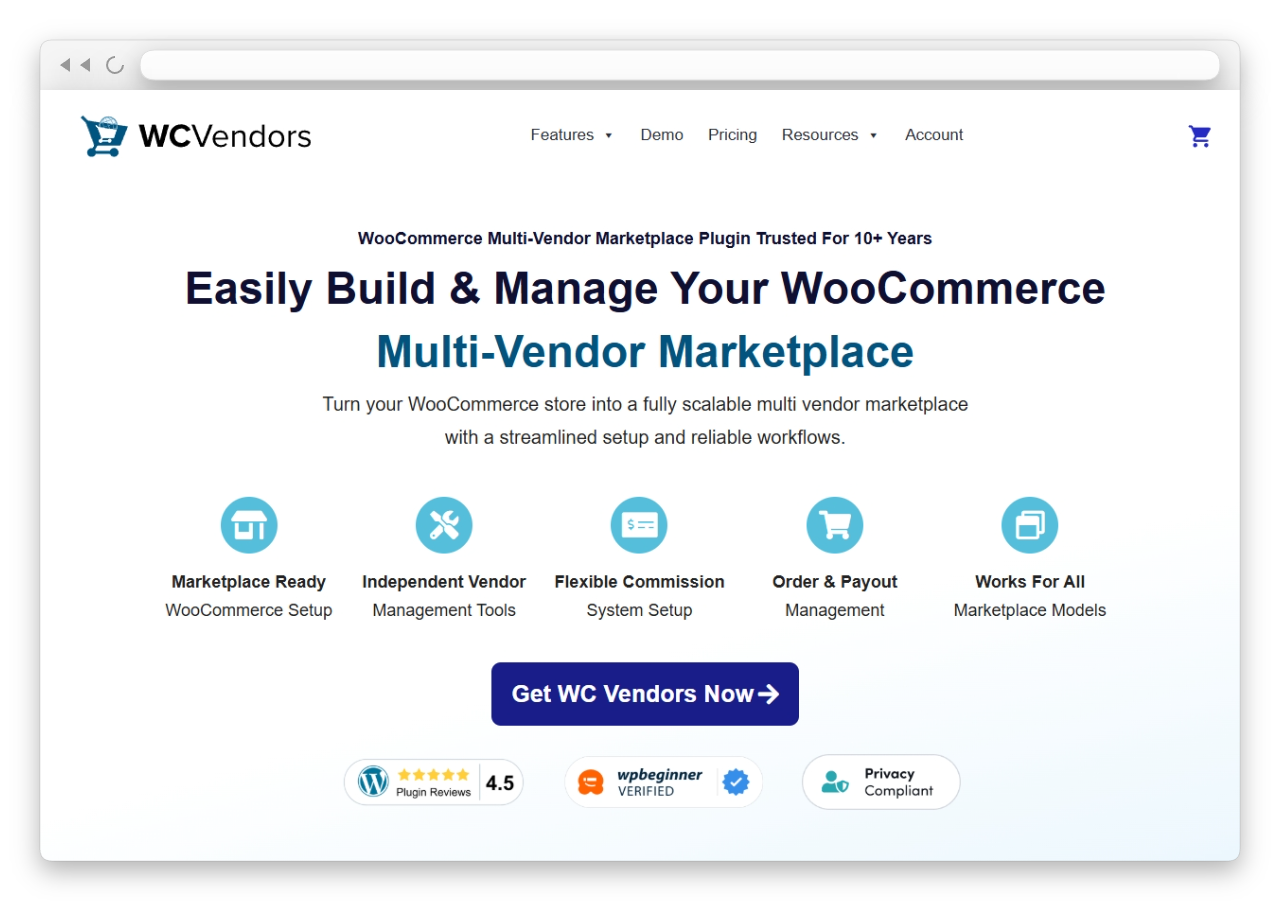
WC Vendors has been in active development since 2013 — over a decade of building specifically for WooCommerce marketplaces. According to WordPress.org, it has 750,000+ free downloads and 10,000+ active stores, making it one of the most established multi-vendor plugins available.
What makes WC Vendors stand out as the best WooCommerce multi-vendor plugin isn’t any single feature. It’s the combination of WooCommerce-native architecture, automated Stripe Connect payouts included in the base Pro plan, and a pricing model that gives you meaningful functionality at every tier.
Setup: The WC Vendors setup wizard walked me through commission defaults, payout settings, and vendor permissions in a single, logical flow. When I onboarded a test vendor, they added products shortly after receiving their login. The vendor dashboard presents exactly what sellers need, reducing training friction and support requests. The plugin also includes an AI-powered support agent in recent versions, which several WordPress.org reviewers have specifically praised for helping with initial configuration questions.
Marketplace types supported
WC Vendors is designed to power a wide range of marketplace models. You can use it to build physical goods marketplaces (similar to Amazon or Etsy), digital product marketplaces (similar to Shutterstock or Envato), services and booking marketplaces (similar to TripAdvisor or Airbnb), subscription-based marketplaces (similar to CrateJoy or Birchbox), and second-hand goods marketplaces (similar to eBay or Facebook Marketplace). This versatility is another reason it ranks as the best WooCommerce multi-vendor plugin for most use cases.
Strengths
Stripe Connect automation (included in Pro)
Payments are split automatically at checkout. Vendors connect their Stripe accounts during onboarding, and commission routing is handled without manual intervention. This is the single most important operational feature for marketplace scalability, and WC Vendors includes it in the $99.50/yr Pro plan — not as a separate add-on purchase. The system also supports delayed payouts, manual payouts via CSV or PayPal, and vendor-specific commission settings. Admins can hold funds for refunds or disputes before releasing payouts.
Tiered commission system
Set commission rates that vary with vendor sales volume, automatically rewarding top performers. You can configure commissions as percentage-based, fixed, fixed-plus-fee, or tiered rates. Commissions can be set at the product, vendor, category, or global level for the entire marketplace.
WooCommerce-native architecture
WC Vendors extends WooCommerce’s own data structures rather than adding abstraction layers or custom database tables. This means fewer conflicts with other WooCommerce extensions, better theme compatibility, and greater stability as WooCommerce evolves. It’s compatible with over 100 WooCommerce payment gateways for receiving customer payments.
Full product type support
Vendors can sell simple, variable, grouped, downloadable/digital, and even bookable products (on the Business plan). All product management happens from the frontend vendor dashboard.
Vendor memberships
The Growth plan ($199.50/yr) includes tiered vendor membership plans that let you create free, basic, and premium tiers with varying feature access, product listing limits, and commission rates. This lets you monetize vendor access itself as an additional revenue stream.
Vendor storefront customization
Each vendor gets their own storefront that integrates with your existing WooCommerce theme. Pro includes 10+ vendor-specific widgets to customize storefront sidebars, such as product lists, vendor information, and store branding elements.
Shipping flexibility
Vendors can set per-product shipping prices and use a country-based table rate shipping system, giving each seller control over their own shipping costs and methods.
Ecosystem integrations
WC Vendors is part of the Rymera Web Co family, which also develops Wholesale Suite and Advanced Coupons for WooCommerce. This means tight integration with wholesale pricing and advanced coupon functionality is available without compatibility concerns.
10+ years of marketplace-specific support
The support team at Rymera Web Co has a knowledge base built from a decade of real marketplace issues, and recent WordPress.org reviews consistently praise the speed and quality of support.
Limitations
- Single-site licensing: agencies managing multiple client sites will need a separate license for each site. WC Vendors does not support WordPress Multisite for either the free or paid plugin.
- Bookings and Auctions add-ons are reserved for the Business plan ($299.50/yr), which may be a consideration for service-based marketplaces.
- No free trial of the Pro version though the free plugin on WordPress.org is fully functional, and the 14-day money-back guarantee provides a risk-free testing window.
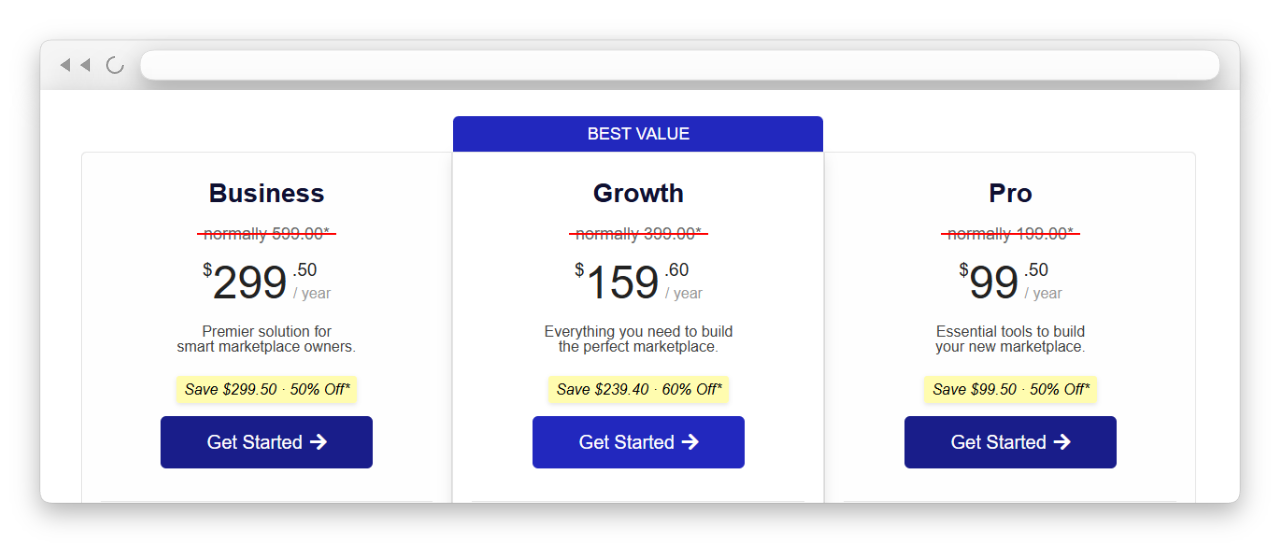
Pricing Breakdown
| Plan | Price | Key additions |
|---|---|---|
| Free | $0 | Basic vendor dashboard, commissions, unlimited vendors, unlimited products |
| Pro | $99.50/yr | Stripe Connect, advanced commissions (fixed, fee, tiered), storefront customization, vendor shipping, product reviews |
| Growth | $159.50/yr | Vendor memberships, WooCommerce Subscriptions support, verified sellers badges |
| Business | $299.50/yr | WooCommerce Bookings integration, Simple Auctions support |
All paid plans are single-site licenses (1 live site + 1 staging site) with 12 months of support and updates. Introductory pricing applies to the first purchase; renewals are at full price.
Verdict: Best overall. The combination of Stripe Connect automation included in Pro, a WooCommerce-native architecture, full product-type support, and sub-$100/yr entry pricing makes WC Vendors the strongest choice and the best WooCommerce multi-vendor plugin for most marketplace owners.
2. Dokan
- From: $0 (free) / $149/yr (Starter) / $249/yr (Professional) / $499/yr (Business)
- Best for: Marketplace owners who prioritize a polished vendor onboarding experience and need multi-site licensing
- Money-back guarantee: 14 days (excludes discounted purchases)
- Developer: weDevs / Dokan, Inc.
- WordPress.org active installs: 60,000+ marketplaces globally
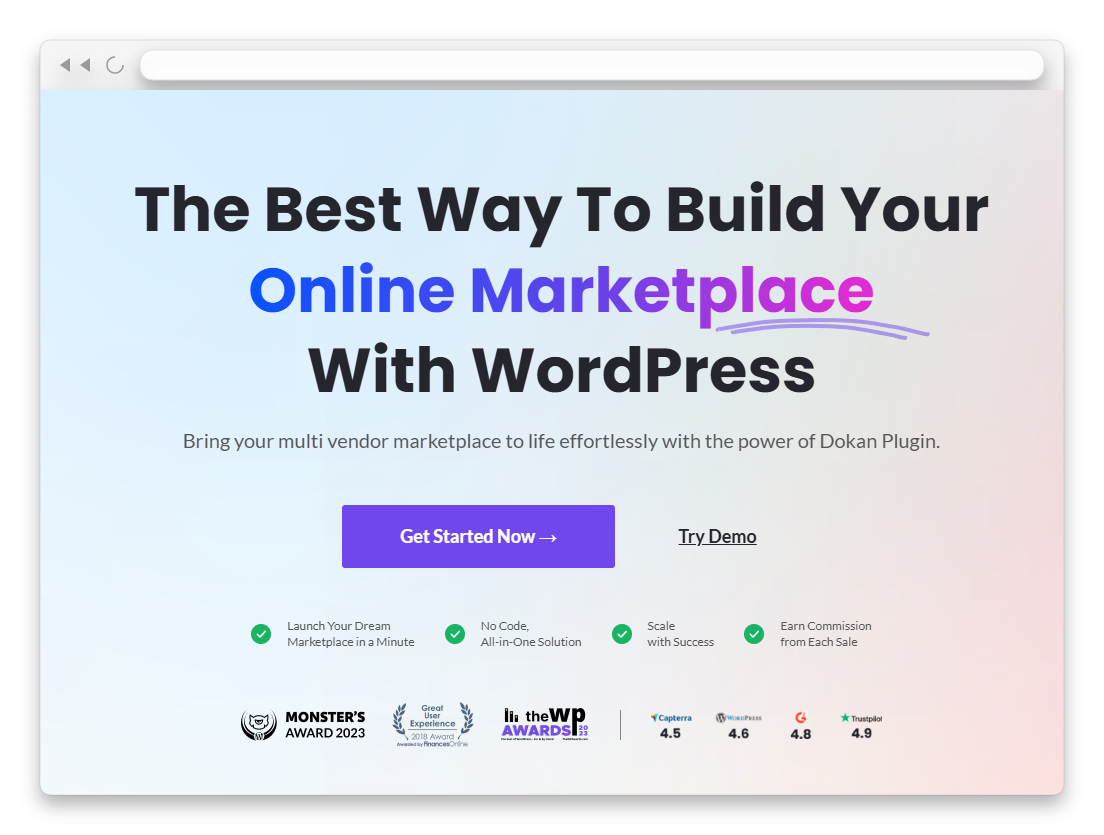
When evaluating the best WooCommerce multi-vendor plugin for user experience, Dokan deserves serious attention. It’s backed by weDevs, one of the larger WordPress software companies, and has invested heavily in vendor-facing UX over its development history. Dokan now positions itself as an AI-powered solution, having recently added generative AI features for generating product titles and descriptions directly from the vendor dashboard.
Setup: Dokan’s initial setup wizard is polished and modern. For a marketplace owner who wants to go from “I just installed a plugin” to “my first vendor has listed a product” as quickly as possible, Dokan delivers. The vendor dashboard is feature-rich with a clean interface, and the documentation is extensive. Dokan also offers a mobile app for both iOS and Android, allowing vendors to manage their stores on the go.
Strengths
Strong vendor onboarding experience
Well-documented, polished vendor dashboard with a modern UI. The frontend dashboard eliminates the need for vendors to access the WordPress admin area, reducing confusion for non-technical sellers.
AI-powered features
Dokan now includes generative AI tools that help vendors create product titles, short descriptions, and long descriptions directly from the dashboard. An AI image enhancer allows vendors to improve product photos within the platform.
Mobile app available
Dokan offers native mobile apps for iOS and iPad, allowing vendors to manage orders, products, and store settings from their phones. This is a unique differentiator that no other plugin in this comparison offers.
Flexible module ecosystem
Dokan’s modular approach means you can pick and pay for only the specific features you need. Modules include vendor table-rate shipping, delivery-time scheduling, ShipStation integration, live chat, product advertising, and return/refund management.
Multi-site licensing
Starter supports 1 site, Professional supports 5 sites, and Business supports unlimited sites. For agencies or entrepreneurs running multiple marketplaces, this is a significant cost advantage over single-site licensing models.
Vendor subscription system
Dokan allows marketplace owners to charge vendors subscription fees for selling on the platform, creating an additional revenue stream beyond commissions.
Limitations
- Module costs add up. The base plan price doesn’t reflect the real cost once you add the modules a real marketplace needs. Dokan’s own comparison materials acknowledge that unlocking all features can cost up to $999/yr on the Business plan, whereas competitors offer comparable functionality at a much lower price.
- The Starter plan limits vendors to 10, and the Professional plan to 25. You need the Business plan ($499/yr) for unlimited vendors. This is a significant constraint for growing marketplaces that don’t want to pay the top-tier price.
- Stripe Connect requires a higher-tier plan or a separate module purchase, neither of which is included in the base Starter plan.
- Some technical issues and support response times have been noted in user reviews on Capterra and G2, though overall satisfaction remains positive.
- Refunds are not available on discounted purchases, which limits risk-free testing if you buy during a sale.
Pricing Breakdown
| Plan | Price | Sites | Vendor Limit |
|---|---|---|---|
| Free | $0 | Unlimited | Unlimited |
| Starter | $149/yr | 1 site | Up to 10 vendors |
| Professional | $249/yr | 5 sites | Up to 25 vendors |
| Business | $499/yr | Unlimited sites | Unlimited vendors |
Dokan also offers lifetime plans. Discounts apply to the first purchase only and do not carry forward to renewals.
Verdict: A strong plugin with the most polished vendor onboarding UX in this comparison, plus unique features like mobile apps and AI-powered product creation tools. However, when evaluating it as the best WooCommerce multi-vendor plugin for value, the module cost model means your real spend is often higher than the plan price suggests. At $149/yr Starter (limited to 10 vendors) vs. WC Vendors’ $99.50/yr Pro (unlimited vendors with Stripe Connect included), Dokan’s value proposition weakens for single-site operators. Where Dokan excels is in multi-site deployments and scenarios where the polished UX justifies the premium pricing.
3. MultiVendorX
- From: $0 (free) / $299/yr (Starter) / $399/yr (Growth — 3 sites) / $499/yr (Agency — 10 sites)
- Best for: Rental marketplaces, booking-heavy platforms, agencies managing multiple marketplace clients, and Amazon-style multi-seller catalogs
- Trial: 15-day money-back guarantee
- Developer: MultiVendorX (formerly WC Marketplace, rebranded ~2016)
- WordPress.org active installs: 10,000+, rated 4.9/5
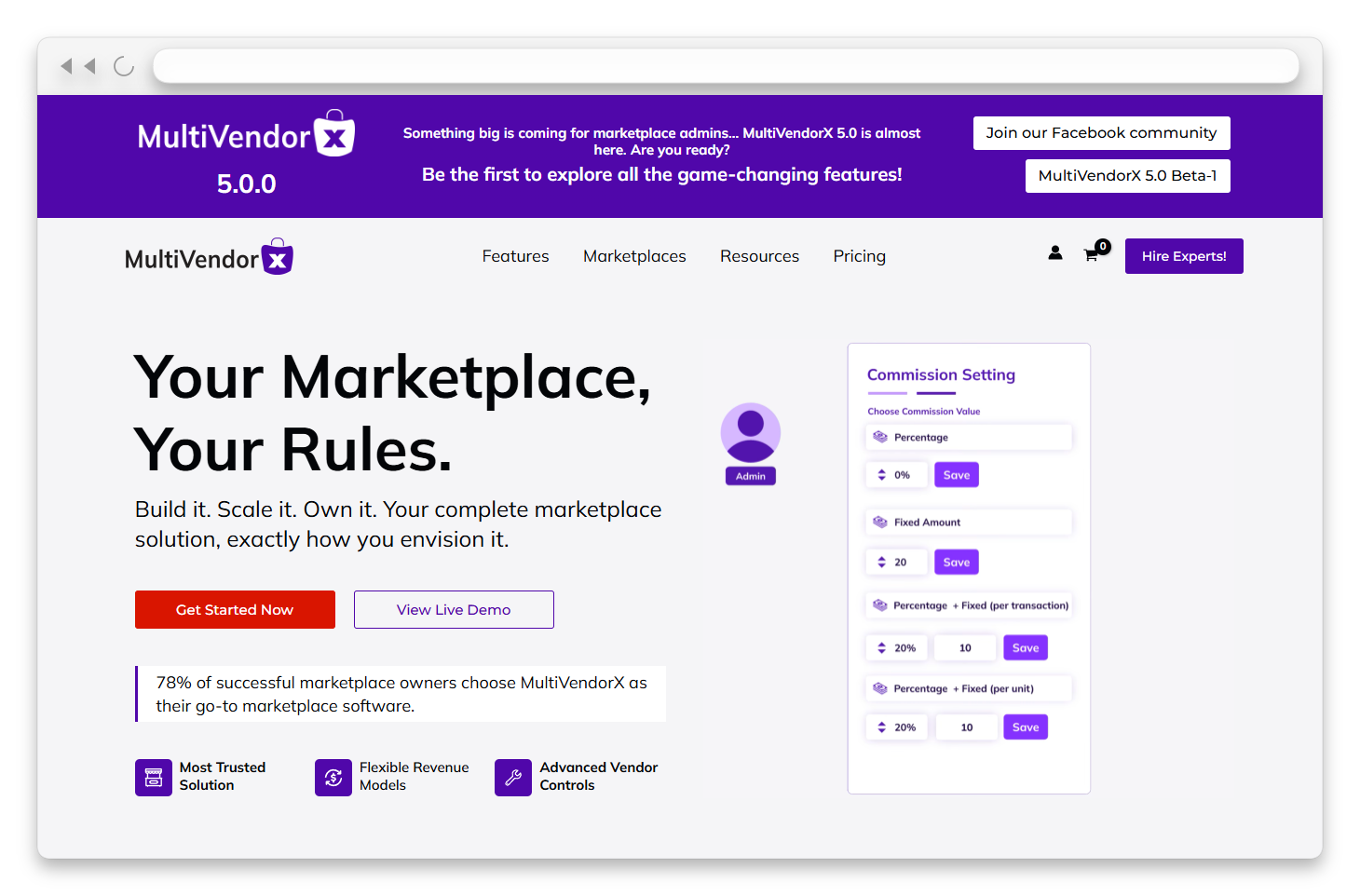
MultiVendorX (formerly WC Marketplace) has been developing its niche marketplace toolkit since approximately 2016. It claims to offer over 104 premium features in its Pro plans and has earned a 4.9/5 rating on G2. Its strongest differentiator is the out-of-the-box module library for rental platforms, subscription products, and booking systems, as well as an Amazon-style single-product, multiple-vendor (SPMV) feature.
Setup: The MultiVendorX admin interface is modern and well-organized, built with a React-based frontend that loads quickly (the team claims 1.52-second load times). The settings panel is denser than WC Vendors’, with more options visible upfront. For experienced marketplace developers, this granularity is useful. For first-time owners, it can feel overwhelming initially.
Unique features
Single Product Multiple Vendors (SPMV)
This Amazon-style feature allows multiple vendors to sell the same product, competing on price. Customers see all available sellers for a given item. This is not commonly available in other plugins and is a significant advantage for marketplace models built around product catalogs rather than unique vendor listings.
Rental and booking modules
More granular than any other plugin in this list. If you’re building a marketplace where vendors offer equipment rentals, property bookings, or service reservations, MultiVendorX provides purpose-built tools.
Subscription products
Built-in support for vendors to sell subscription-based products, which is relevant for digital product, SaaS, or subscription box marketplaces.
Strengths
- Rental marketplace modules are the most granular available in any WooCommerce multi-vendor plugin
- Category-level commission configuration is strong and well-implemented
- All 104+ features are included in every paid plan. No tiered feature lockout, only the site count differs
- Multi-site licensing — Growth ($399/yr) covers 3 sites, Agency ($499/yr) covers 10 sites
- Free version is capable and well-maintained with regular updates (every ~14 days)
- Stripe Connect is supported for automated payouts in the Pro version
- Strong G2 reviews (4.9/5) with users praising vendor dashboard usability and support responsiveness (average resolution time under 7 hours)
- Supports over 100 payment gateways
Limitations
- The entry-level paid plan ($299/yr) is three times as expensive as WC Vendors Pro. Expensive for single-site owners who don’t need the advanced niche features
- Smaller user base than Dokan or WC Vendors, which means fewer third-party tutorials and community resources
- An active license is required to run the plugin. If your license expires, the plugin stops functioning, unlike some competitors, where basic functionality continues
- Less brand recognition compared to Dokan and WC Vendors, which can matter when vendors evaluate marketplace credibility
Pricing Breakdown
| Plan | Price | Sites | Features |
|---|---|---|---|
| Free | $0 | — | Essential marketplace features |
| Starter | $299/yr | 1 site | All 104+ features, full support |
| Growth | $399/yr | 3 sites | All 104+ features, full support |
| Agency | $499/yr | 10 sites | All 104+ features, full support |
For our detailed head-to-head, see our full WC Vendors vs MultiVendorX comparison.
Verdict: The right choice for rental marketplaces, booking-heavy platforms, and agencies managing multiple client sites. The SPMV (Amazon-style) feature is a genuine differentiator. For a standard product or service marketplace on a single site, the $299/yr entry price is hard to justify as the best WooCommerce multi-vendor plugin, especially when alternatives offer comparable core functionality at a third of the cost.
4. YITH WooCommerce Multi Vendor
- From: $149.99/yr (premium only, no free version)
- Best for: Smaller marketplaces with simpler requirements, store owners already using other YITH plugins
- Money-back guarantee: 30 days
- Developer: YITH (one of the most prolific WooCommerce plugin developers)
- YITH ecosystem: 100+ compatible WooCommerce plugins
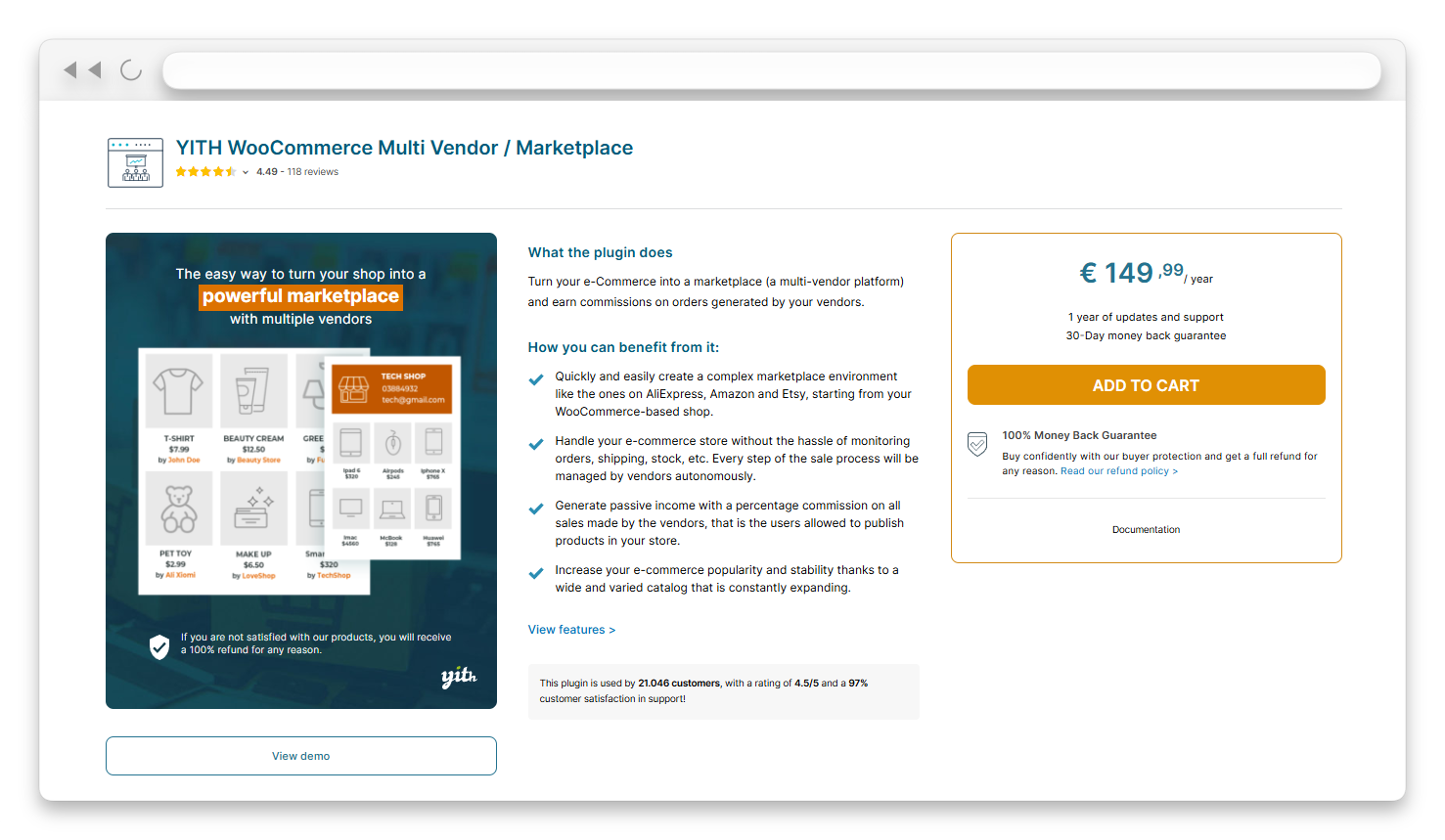
YITH is one of the most prolific WooCommerce plugin developers, with a large catalogue of extensions built on a shared framework that guarantees full inter-plugin compatibility. It follows the same pattern: solid core functionality, good documentation, and natural integration with other YITH products.
Setup: YITH’s plugin interface feels familiar if you’ve used other YITH plugins. The setup is straightforward, and the documentation is clear. Commission management covers core scenarios well, including the ability to set commissions by vendor, product, or category. You can also choose how to calculate commissions on orders with coupons — either based on the full price or the discounted price — and decide whether taxes are credited to the admin, the vendor, or split between both.
Strengths
- 30-day money-back guarantee: the longest in this comparison, giving you more time to evaluate
- Clean, straightforward interface that feels consistent across the entire YITH plugin family
- Deep YITH ecosystem integration: compatible with YITH WooCommerce Auctions, Wishlist, Product Bundles, Catalog Mode, Custom Order Status, Name Your Price, Frontend Manager, and many more
- Solid documentation with multilingual support (WPML compatible)
- Supports vendor vacation mode — vendors can close their shops for a specific period
- VAT number collection during vendor registration for European marketplace compliance
- Stripe Connect and PayPal Payouts are available through companion YITH plugins for automated payout splitting at checkout
- Account Funds integration: vendors can accumulate commissions in a digital wallet and withdraw via PayPal at a later stage
- Supported third-party themes include Avada, Divi, Flatsome, Neighborhood, Storefront, and X
Limitations
- No free version: $149.99/yr is the only option, which means no way to test before purchasing, beyond the 30-day refund window
- Automated payment splitting requires purchasing additional YITH plugins (Stripe Connect or PayPal Payouts), adding to the total cost
- Fewer advanced commission options compared to WC Vendors or Dokan (no tiered performance-based commissions)
- The plugin relies on the YITH Frontend Manager (another separate plugin) for a complete frontend vendor dashboard — without it, vendors may need some WordPress admin access
- Smaller marketplace-specific community compared to Dokan or WC Vendors
Verdict: Works well for smaller marketplaces with a manageable number of vendors, particularly if you’re already invested in the YITH plugin ecosystem, where cross-plugin compatibility is a real advantage. For anyone evaluating the best WooCommerce multi-vendor plugin for a marketplace planning to scale beyond 20+ vendors, the lack of built-in automated payouts and the need to purchase companion plugins for essential features become significant operational and cost considerations.
5. WCFM Marketplace
- From: $0 (free core) / ~$59/yr (WCFM Ultimate for 1 site)
- Best for: Developer-led builds where the free tier covers requirements, or developers who want maximum flexibility without a base license cost
- Developer: WC Lovers
- WordPress.org active installs: 10,000+
- WordPress.org rating: High user satisfaction with active community

WCFM Marketplace (by WC Lovers) offers what is arguably the most capable free core plugin in this comparison. The free version covers vendor dashboards, commission management, product management (all product types), order tracking, a built-in invoice generator, and multiple manual payout options, including PayPal and bank transfer. For a developer who wants a free foundation to build on and has the technical skills to configure it, WCFM is a serious contender for the best free WooCommerce multi-vendor plugin.
Setup: WCFM’s admin is the densest of any plugin I tested. The settings are comprehensive but require significant time to navigate. For non-technical store owners, this learning curve is steep — expect to spend hours familiarizing yourself with the admin panels. For experienced developers, the depth is a feature, not a bug. The level of granular control available over vendor permissions, dashboard elements, and marketplace workflows exceeds what most competitors offer, even in their paid tiers.
Strengths
- The most capable free tier in this comparison: many features that competitors lock behind paid plans (like invoice generation, multiple payout methods, and detailed vendor analytics) are included free in WCFM
- Highly granular admin controls with fine-tuned permission management for every aspect of the vendor experience
- Supports all marketplace models: physical products, digital goods, bookings, subscriptions, and rentals
- Large add-on library for specific niche needs, including staff management, groups & staff, and chat modules
- WCFM Ultimate (premium, ~$59/yr for 1 site) adds advanced features, including memberships, bookings, auctions, and detailed analytics
- High user ratings on WordPress.org with an active community of developers who share code snippets and customization guides
- Budget-friendly premium option: at approximately $59/yr for WCFM Ultimate, it’s the cheapest premium option in this comparison
Limitations
- No automated Stripe Connect payout splitting in the free version: you need the paid Stripe split pay add-on for automated commission splitting at checkout
- Admin complexity: not suitable for non-technical marketplace owners without developer support. The sheer number of settings and options can be overwhelming for beginners
- Plugin conflicts more common due to the large number of custom database tables introduced — WCFM creates its own database tables rather than extending WooCommerce’s native tables, which can cause compatibility issues with some WooCommerce extensions and themes
- Documentation, while improving, is not as polished or comprehensive as Dokan or WC Vendors
- Compared to WC Vendors’ WooCommerce-native approach, WCFM’s custom database architecture means a steeper migration path if you ever need to switch plugins
Verdict: Best free option for developer-led builds, and its premium tier (WCFM Ultimate at ~$59/yr) offers remarkable value for budget-conscious projects. However, when evaluating the best WooCommerce multi-vendor plugin for non-technical store owners who want an out-of-the-box solution, WCFM is not recommended without dedicated technical support.
Which Is The Best WooCommerce Multi-Vendor Plugin That You Should Choose?
For most marketplace owners, particularly first-time builders and existing WooCommerce store owners expanding into multi-vendor, WC Vendors is the best WooCommerce multi-vendor plugin. It offers the strongest combination of automated payouts, pricing, WooCommerce-native stability, and long-term growth potential. It is our pick for the best WooCommerce multi-vendor plugin overall.
Here’s the list of plugins we tackled so far:
Who WC Vendors is best for: First-time marketplace owners, WooCommerce store owners expanding into multi-vendor, digital product marketplace builders, and any marketplace expecting to grow beyond a handful of vendors. If automated payment splitting, long-term stability, cost-effectiveness, and WooCommerce-native reliability are priorities, WC Vendors is the strongest foundation available. It is the best WooCommerce multi-vendor plugin that I recommend.
The other plugins on this list each have real strengths for specific scenarios: Dokan for polished onboarding UX and mobile apps, MultiVendorX for rental marketplaces and Amazon-style multi-seller catalogs, YITH for small YITH-ecosystem stores, and WCFM for developer-led free builds. But as an overall recommendation for the best WooCommerce multi-vendor plugin, WC Vendors comes out on top.
Ready to build your marketplace? Start with the WC Vendors free plugin and test the full setup before committing to a paid plan. The free version supports unlimited vendors and unlimited products — no artificial caps or time limits.
Frequently Asked Questions
What is the best WooCommerce multi-vendor plugin?
WC Vendors is the best WooCommerce multi-vendor plugin for most marketplace owners. It offers the strongest combination of automated Stripe Connect payouts (included in the $99.50/yr Pro plan), WooCommerce-native architecture, tiered commission rates, unlimited vendors on every plan, and over a decade of continuous development.
What is the best free WooCommerce multi-vendor plugin?
WC Vendors and WCFM Marketplace both offer capable free versions. WC Vendors’ free tier is better suited to non-technical owners. It offers a simpler setup, a cleaner vendor dashboard, and unlimited vendors and products out of the box. WCFM’s free tier is more feature-dense (including invoice generation and multiple payout methods) but requires more technical knowledge to configure well.
Can I switch multi-vendor plugins later if I choose the wrong one?
Yes, though it requires manual work and careful planning. WooCommerce products, customers, and order history are stored in WooCommerce’s native database tables. They survive any plugin switch. However, commission settings, vendor shipping configurations, vendor store customizations, and plugin-specific shortcodes require manual reconfiguration. The migration effort varies depending on how deeply embedded the plugin is in your site. Starting with the right plugin is always easier than migrating later. See our guide on migrating from WCFM to WC Vendors for a step-by-step walkthrough.
Which WooCommerce marketplace plugin has the best vendor payout system?
WC Vendors is one of the best WooCommerce multi-vendor plugin contenders, thanks to its built-in Stripe Connect integration. When a customer places an order, the commission routes automatically to the vendor’s Stripe account, with no manual processing required. The system also supports delayed payouts (useful for refund windows), manual payouts via CSV, and PayPal payouts.
How do I choose the right WooCommerce multi-vendor plugin?
Start by identifying your top operational priority. If automated payouts and cost-effectiveness are priorities, WC Vendors is the strongest fit. When you need the best vendor onboarding UX and mobile apps, evaluate Dokan. If you’re building a rental or booking marketplace, MultiVendorX’s specialized modules are worth the premium. When you’re already deeply invested in the YITH ecosystem, YITH Multi Vendor ensures seamless compatibility. If budget is the primary constraint and you have developer resources, WCFM is the best free foundation to use. Match the plugin to your marketplace’s specific operational needs and growth trajectory, not just the feature list.

