

A vendor onboarding process is the set of steps that help a new vendor learn how your marketplace works. This covers the first things they see, the instructions they follow, and the tools they use. This doesn’t focus solely on registration; that part is only the start. Vendors need clear guidance after they create an account. They also need a clear path showing them what to do next.
In this guide, you will learn how to build a clear onboarding system that is easy for you and your vendors to follow.
Ready? Let’s get to it!
Why Onboarding Is More Than Registration
Registration only asks for basic details. It tells you who the vendor is, but it does not help them move forward. A complete onboarding process explains what to do after they create an account. Vendors need guidance that helps them understand your marketplace flow. They also need steps that lead them toward their first product listing. Because of this, vendor onboarding becomes a long-term support system rather than a one-time step.
The goals of an effective onboarding system
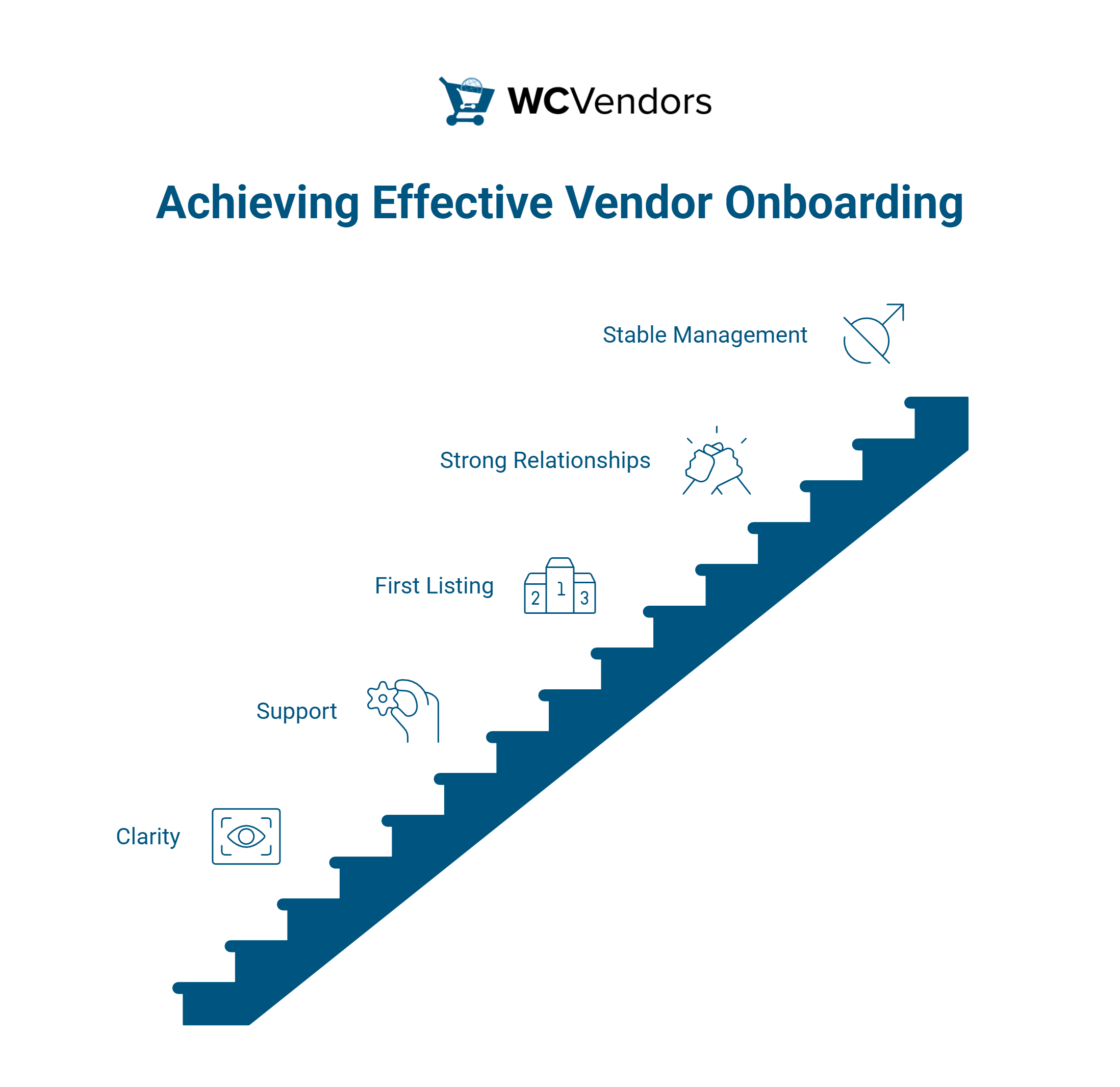
A good onboarding system has a few simple goals. The first goal is clarity. Vendors must know where to begin and what steps to follow next. The second goal is support because new vendors may need help with their setup. When you give them easy instructions, it is easier for them to do things on their own. The third goal is to help them reach their first product listing. Your new vendors may lose interest when they find it difficult to move past the first step. A vendor onboarding process with clear direction helps solve this problem.
Another goal is to grow strong supplier relationships. This trust leads to better vendor relationships because they feel you care about their progress. It also helps you build stable vendor management because vendors know who to ask and where to find answers to their queries.
A complete onboarding checklist can help them follow all the steps without missing anything. This turns the onboarding process into a path that leads to successful vendor onboarding.
You may also read: Onboarding Vendors To Your New Marketplace (A Beginner’s Guide).
Key Steps In A Smooth Vendor Onboarding Workflow
Each step in your onboarding process must guide your vendors in a simple way. This leads to better vendor relationships and stronger vendor management. Here are the steps that you can follow:
Step 1: Vendor orientation and welcome materials
The first thing you give new vendors should be a warm, clear welcome. Vendors need a welcome message that explains what will happen next. You can give them a short guide, a welcome video, or a small onboarding checklist. This helps them understand the purpose of the vendor onboarding process.
Also, vendors should know where to find help when needed. You can share a link to your help page or vendor resources. Clear steps at the start help vendors move forward without confusion.
Step 2: Vendor account setup and verification
After the welcome, the next step is account setup. This step should stay simple. You can ask for basic details, such as the store name, payment settings, and shipping preferences. This part of the onboarding process should guide the vendor slowly so they do not feel overwhelmed. You can also remind them about any rules that your marketplace follows.
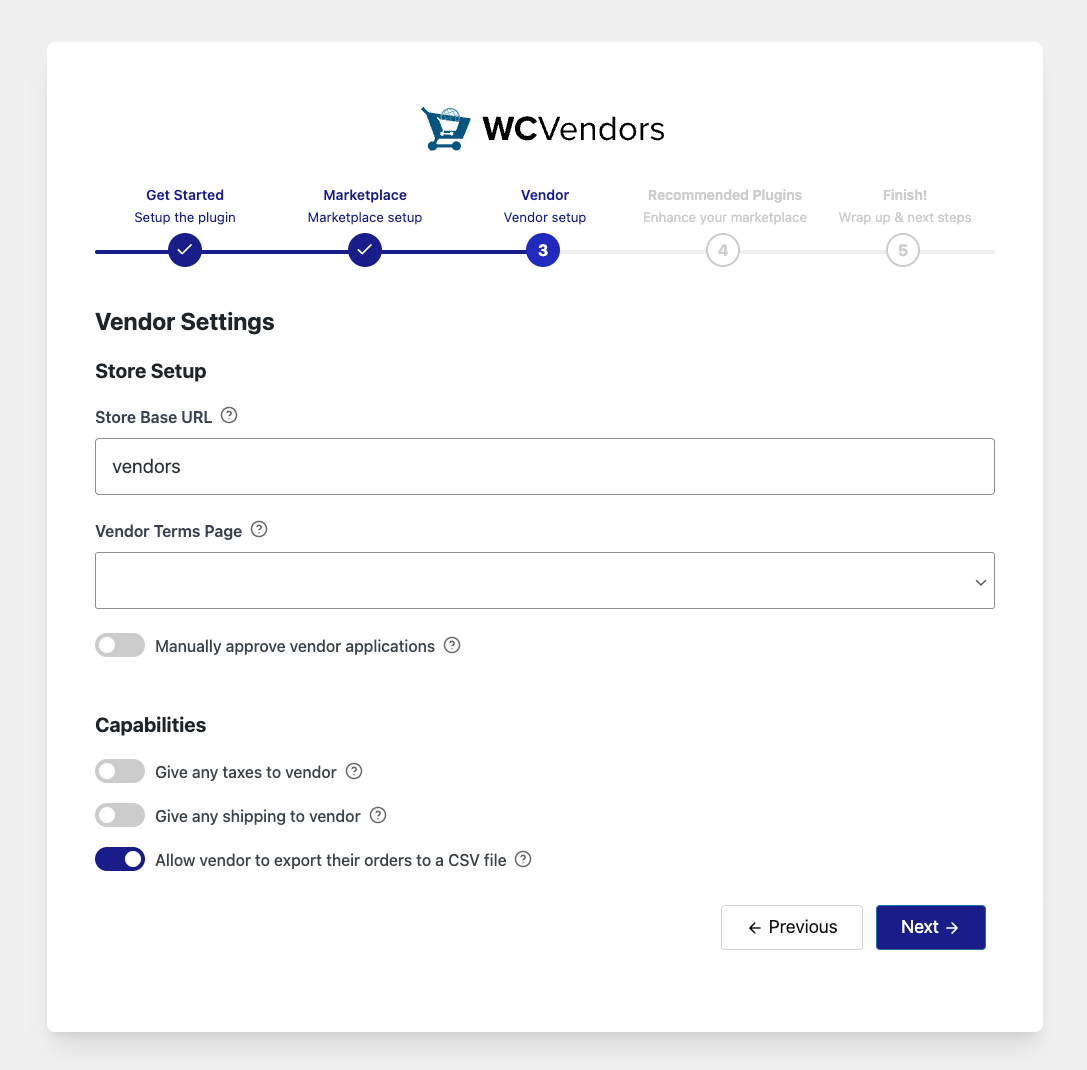
Moreover, verification helps you build trust inside your marketplace. Some marketplaces ask for IDs or business documents. Others ask for store requirements or product samples. You can decide what works for your marketplace.
Strong vendor management begins here, as you now have the necessary details from the vendor. This creates a clean record that helps you handle the succeeding steps.
Step 3: Training vendors to list their first product
This step helps vendors feel ready to start selling their products right away. You can guide them by giving a sample product listing. This sample shows them how to write product titles, upload photos, and set prices. You can also give them a brief onboarding checklist covering each section of the listing page.
Encourage them to work on one section at a time. You can also share tips, like using bright photos or writing clear descriptions.
📝 StoreAgent AI Content turns your titles, specs, and images into natural, on‑brand copy that answers real shopper questions and moves them to “add to cart.” It can also come up with the perfect short descriptions, giving shoppers the cognitive shortcuts to know when to purchase.
This part also leads to successful vendor onboarding because it helps them reach their first product faster. The faster they upload their first item, the sooner they feel like they can start their store.
Step 4: Marketplace policies and compliance checks
Vendors must know your rules to avoid any violations later on. You can guide them by giving a simple list of rules. You can explain what items they can sell, how refunds work, and how order handling should look.
This step protects your marketplace and also protects buyers. When vendors understand the rules early, they avoid issues that can upset customers. You can also share a vendor onboarding checklist that includes policy tasks.
You may also read: How To Simplify Refund Management In A Multivendor Marketplace.
Marketplace policies also help your vendor management team. They can point to the rules when something goes wrong. This gives your team a clear base to work from and keeps the marketplace safe.
Step 5: Final review and go-live approval
After the vendor finishes everything, the last step is the final review. You can check if their store setup looks complete. You can also check if they followed the instructions in the onboarding process. This step helps you confirm that the vendor is ready to begin selling.
How WC Vendors Makes Vendor Onboarding Easier
WC Vendors provides marketplace owners with tools to support their vendor onboarding process. Here are a few important things you can do with WC Vendors:
Customizable vendor dashboard for quick setup
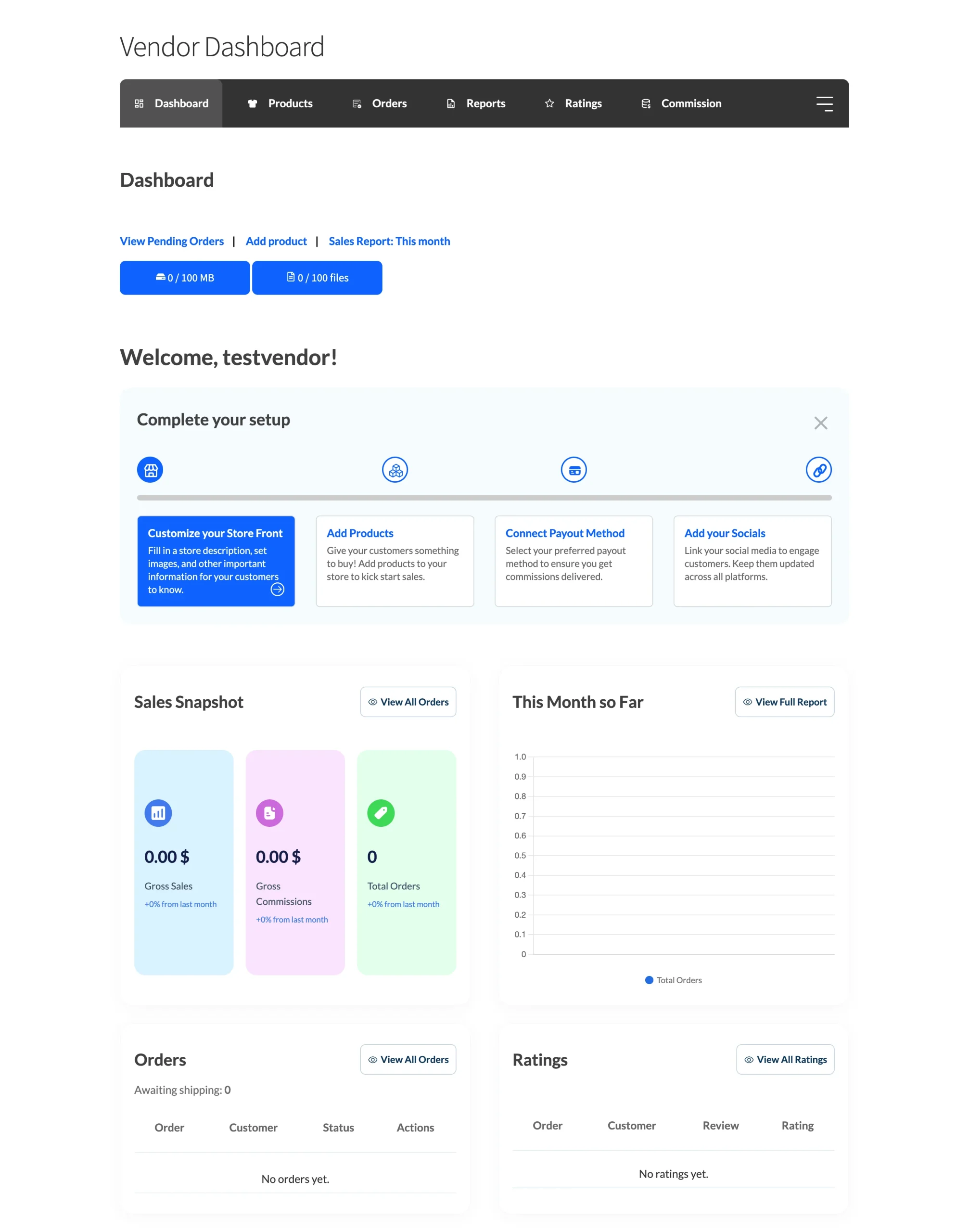
The new vendor dashboard in WC Vendors provides sellers with a space that feels easy to use and understand. This helps them handle the early steps of the onboarding process without stress. New vendors can open their settings, review their store details, and navigate the dashboard with confidence.
Communication tools for real-time guidance
Vendors can communicate with their customers from the vendor dashboard. They can add order notes and comments on each order. Customers will see these notes on their end. Vendors can also mark an order as shipped and add tracking details.
This feature matters during vendor onboarding because new vendors often need a way to communicate with customers. It also helps the vendor understand how order updates work. When vendors learn this early, they feel ready to handle real deals and orders.
Compatibility with automation tools
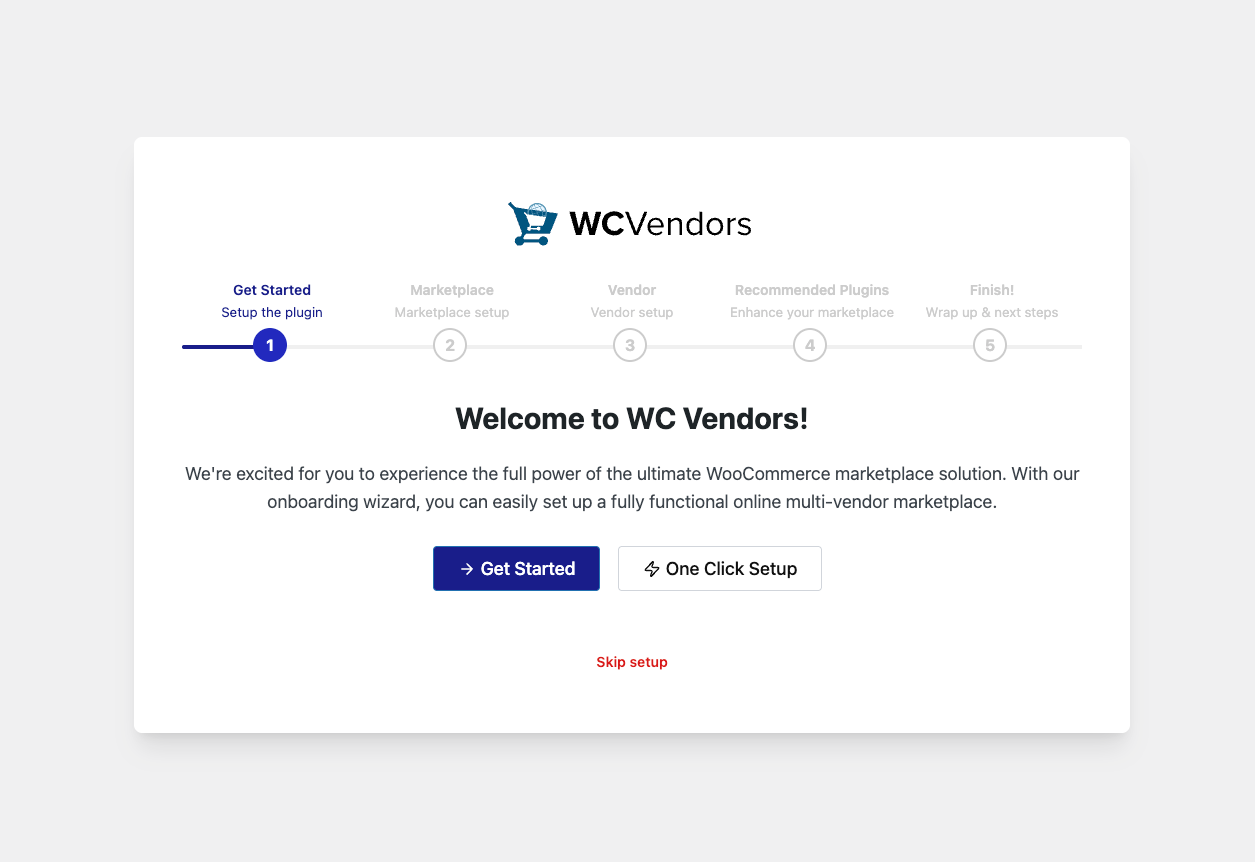
WC Vendors works with many tools that support your vendor onboarding process. It also has its own tools that help vendors start fast. One of these tools is WC Vendors Signup.
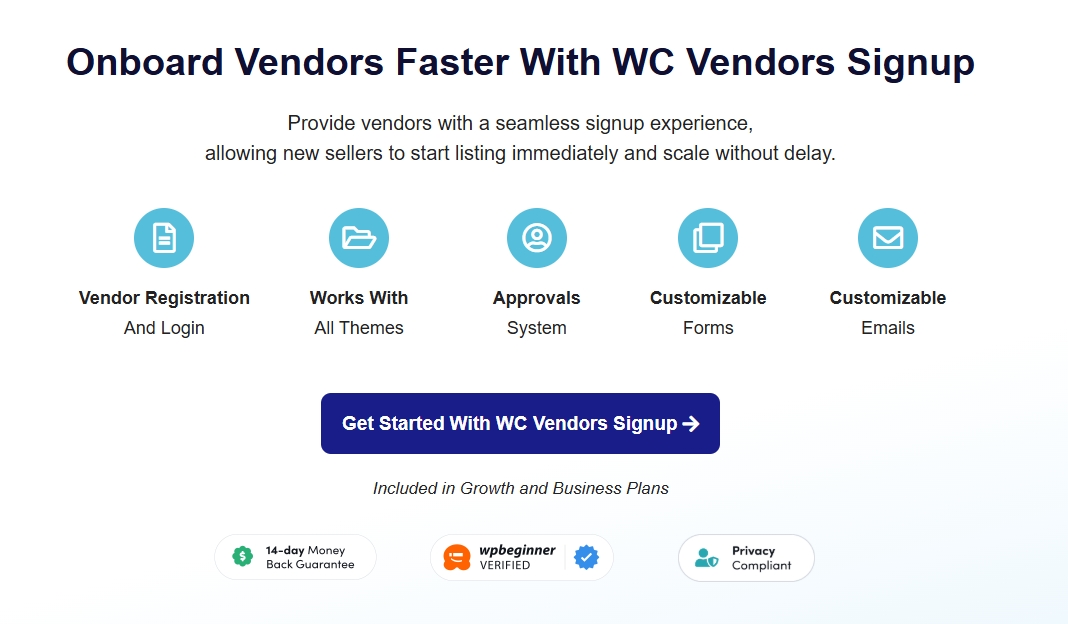
This tool gives vendors a simple way to register, log in, and move into the system. The form is easy to use. You can change the fields to suit your needs. You can also set approvals so you can check each vendor before they enter your marketplace. This helps new vendors follow your vendor onboarding checklist without any stress.
Other tools you may use
WC Vendors also works with many plugins that help with payments, shipping, customer chat, support tickets, currency tools, and wholesale features. Because of this, your vendor onboarding process stays connected with the tools that vendors use every day. They do not need to switch between many apps because they can see everything inside WordPress.
📌 Click HERE to check out other compatible plugins with WC Vendors.
WC Vendors also works with StoreAgent. StoreAgent is an AI tool that helps vendors with small tasks like writing product descriptions and sorting reviews. This gives vendors a smoother start during vendor onboarding and helps them move toward their first product listing.
Takeaways
Based on my experience working with marketplace owners, a clear vendor onboarding process can make all the difference. Your marketplace grows faster when your onboarding process helps vendors feel ready from the start. Vendors like it when they know what to click, where to go, and what to fix. They also reach their first product much sooner, which makes them proud of their progress. This is when successful vendor onboarding begins, because each vendor thinks, “Okay, I got this.”
In this article, we discussed how you can simplify your vendor onboarding process:
- Why onboarding is more than registration
- Key steps in the vendor onboarding process
- Making onboarding easier with WC Vendors
WC Vendors provides tools that help you guide sellers clearly. You can use the dashboard, help pages, and short messages to support every step. You can also use tools that support the vendor onboarding checklist.
A marketplace grows faster when your vendor onboarding process gives vendors a good start. This leads to successful vendor onboarding that helps your marketplace grow over time.

