

To help you choose the best marketplace for your store, you have come to the right place! In this guide, we will compare WC Vendors vs MultiVendorX. I will discuss vendor dashboards, commission options, payout flows, pricing, and what happens as your marketplace grows.
Now, before we compare features, we need to be clear about what each plugin actually does.
Let’s get to it!
WC Vendors Vs MultiVendorX: What Do They Do Exactly?
Simply speaking, both tools help you turn a WooCommerce store into a multi-vendor marketplace. Vendors can sign up, list products, and manage orders. Then you earn a commission as the marketplace owner.
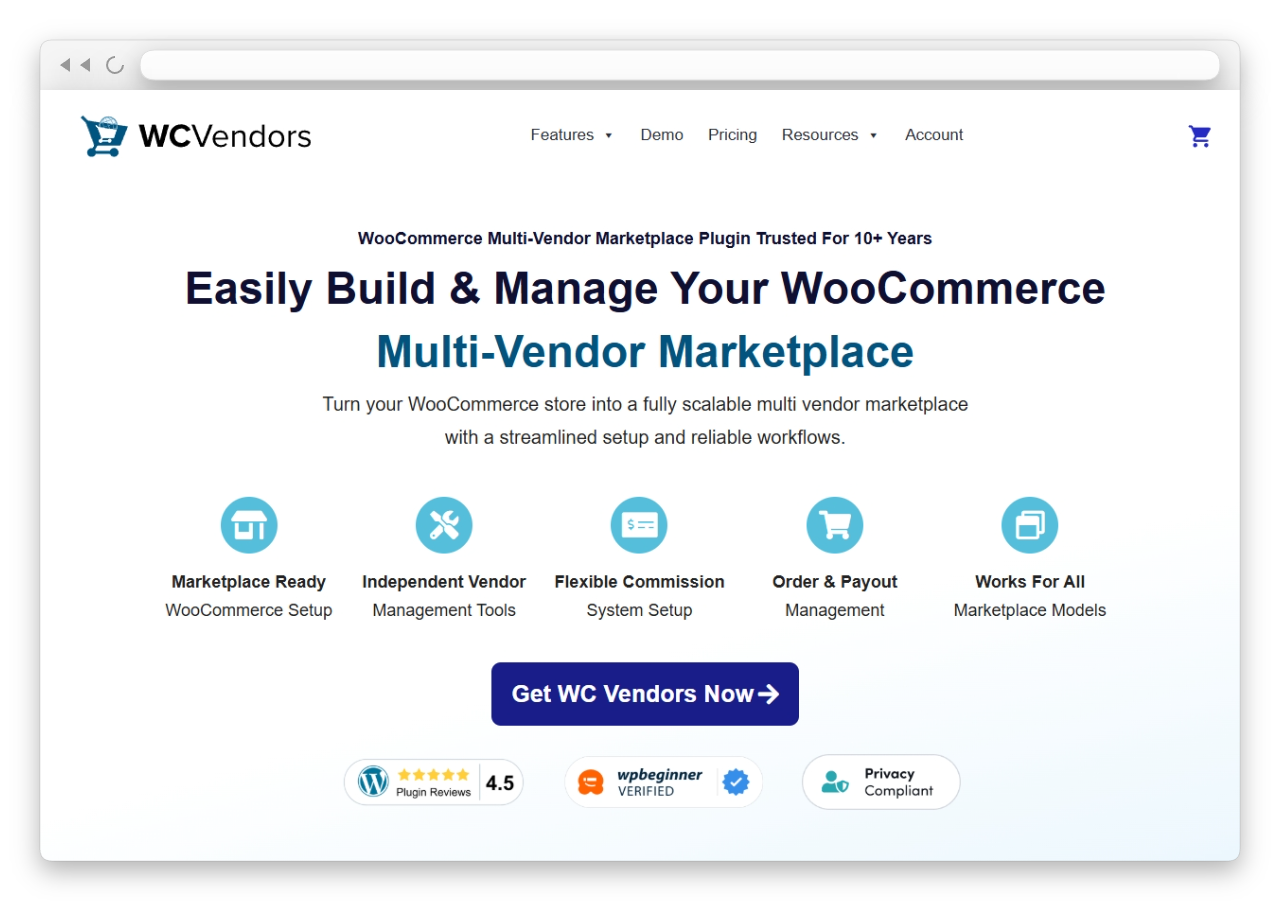
WC Vendors focuses on the vendor side, especially with front-end tools, so vendors can work without WP-Admin in many setups. It also supports different commission types in Pro, including tiered options. So if you want to grow and adjust rules later, it can feel easier to manage.
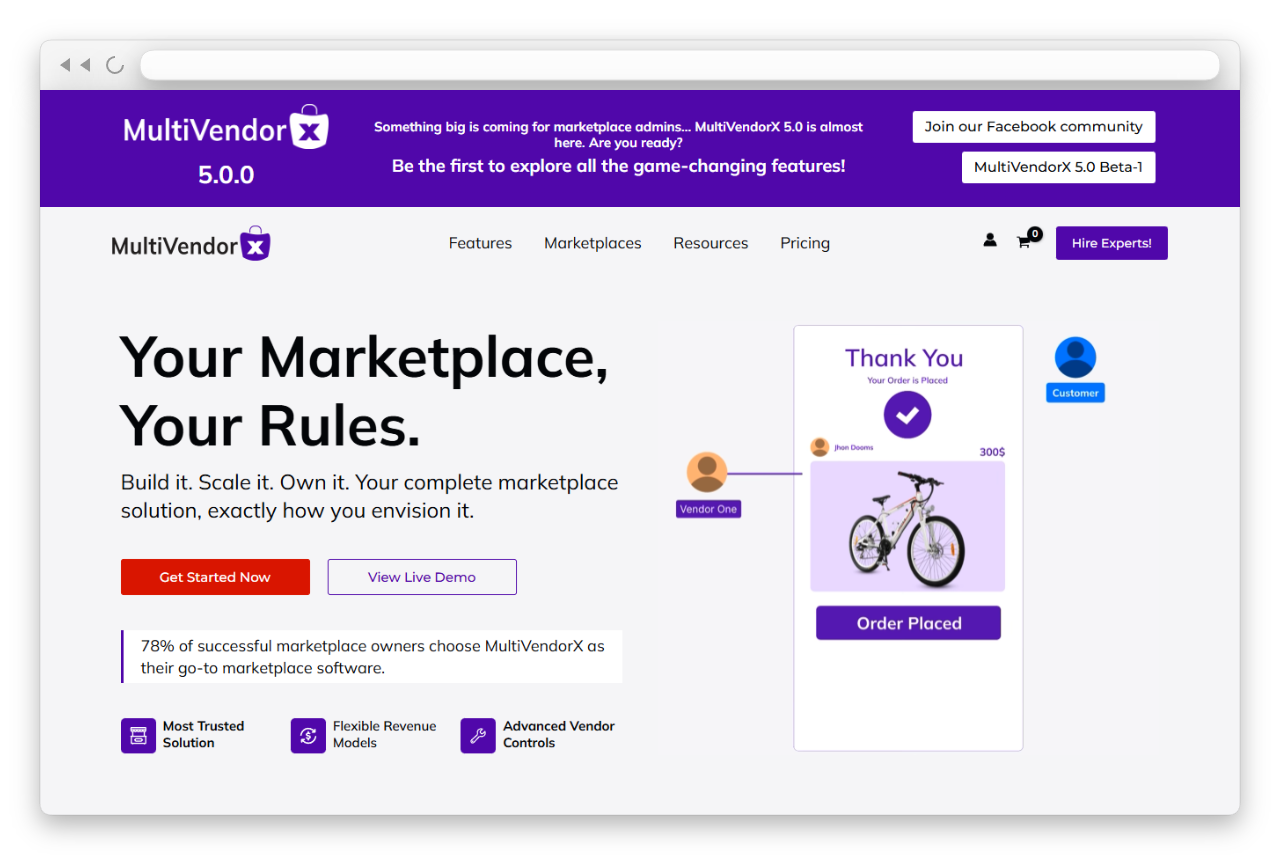
MultiVendorX also handles the core marketplace functionality. It is also known as the newer name for the old WC Marketplace plugin. One thing that stands out is its Single Product Multiple Vendors feature, which supports an Amazon-style setup where multiple vendors sell the same item.
So, in the WC Vendors vs MultiVendorX choice, both can start a marketplace. The real difference shows up once we compare dashboards, commissions, payouts, and how each one feels as you scale.
WC Vendors Vs MultiVendorX: Feature Comparison
Now we get to the real decision part. Both plugins can run a marketplace. However, what matters is how the tools feel once you have real vendors and real orders. When you grow, you do not want to spend your whole week answering vendor questions. You also do not want to keep changing your rules every month.
So when people compare WC Vendors vs MultiVendorX, I usually tell them to focus on four things first. Vendor experience, commission rules, payouts, and how easy it is to manage everything as you scale.
Vendor dashboard & experience
Let us start with the vendor dashboard, because that is where your sellers will spend most of their time.
With WC Vendors, the vendor workflow is clearly built around front-end management. Vendors can create and edit products from the front end, including variations, images, pricing, and inventory. They can also manage store tasks without needing WP-Admin access in that setup.
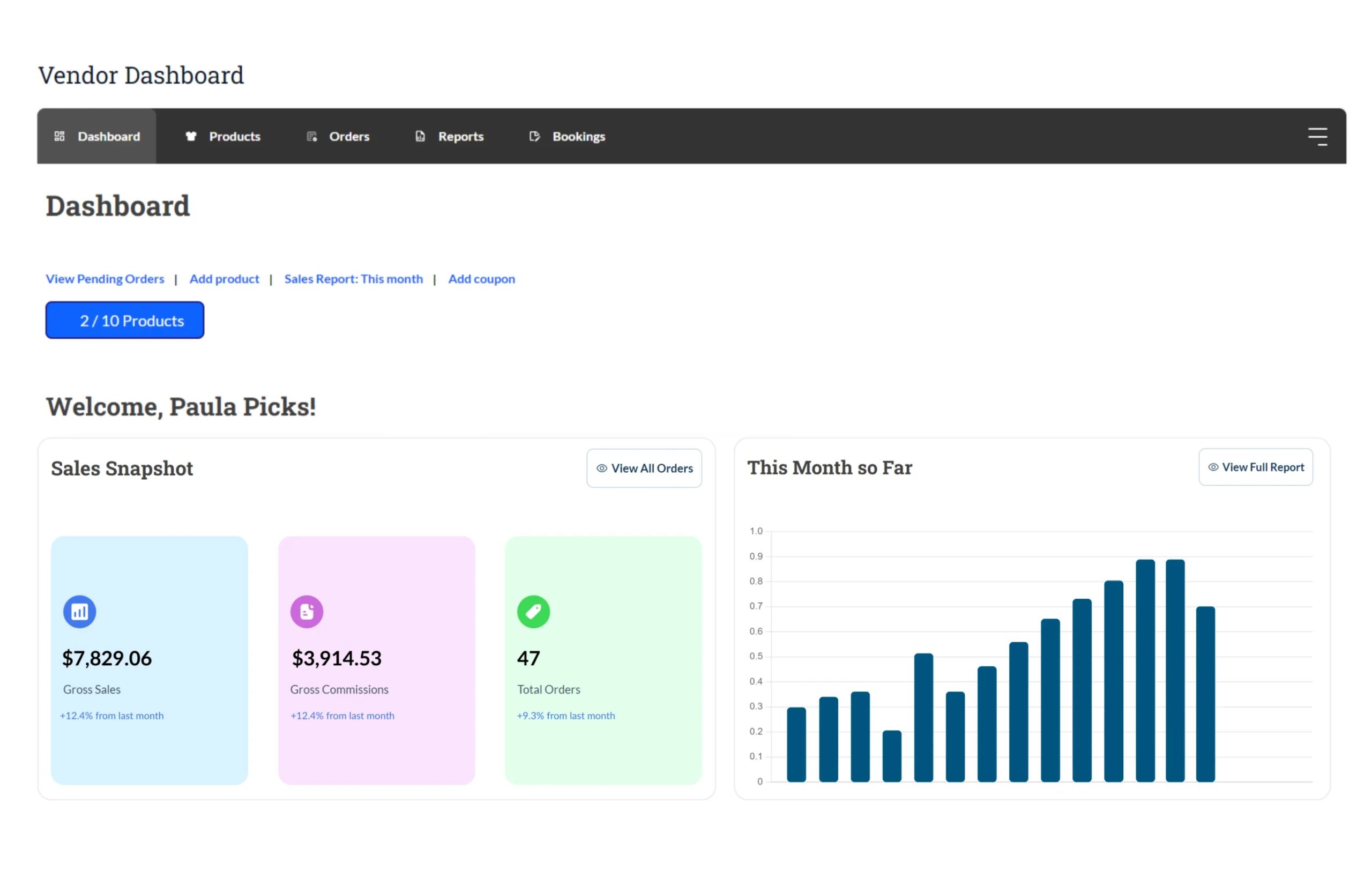
That is a big deal if your vendors are non-technical. When a vendor does not need to touch wp-admin, they usually feel more confident. Also, you worry less about vendors accidentally clicking the wrong admin settings.
MultiVendorX also includes a seller dashboard, where vendors can do a lot. For example, their docs mention vendor widgets and tools within the dashboard, as well as access to announcements and knowledge base items.
However, here is the practical difference. WC Vendors makes the front-end, vendor-first approach very clear in how it presents the product. That makes it easier for you to onboard sellers. That clarity matters more once you have more vendors.
Commission settings and flexibility
Commissions look simple at the beginning. You might say, “I will take 10 percent.” Then later, you start making real deals. One vendor wants a better rate. Another vendor sells higher-priced items. You might then want different commission rules for different price ranges.
WC Vendors also supports tiered commission types, such as sales by vendor, sales by product, and product price tiers. That makes it easier to build commission rules that evolve as your marketplace grows, and to explain to vendors how payouts are computed when they ask.
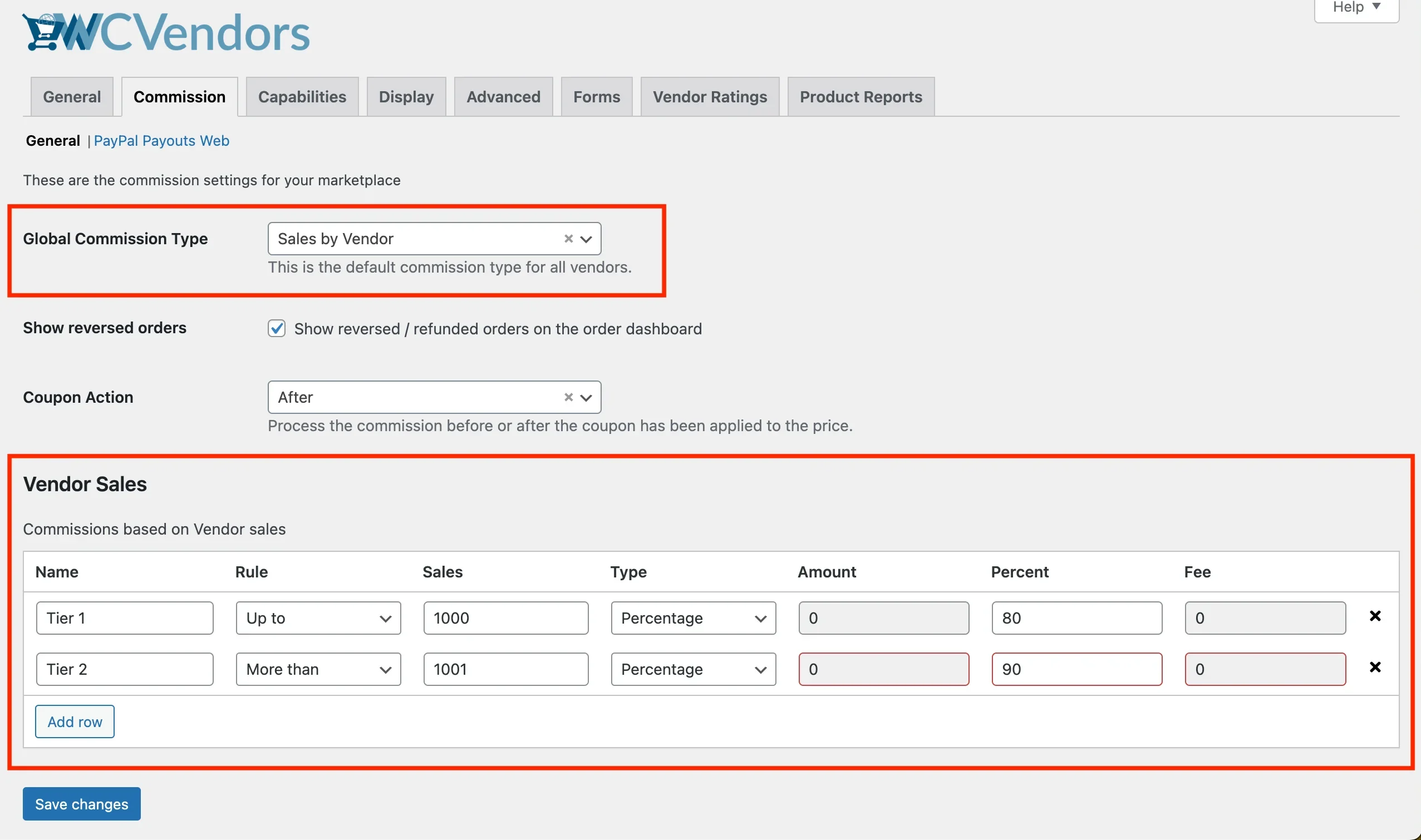
This is where WC Vendors has a strong advantage in marketplaces. WC Vendors supports multiple commission types, including tiered commission types such as vendor sales, product sales, and sales by product price. In other words, you can create rules that change based on sales totals or product price. That is useful when your marketplace grows and you want your commission system to feel fair and consistent.
You may also read: The Awesome Benefits Commission Levels Offer Marketplaces.

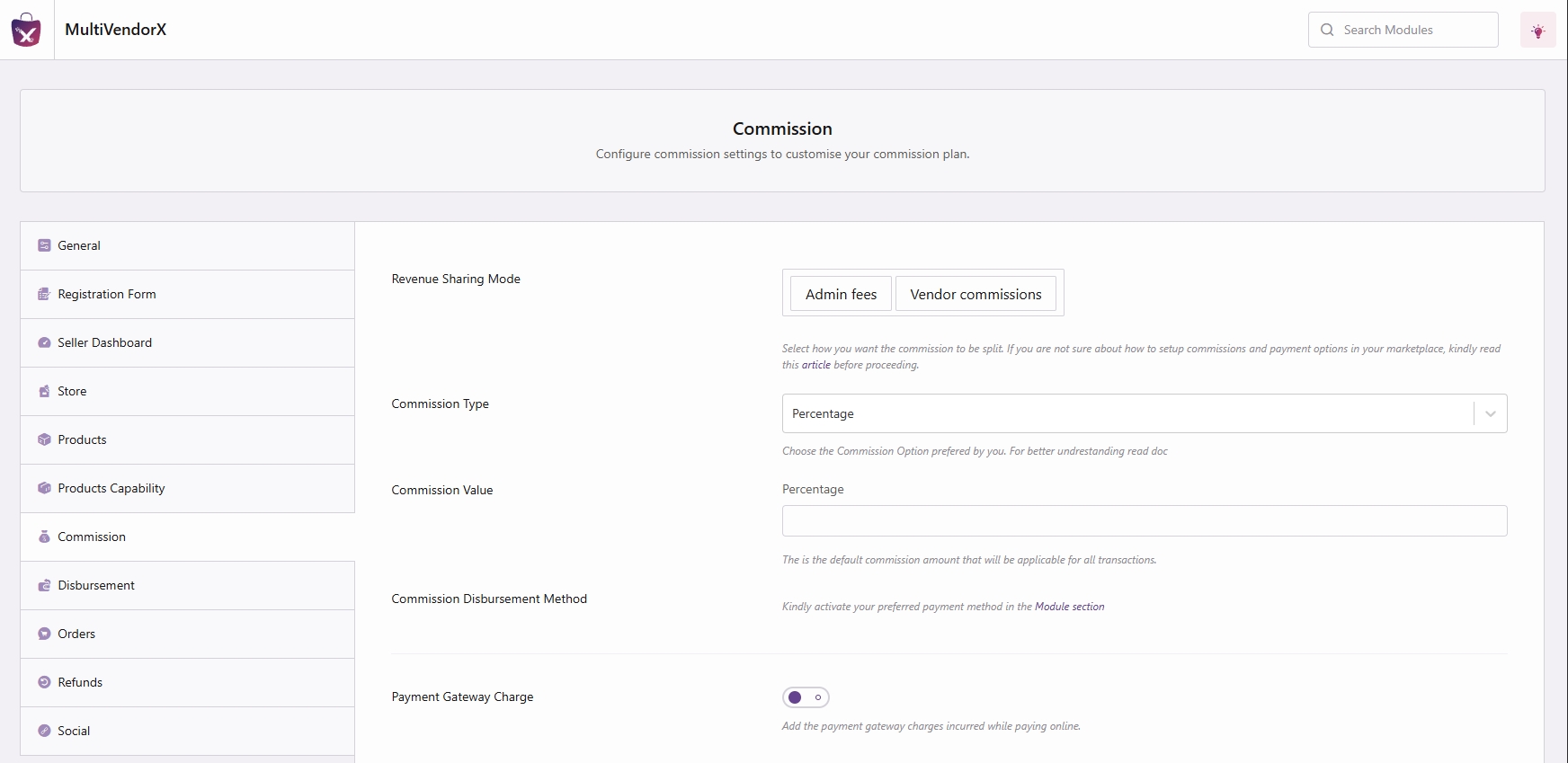
MultiVendorX has a commission system that offers multiple ways to charge vendor fees, and it is not limited to a single fixed rate. For example, their documentation shows that you can set commissions as fixed, percentage-based, or percentage plus fixed. This matters because it lets you choose a fee style that matches your marketplace model.
Payout options and payment flow
Payouts are where vendors get emotional. So it’s best to have a payout system you can explain clearly.
WC Vendors has a Stripe Connect add-on that supports three vendor payout options inside its setup: automatic, scheduled, and manual. Also, scheduled payouts can be daily, weekly, biweekly, or monthly, depending on your configuration. That makes it easier to set a rule like, “We pay every Friday,” then stick to it. Vendors usually like that kind of consistency.
MultiVendorX also supports vendor payout workflows in a structured way. They support two types of disbursement processes: automatic and manual. That means you can either send out vendor payouts automatically, or you can approve and pay them manually depending on how you want to operate.
If you want Stripe payouts specifically, MultiVendorX also provides a step-by-step doc for setting up Stripe Connect. You enable the Stripe Connect module in the Payments section. After that, you go to the Commissions tab and select Stripe Connect as the Commission Disbursement Method.
So yes, both can support Stripe Connect payouts. The difference you can highlight for a marketplace audience is the “day-to-day admin feel.” WC Vendors tends to be easier to position as the “marketplace ops” choice because they present Stripe Connect and payout schedules as a core marketplace workflow, not just a feature toggle.
Customization and marketplace control
This part matters because marketplaces change. You will adjust rules, add vendors, and will handle additional edge cases for orders. So that leads to this discussion, when people compare WC Vendors vs MultiVendorX:
WC Vendors emphasizes marketplace operations. It positions its dashboard as a single place to manage vendors, commissions, and payouts. That is the language marketplace owners care about, especially as you scale.
Also, WC Vendors Pro highlights front-end product management, including variations, pricing, and inventory. That matters because if vendors can do more from the front end, you spend less time doing support.
MultiVendorX is also feature-heavy, and it has a clear onboarding path. For vendor tools, MultiVendorX has detailed documentation around the seller dashboard and store management policies. They also provide vendor dashboard widgets that give vendors an overview of their store. So vendors can get a real “seller area” experience, not just a basic vendor role.
MultiVendorX also has some unique marketplace models baked in. For example, they support Single Product Multiple Vendors, which is well-suited to marketplaces where multiple sellers offer the same product, closer to an Amazon-style listing model.
Pricing Comparison
Pricing can feel like a trap if you only look at the first number you see. So here’s what I do: I check the free option first, then check the paid plans. And then I ask myself one question, “If my marketplace grows, will I feel like I picked the right base?”
That is also why pricing matters when comparing WC Vendors vs MultiVendorX. Both can start for free. However, the paid plans are where most marketplace owners end up once vendors and orders start piling up.
WC Vendors pricing
WC Vendors gives you a free plugin option. If you are still unsure, you can test your marketplace idea without spending any money. It will not cost you a dime while you learn the flow.
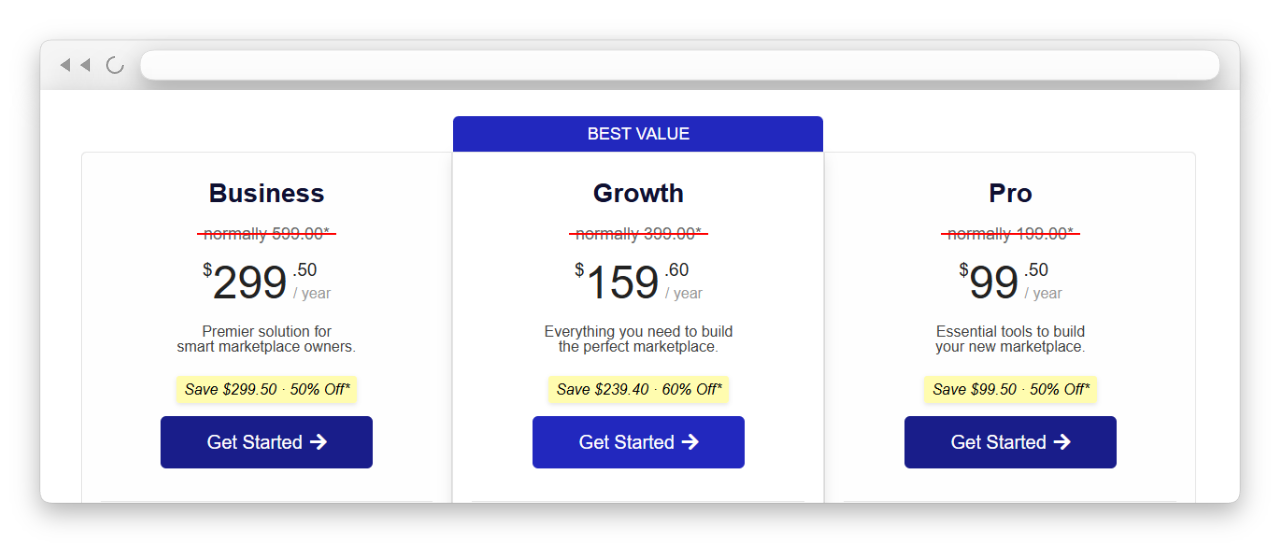
After that, WC Vendors has paid plans. Their pricing page shows Pro, Growth, and Business tiers.
Here is the part that matters for a marketplace. Those higher tiers are not just “more stuff.” They bundle marketplace-focused add-ons. For example, their Business plan page lists inclusions like WC Vendors Pro, WC Vendors Stripe Connect, and other marketplace add-ons in the bundle.
If you are thinking long term, WC Vendors’ pricing is the best fit: you can start for free, then upgrade when you need additional marketplace tools.
MultiVendorX pricing
MultiVendorX also has a free option. Their own site pushes “Try MultiVendorX for Free,” and their WordPress plugin listing backs up that a free version.
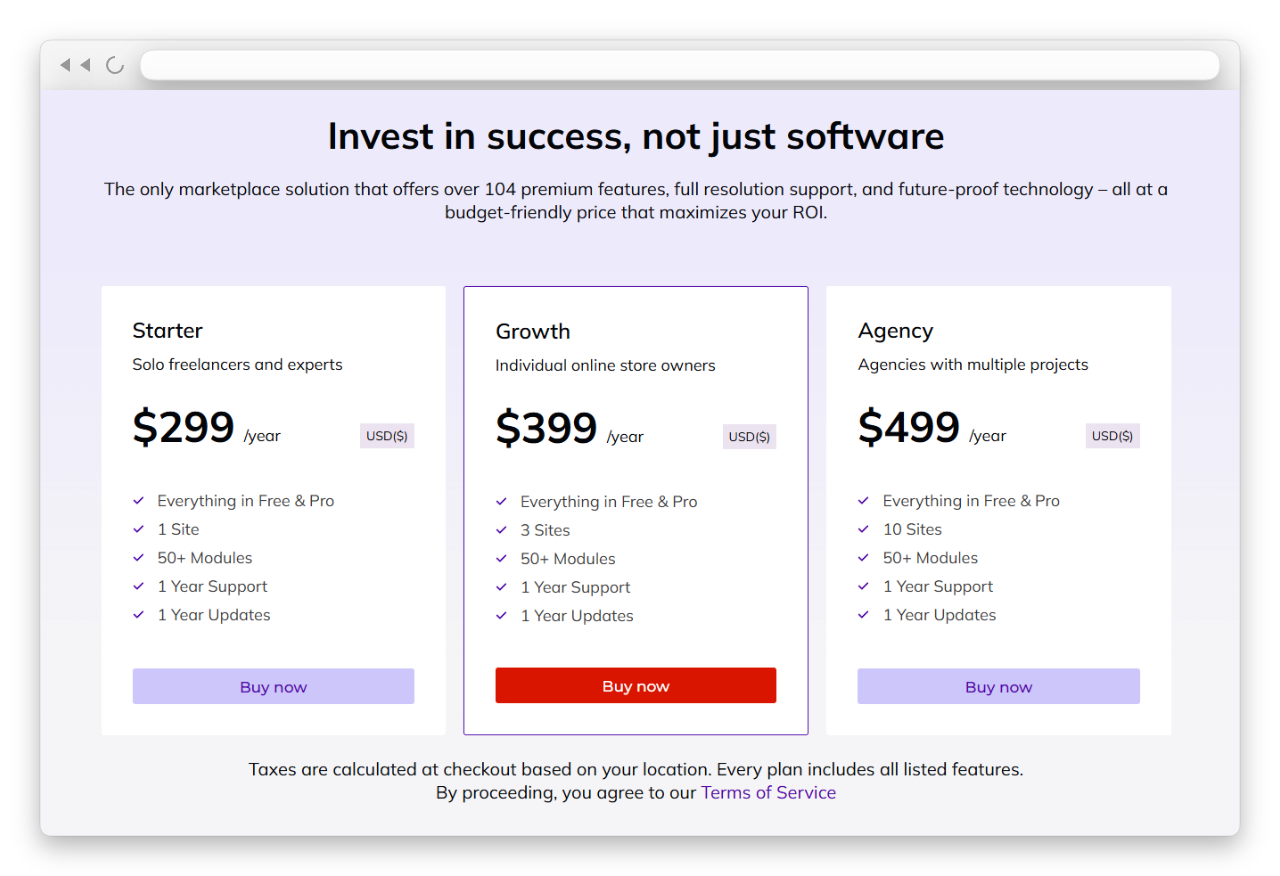
For paid plans, MultiVendorX also offers tiers. Their pricing page lists at least a Starter plan at $299 per year and mentions modules, updates, and support tied to the plan.
One thing you should know is that MultiVendorX often frames premium features around modules. You may see a long list of features included in Pro plans, which can be appealing if you prefer to enable features as needed.
Value for marketplace growth
Now, let us talk about value in a real way.
If you are still testing your marketplace idea, both can start at zero cost. That makes the early decision less scary.
So, in WC Vendors vs MultiVendorX pricing, if you want the safest “start free and grow into a marketplace system” path, WC Vendors often feels easier to commit to over time.
Also, support matters more than people think. When you run a marketplace, you deal with vendor questions, payout issues, and settings that affect everyone. So you want a team that understands marketplace problems, not just general WooCommerce issues. Because of that, WC Vendors’ support and resources tend to feel better aligned with what you actually need as you grow and work with real vendors, and they’re truly tailored to marketplace owners’ needs.
Quick Comparison Table Between WC Vendors Vs MultiVendorX
| What You Are Comparing | WC Vendors | MultiVendorX | My quick take for marketplace owners |
|---|---|---|---|
| Best starting point | Has a free plan, so you can test first without paying | Has a free plan too, so you can test first | Both are okay to test, but WC Vendors feels like the cleaner “start now, grow later” path |
| Vendor dashboard feel | Vendor-first flow, and vendors can handle more tasks on the front end in many setups | Seller dashboard with many tools and settings | You can set a consistent payout approach, which helps when vendors ask “when do I get paid?” |
| Commission flexibility | Supports multiple commission types, and Pro supports tiered setups | Supports several commission types and variations through settings | MultiVendorX gives options, but WC Vendors feels easier to grow with when commission rules get more complex |
| Payout workflow | Clear Stripe-based marketplace payout path through Stripe Connect add-on | Supports Stripe Connect setup and disbursement settings | Both can do Stripe, but WC Vendors is easier to explain to vendors once you set a payout rhythm |
| Payout schedule consistency | For a busy marketplace, consistency matters, and WC Vendors tends to feel less stressful long-term | Supports auto or manual disbursement depending on setup | For a busy marketplace, consistency matters, and WC Vendors tends to feel less stressful long term |
| Customization style | Marketplace-focused controls and add-ons that match typical marketplace needs | Feature-rich, often organized through modules | MultiVendorX can be powerful, but WC Vendors is easier to manage when you want fewer moving parts |
| Amazon-style model | Not the main focus | Has Single Product Multiple Vendors for shared listings | If you need SPMV, MultiVendorX can be a strong fit for that specific model |
| Support and resources | Support and docs are shaped around marketplace problems | Has docs and setup guidance too | If you want support that feels more tailored to marketplace owners, WC Vendors tends to feel more aligned |
| Best fit for growth | Strong fit if you plan to scale vendors, rules, and payouts | Can scale too, but you may manage more settings as you go | Both can work, but WC Vendors usually find it easier to onboard vendors who are not technical |
Final Verdict: Which One Should You Choose?
If you want a marketplace that can scale without becoming a daily support job, WC Vendors is your best fit. It is built around multi-vendor marketplaces and feels better aligned for marketplace owners as they scale.
Let’s look back on what we’ve discussed in this article:
- WC Vendors vs MultiVendorX: Quick overview
- WC Vendors vs MultiVendorX: Feature comparison
- Pricing comparison
- WC Vendors vs MultiVendorX: Comparison table
- Which one should you choose
When I say “scale,” I mean more vendors, products, orders, questions, and edge cases. That is when a marketplace stops feeling like a simple WooCommerce store and becomes a system you need to manage every day. For most WooCommerce marketplace setups, where each vendor sells their own products, and you want to grow over time, WC Vendors is the best pick. Overall, in WC Vendors vs MultiVendorX comparison, WC Vendors is the better recommendation for most growth-focused marketplace owners.
Frequently Asked Questions
What is the biggest difference between WC Vendors and MultiVendorX?
It comes down to the marketplace model and how you want to run operations as you grow. WC Vendors often feel more focused on the common marketplace setup. MultiVendorX stands out when you need Single Product Multiple Vendors for shared listings.
Can I start for free with WC Vendors?
Yes. WC Vendors has a free plan, so you can test the marketplace flow first. Because of that, it will not cost you a dime if you are still unsure and you just want to try things out.
Does MultiVendorX have a free option, too?
Yes, it does. So if you want to compare setups before paying, you can try both on a staging site. Then you can see which dashboard and settings feel easier for you.
Which one is easier for beginners?
If you are new, both can work. However, what feels “easy” depends on your comfort level with settings. If you want a vendor-first workflow and you want to grow into more advanced rules later, WC Vendors is your best choice, especially if you start simple.
Which plugin is better for commission rules?
Both support commissions. Still, if you expect your commission rules to change over time, WC Vendors is often easier to recommend for growth because it supports more commission structures than Pro. Meanwhile, MultiVendorX also supports multiple commission configurations, so it can still work if you prefer a settings-driven approach.
Can I switch later if I change my mind?
You can, but it can take a lot of work once you already have many vendors and products. Because of that, I always suggest you choose based on your future plan, not only what feels easiest today. If you are unsure, start with a free setup first, test the vendor flow, then commit.

