
If you are building a WooCommerce marketplace, I assume this question has crossed your mind: “Which multi vendor plugin should I use?” I get it. You do not want to pick the wrong one, then redo everything later. That can surely be a waste of time, money, and most especially… patience. That is why I made this comparison just for you. In this article, I will discuss WC Vendors vs YITH WooCommerce Multi Vendor: what each plugin is intended to do, how they handle vendors, and which type of marketplace owner each one serves.
If you are ready, let’s start with a simple baseline.
What WC Vendors And YITH WooCommerce Multi Vendor Are
Before we compare features, I want to get one thing clear. Both plugins are made to help you run a marketplace on WooCommerce. That means you can let other sellers join your site, list products, and sell under your rules. Yes, WC Vendors vs YITH WooCommerce Multi Vendor is a real apples-to-apples comparison, at least at the core.
WC Vendors is built to turn a WooCommerce store into a multi vendor marketplace. The plugin focuses on vendor management, commissions, and payouts, all tied back to WooCommerce. It also offers a free version, which makes it easier to test the basics before you pay for advanced features. Likewise, it has a Demo Site if you want to try the paid features.
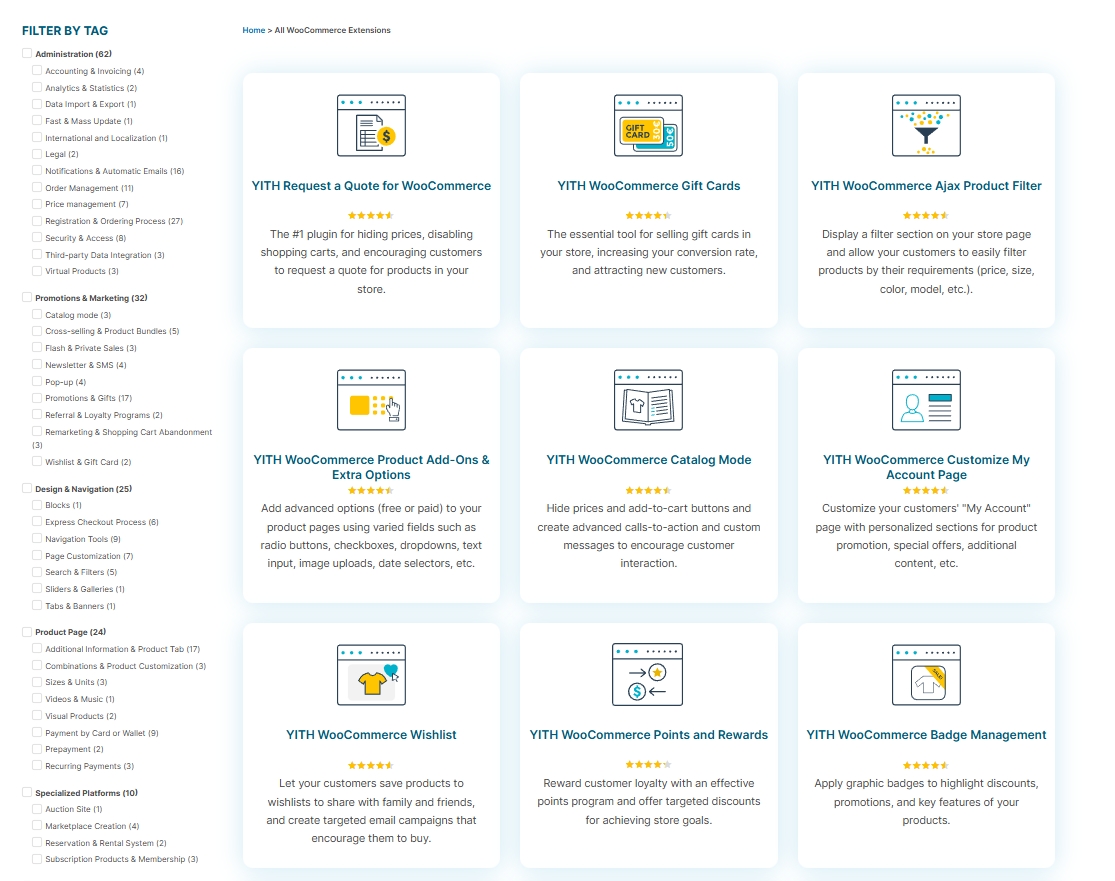
YITH WooCommerce Multi Vendor is also made for creating a marketplace on top of WooCommerce. If you already use other YITH plugins, YITH WooCommerce Multi Vendor fits into that ecosystem—though that also means you may end up buying multiple YITH add-ons to match what WC Vendors includes out of the box. YITH does highlight options like Stripe Connect and PayPal Payouts, but those are separate paid plugins you need to purchase on top of the marketplace plugin.
Now, here is the part most new marketplace store owners miss. A marketplace plugin is not just about letting vendors sign up and sell their products. It is also about how the overall work feels. And in the WC Vendors vs YITH WooCommerce Multi Vendor comparison, this is where the differences really show.
Vendor Dashboard And Vendor Control
This is the part I care about the most. Your vendors will spend most of their time inside the dashboard. That is why I treat the vendor dashboard like the “home base” of the whole system.
What should a good vendor dashboard do?
Before we get into plugin details, let me set a simple checklist. If your vendors are not technical, this matters even more.
A good vendor dashboard should help vendors:
- Add and edit products without feeling lost
- See orders without digging through menus
- Update store settings without touching wp-admin
- Do common tasks in a clean routine, day after day
- Avoid sending you questions for every small thing
A confusing dashboard creates support tickets and silent drop-offs. A clear one keeps vendors active, which saves you time and keeps sales moving.
YITH WooCommerce Multi Vendor control
Product management
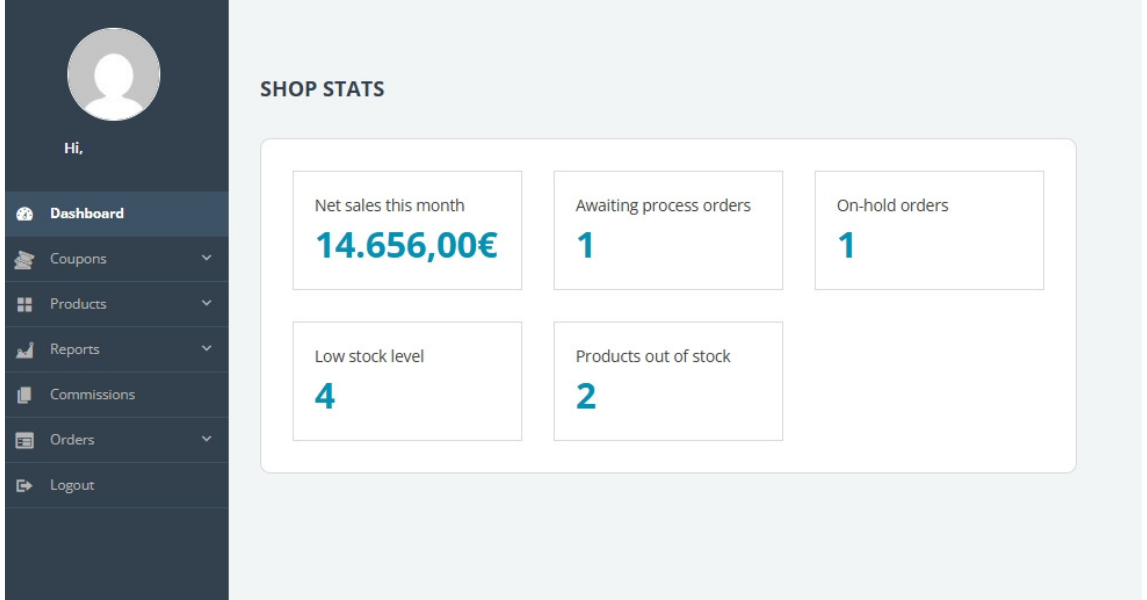
- If you want vendors to manage products from the front end, YITH Multi Vendor requires a separate plugin—YITH Frontend Manager for WooCommerce—to make that happen. Without it, vendors are stuck in the WordPress backend. That means an extra purchase and extra configuration just to give vendors a basic front-end experience that WC Vendors includes by default.
Order management
- Order management from the front end also depends on YITH Frontend Manager—again, a separate paid plugin. Without it, vendors check orders inside wp-admin.
- This extra dependency adds cost and complexity that WC Vendors does not require.
Permissions control
- If you want tight control over what vendors can do, YITH WooCommerce Multi Vendor includes a “Vendors’ permissions” area where you can set rules.
- This gives you a way to set boundaries early, especially when onboarding new vendors who still need guidance.
Coupons
- If you want vendors to create their own coupon codes, YITH WooCommerce Multi Vendor includes vendor permission options that let you decide whether vendors are allowed to create coupon codes.
- This is a basic on/off toggle. WC Vendors Pro gives you more control, letting you choose the types of coupons vendors can create (Fixed Discount and Percentage Discount)—not just whether they can create them at all.
WC Vendors dashboard and vendor control
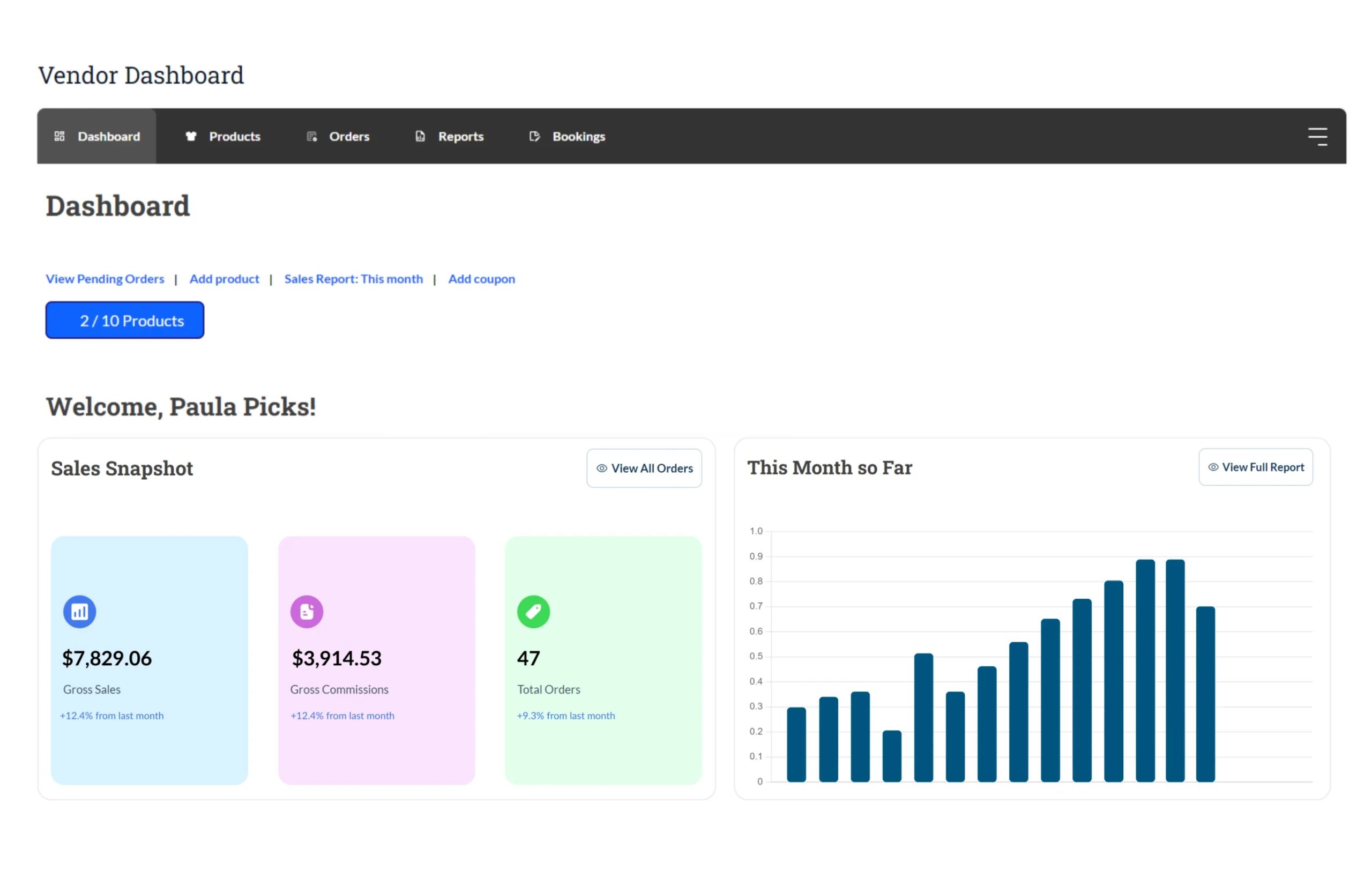
Product management
- If you want vendors to handle products on their own, WC Vendors lets them manage products from their dashboard. From there, they can add, duplicate, edit, or delete a product. This front-end product management is built into WC Vendors Pro—no extra plugin needed.
- You can also keep the product editing flow familiar, because WC Vendors lets the standard product edit template include the same features and settings as the default WooCommerce “Add Product” page.
Order management
- If you want vendors to check orders without asking you every time, WC Vendors lets vendors view and manage orders for their items. Depending on what you allow, they can view order details, add tracking numbers, and mark orders as shipped. All from the front-end dashboard—no wp-admin access required.
- If you want a cleaner shipping handoff, vendors can add their own shipping labels and tracking numbers, but they can still be based on your admin capabilities settings.
Permissions control
- WC Vendors explains that product actions in the dashboard are controlled by how you set capabilities in the admin settings.
- You can choose which product options vendors can use when they add or edit products from the vendor dashboard.
Coupons
- If you want vendors to run their own promos, WC Vendors Pro lets vendors create coupons for their own products. That means you do not need to create every discount for them.
- You can also control the types of coupon support. WC Vendors Pro supports Fixed Discount and Percentage Discount coupons for vendors.
Why this matters for your WC Vendors vs YITH WooCommerce Multi Vendor decision
If I want the clearest vendor dashboard structure and straightforward vendor control settings that map directly to vendor actions, I’d pick WC Vendors. The dashboard layout and the capabilities-based control feel more direct and easier to run every day.
WooCommerce Multi Vendor can also keep vendors out of wp-admin, but only if you purchase and configure a separate Frontend Manager plugin. With WC Vendors, that front-end experience is already built in—no extra purchase, no extra setup.
Commissions And Payouts
This part can make or break your marketplace. Vendors usually do not complain about “features” first. Instead, they ask, “When will I be paid, and how can I verify the amount is correct?”
So when we talk about WC vendors vs YITH WooCommerce Multi Vendor, this is where it might pique your interest. A clear payout setup can save you from a lot of back-and-forth later.
What you should look for first
Before I compare the two, here is what I look for as an admin. You can use the same checklist if you like.
Can it:
- Set commission rules in a way that matches your business model?
- Handle different product types without doing math by hand?
- Pay vendors manually if you want full control?
- Use an automated payout option if your marketplace gets busy?
- Delay payouts until an order is complete, or shipped, or after a refund window?
Now let’s break it down.
WC Vendors commissions
If you want commissions that match how you sell, WC Vendors gives you a few ways to set them up.
How commissions can be set
You can set commissions at different levels, like global settings, vendor settings, and product overrides.
📝 Commission types you can use in WC Vendors Pro: You can list multiple commission types that includes percentage, fixed fee, percentage plus fee, fixed fee plus fee, and tiered commissions.
What this means for you
If you want to start simple, you can. However, if you want more control later, the Pro commission types give you room to grow without changing your whole setup.
WC Vendors payout options
Now let’s talk payouts, because commission rules are useless if payouts feel messy.
| Payout Method | What It Means For You |
|---|---|
| Manual payouts | If you want full control, you can pay vendors manually by exporting commission data, then sending payments outside the plugin. This works if you want to review orders first before money goes out. |
| PayPal payouts | If you want to use PayPal Payouts Web, you can export commissions to CSV, then use that file for bulk payouts after you format it to match PayPal’s file requirements. |
| Stripe split payments (Recommended) | If you want automatic split payments, WC Vendors Stripe Connect uses Stripe Connect so payments can be split between you and your vendors during checkout, based on your setup. |
| Payout rules and withdrawals | If you want vendors requesting withdrawals, or you want rules like minimum balances, WC Vendors has a payouts option that supports payout requests and minimum payout thresholds. |
Your takeaways
If you:
- prefer hands-on payouts, you can keep it manual.
- want split payments, Stripe Connect is an option.
- want payout timing rules and withdrawal-style payouts, you can set up the payout product to reflect that configuration.
Yith WooCommerce Multi Vendor commissions
Now let’s switch to YITH WooCommerce Multi Vendor. YITH includes commission management as part of the marketplace plugin, though the options are more limited compared to WC Vendors Pro’s tiered and mixed commission types.
How commissions fit in
YITH frames Multi Vendor as a marketplace plugin where vendor commissions are part of the system.
What this means for you
If you already use YITH tools, the interface will feel familiar. However, in a WC Vendors vs YITH WooCommerce Multi Vendor comparison, WC Vendors Pro offers more commission types—including tiered commissions—without needing additional plugins.
YITH WooCommerce Multi Vendor payout options
| Payout Method | What It Means For You |
|---|---|
| Manual payouts | You can pay vendor commissions manually, like through bank transfers or PayPal. |
| PayPal payouts | Automated PayPal payouts require a separate paid plugin—YITH PayPal Payouts for WooCommerce. Not included with the marketplace plugin. |
| Stripe Connect payouts | Stripe Connect payouts also require a separate paid plugin—YITH WooCommerce Stripe Connect. Automated payouts through Stripe mean another add-on purchase on top of the marketplace plugin. |
What this means for you
Manual payouts work out of the box. But if you want automated payouts with YITH, you need to buy one or two additional paid plugins. With WC Vendors, the Stripe Connect add-on is a single, clear integration path.
What matters when you choose
If you want more commission types spelled out in one place, WC Vendors is easier to compare because it clearly lists the commission options, including tiered commissions. Also, it gives you more “knobs” to adjust through its payout tools and documentation, such as payout timing rules and withdrawal requests.
If your marketplace is PayPal-heavy, YITH does offer a PayPal Payouts option—but remember, it is a separate paid plugin. WC Vendors also supports PayPal via CSV export, and its recommended path (Stripe Connect) avoids the PayPal dependency altogether. In the WC Vendors vs YITH WooCommerce Multi Vendor payout comparison, WC Vendors gives you a cleaner, more self-contained solution.
Extensions, Integrations And Marketplace Expansion
WC Vendors
If you want to grow your marketplace without changing how your site works, WC Vendors puts a lot of focus on compatibility with popular WooCommerce add-ons. If you plan to sell to both retail and wholesale buyers, you can enable wholesale pricing in a multi-vendor marketplace using WC Vendors + Wholesale Suite integration.
You may read: WC Vendors Integration With Wholesale Prices.
If promotions are part of your plan, WC Vendors integrates with Advanced Coupons. This enables marketplaces to use advanced coupon settings for their products.
What I like here is that WC Vendors sits in the same Rymera brands, so you are not mixing totally unrelated brands for key growth features.
📝 See the full list of integration HERE.
YITH WooCommerce Multi Vendor
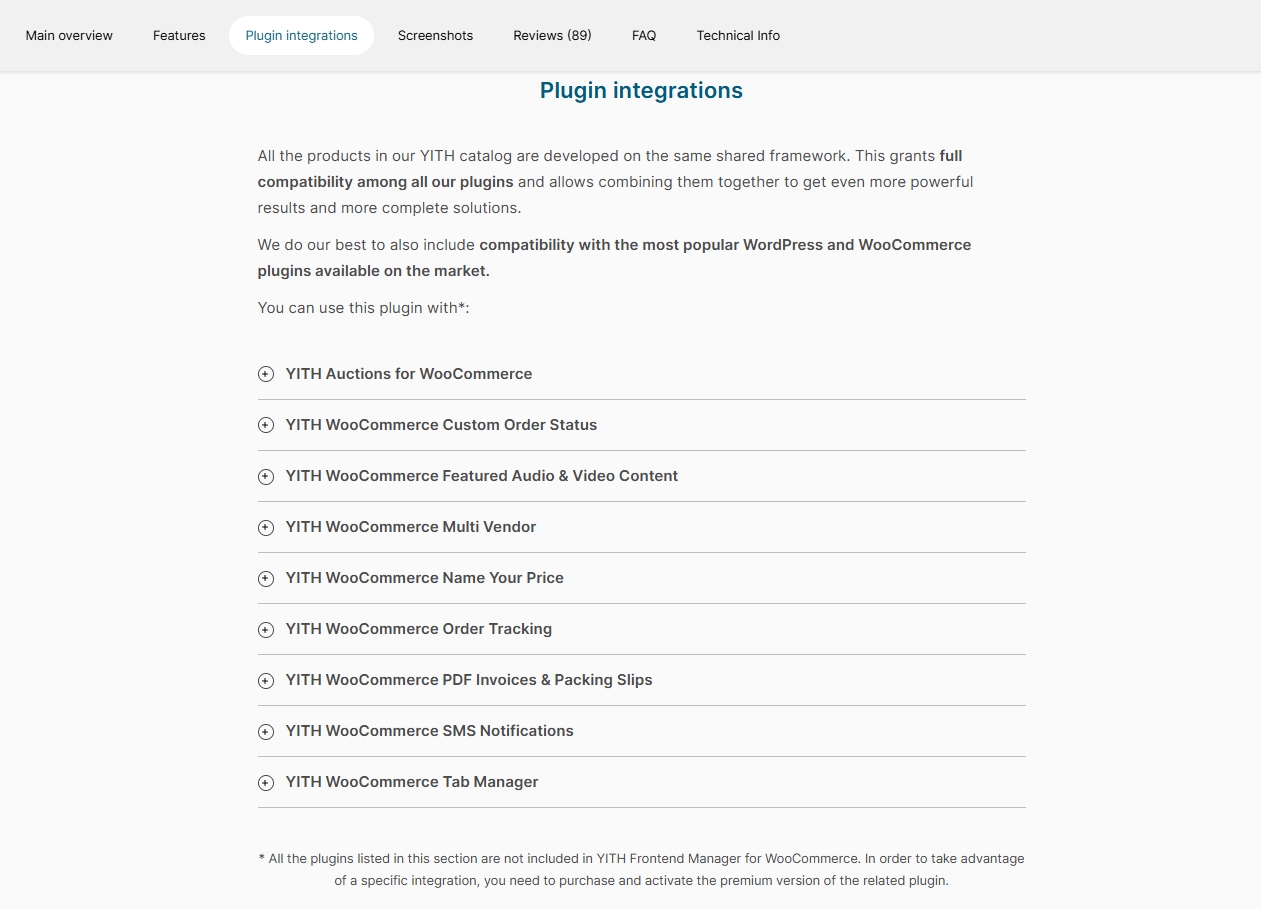
YITH also offers an ecosystem of related plugins. However, “one family” also means you are locked into buying YITH plugins for nearly every feature expansion—and those costs add up. For example, if payouts and revenue sharing are your priorities, YITH WooCommerce Stripe Connect is designed to manage payment splitting and revenue sharing via Stripe Connect.
If your store uses subscriptions, YITH offers a separate subscription plugin—yet another add-on to purchase. WC Vendors can also support subscription-based marketplaces through WooCommerce Subscriptions integration.
What’s in it for you?
If you start your marketplace with simple products today, that can work fine at first. However, you will end up with different product types across vendors. Because of that, you will need to adjust your setup over time.
When you reach that stage, you do not want to rebuild your marketplace from scratch. You also do not want to waste time hunting for random add-ons that may not fit your workflow.
That is why WC Vendors vs. YITH becomes more about which one can still work well after you expand. WC Vendors wins here because it highlights broader compatibility with WooCommerce extensions and does not lock you into a single plugin ecosystem to get essential features.
Pricing And Free Version Availability
| What’s Available | WC Vendors | YITH WooCommerce Multi Vendor |
|---|---|---|
| Free version | Yes. WC Vendors Marketplace has a free version. | No free version. Sold as a paid product only. |
| Paid plans shown | Paid Plans: Pro, Growth, Business | Sold per plugin. Essential features like frontend dashboard and automated payouts require separate purchases. |
| Price points | Pro $99.50/yr, Growth $159.60/yr, Business $299.50/yr | Price varies per plugin. $60 to $200+ per year per plugin—total cost rises quickly when you add essential add-ons. |
| Best fit | Best overall value. Free version to test, then a single Pro upgrade that bundles essential features together. | If you are already heavily invested in the YITH ecosystem and willing to buy multiple add-ons. |
When you are still validating your marketplace idea, WC Vendors gives you a safer start by letting you run the basics on the free version first, then upgrade once you know which features you need.
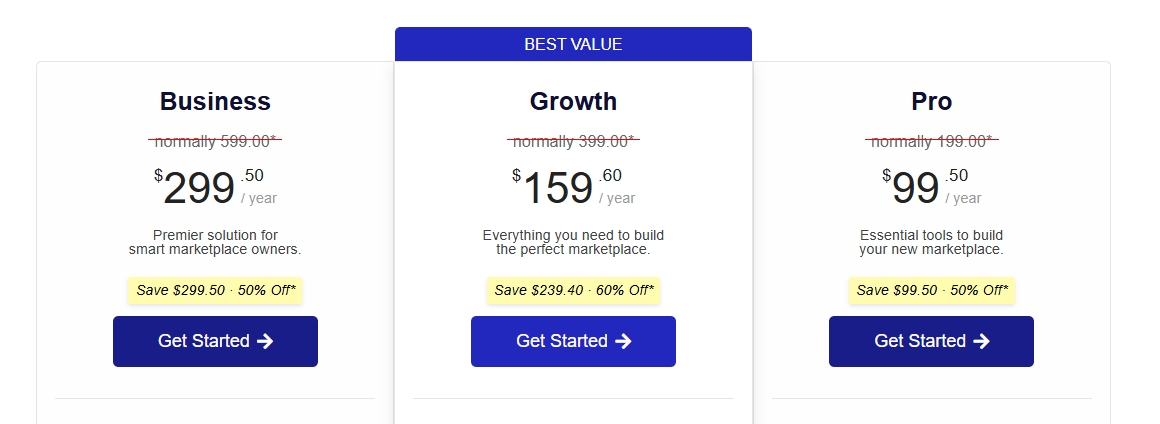
That is why this WC vendors vs YITH WooCommerce Multi Vendor often becomes a timing decision. With WC Vendors, you can start free and upgrade when ready. With YITH, you are paying from day one—and paying more as you add essential features.
YITH WooCommerce Multi Vendor does offer a wide range of WooCommerce extensions, but each one is a separate purchase. If you are starting fresh, WC Vendors gives you more value per dollar.
Support And Documentation
| Area | WC Vendors | YITH |
|---|---|---|
| Where you go for help | WC Vendors Knowledge Base + reach out to [email protected] directly | YITH Docs site + YITH Help Center |
| What the docs feel like | Very marketplace task-focused. You will see topics like vendor dashboard, payouts, and vendor workflows. | Spread across multiple plugin docs. Since YITH features are split into separate plugins, you may need to jump between different documentation pages to solve one problem. |
| Best if you are… | Building and troubleshooting a marketplace day to day, and you want docs that match vendor workflows. | Already deep in the YITH ecosystem and comfortable navigating multiple plugin docs. |
You will not just use the plugin once. You will troubleshoot settings, vendor issues, payouts, and permissions over time. In terms of WC Vendors vs YITH WooCommerce Multi Vendor, WC Vendors’ documentation feels more focused because marketplace features are in one plugin, not scattered across add-ons.
With WC Vendors, the Knowledge Base is built around marketplace tasks. So when you need help with vendor workflows, it’s easier to find the right guide quickly.
With YITH WooCommerce Multi Vendor, the support experience depends on how many plugins you are using. Since features are split across multiple paid plugins, you may find yourself reading documentation for several different products just to solve a single marketplace issue.
My quick take for WC Vendors vs YITH WooCommerce Multi Vendor Support: WC Vendors’ documentation is more focused and easier to navigate because everything lives under one marketplace plugin. YITH’s docs are spread across multiple products.
Conclusion: Which One Should You Pick?
When I think about WC vendors vs YITH WooCommerce Multi Vendor, I keep coming back to daily workflow. And when I look at the full picture—dashboard experience, commission flexibility, payout simplicity, pricing, and long-term growth—WC Vendors is the better choice for most marketplace owners.
First, let’s do a quick recap on what we’ve tackled so far:
- WC Vendors Vs Yith WooCommerce Multi Vendor: Overview
- Vendor dashboard and vendor control
- Commissions and payouts
- WC Vendors Vs Yith WooCommerce Multi Vendor: Integrations and add-ons
- Pricing and free version availability
- Support and documentation
When WC Vendors is a better fit
I’d pick WC Vendors if you want a marketplace setup that feels more direct for vendor work. The vendor dashboard and vendor controls are easier to explain during onboarding, and the commission and payout paths feel easier to plan around as the marketplace grows. It also helps if you want a clearer path for adding things like wholesale pricing later, since that is a common “growth request” once you start getting bigger orders.
This is the moment where WC Vendors vs YITH WooCommerce Multi Vendor stops being a “which plugin is nice” question. It becomes a “which one will still feel manageable when I have more vendors” question. And the answer is WC Vendors—because essential features are built in, not scattered across paid add-ons.
My final pick
If you want my honest answer, I’d pick WC Vendors. It provides a clearer vendor dashboard flow, robust vendor controls, strong support, and an easier path to growth features as your marketplace expands. In this WC Vendors vs YITH WooCommerce Multi Vendor comparison, WC Vendors wins on value, simplicity, and scalability.
Frequently Asked Questions
Between WC Vendors Vs YITH WooCommerce Multi Vendor, which is better for my marketplace?
WC Vendors is the better pick. The vendor dashboard is built in (no extra plugin needed), commissions are more flexible with tiered options, and you get a free version to test before committing. YITH requires separate paid add-ons for features WC Vendors bundles together.
Do I need coding skills to run a multi-vendor marketplace?
Most of the time, no. You can set up the basics without coding. However, you will still spend time on pages, permissions, commissions, and payout rules.
Can vendors create coupons with either plugin?
Yes, both can support vendor coupons depending on the settings you allow. WC Vendors Pro gives you more granular control—you can choose which coupon types vendors can create, not just toggle coupons on or off.
Is WC vendors vs YITH WooCommerce Multi Vendor a fair comparison for WooCommerce marketplaces?
Yes. Both are built for multi-vendor marketplaces on WooCommerce. The bigger differences show up in vendor workflow, admin controls, and how you want payouts to work. The key difference is that WC Vendors bundles more essential features into one plugin, while YITH splits them across separate paid add-ons.
What payout options should I look for when comparing WC Vendors vs YITH WooCommerce Multi Vendor?
Look for a payout routine you can maintain every week. With WC Vendors, Stripe Connect is built as a single add-on for automated split payments. With YITH, automated payouts require purchasing separate plugins (YITH PayPal Payouts or YITH Stripe Connect) on top of the marketplace plugin.
If I plan to expand product types later, will this choice matter more?
Yes. A marketplace usually starts simple, then vendors ask for more selling models over time. That is why growth planning matters before you commit. WC Vendors is worth considering because they publicly highlight compatibility with those WooCommerce extension types. So you are less likely to feel stuck when vendors start requesting “extra” selling setups.

