
Traffic to your WooCommerce marketplace is growing, but revenue stays flat. Your vendor signup page has a high drop-off rate. Buyers browse products, add items to cart, and then vanish at checkout. Two different conversion problems, both bleeding your marketplace dry. Marketplace conversion rate optimization is harder because you are optimizing two funnels simultaneously.
You need buyers to complete purchases, and you also need potential vendors to finish registration and list products. This guide breaks down both sides of marketplace conversion rate optimization. You will get specific tactics for buyer-side CRO, vendor-side CRO, the metrics that actually matter, and a quick wins checklist you can start using today.
Why Marketplace Conversion Rate Optimization Differs From Regular Ecommerce
Marketplaces run on two conversion funnels, not one. Ignore either side and the whole system stalls.
The buyer funnel moves visitors from product discovery through checkout to completed purchase. This part looks similar to any ecommerce store, but with added complexity. Buyers on a marketplace are choosing between products from multiple vendors, which means trust signals, consistent product presentation, and quality control all influence whether they convert.
The vendor funnel moves potential sellers from your “sell on our marketplace” page through registration, onboarding, and first product listing. Every vendor who drops off during registration is a lost catalog, a lost revenue stream, and a lost opportunity to differentiate your marketplace.
These two funnels are connected. More vendors means more product selection, which attracts more buyers, which in turn attracts more vendors. The flywheel only spins if both conversion paths are optimized.
According to Baymard Institute, the average documented online shopping cart abandonment rate sits at 70.22% across 50 different studies. For marketplaces, buyer-side abandonment tends to run even higher because of inconsistent vendor product pages and the added trust barrier of buying from unfamiliar sellers on a shared platform. Solid marketplace conversion rate optimization closes both of those gaps. For a broader strategic view of how conversion connects to traffic and vendor recruitment, see the WC Vendors guide to marketplace growth strategies.
Buyer-Side Conversion Rate Optimization
Buyer CRO focuses on the path from product discovery to completed purchase. Every step where a buyer hesitates or gets confused is a conversion leak, and on a multi-vendor platform those leaks compound fast.
Optimize product pages for trust and clarity
Product pages are where most conversion battles are won or lost. On a marketplace, product quality varies by vendor, so you need to enforce consistency.
Require minimum standards for product images, including high resolution, white background, and multiple angles. Mandate complete product descriptions with specifications, dimensions, and materials. Display vendor ratings and review counts prominently on each product page so buyers can size up the seller at a glance.
One thing we commonly see: marketplaces allow vendors to list products with a single low-quality photo and a one-sentence description. Those listings drag down the entire marketplace’s conversion rate, not just that vendor’s products. When buyers spot one bad listing, they start questioning the quality of every listing. If you want a deeper dive into setting visual standards, the WC Vendors guide on the WooCommerce product image gallery walks through what good looks like.
Improve search and filtering
Buyers who cannot find what they want will leave. Your marketplace search needs to return relevant results, and your category filters need to narrow options effectively. WC Vendors Pro 2.1.0 adds WooCommerce category filters on your shop and vendor directory pages, so shoppers can narrow both vendors and products in a single click.
Add faceted filtering by price range, vendor rating, shipping speed, and product attributes. Layer autocomplete suggestions onto your search bar. Track what buyers search for and find zero results, then fill those gaps. Each fix here lifts your marketplace conversion rate optimization score without requiring more traffic.
For a deeper look at marketplace user experience principles, see the guide on ecommerce UX best practices for your marketplace.
Streamline the checkout process
Every extra step in checkout costs conversions. Remove unnecessary form fields, offer guest checkout, and support multiple payment methods. Display order totals clearly with no surprise fees at the last step.
For marketplace-specific checkout, make sure the buyer experience feels unified even when the order includes products from multiple vendors. Cart totals should consolidate cleanly, and shipping information should be clear about which vendor ships which item. Confused buyers are abandoning buyers.
Build trust signals across the marketplace
Trust is the biggest conversion factor unique to marketplaces. Buyers are purchasing from sellers they have never heard of, and they need reassurance.
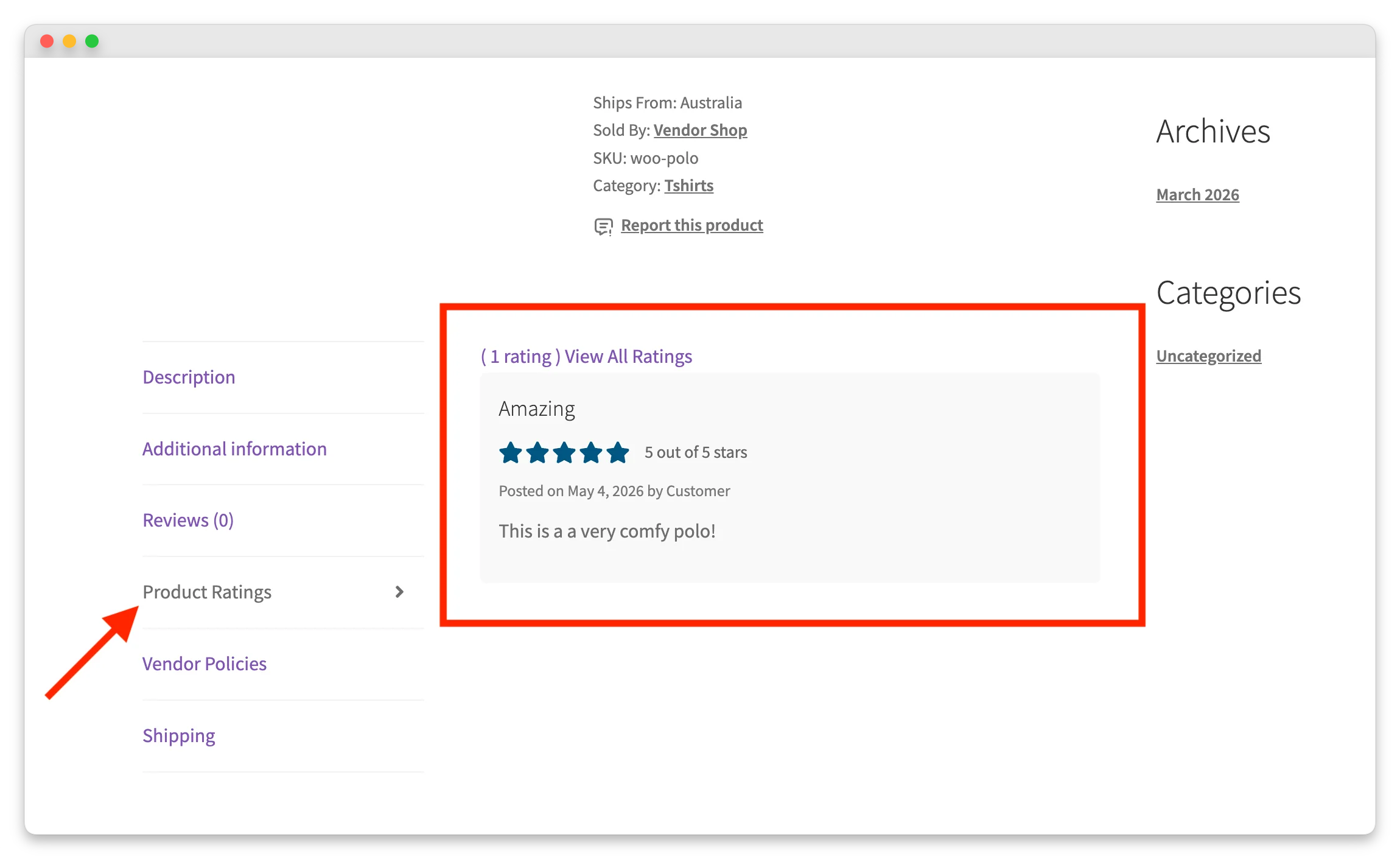
Display marketplace-level trust signals such as money-back guarantees, buyer protection policies, secure payment badges, and aggregate review counts. Vendor-level trust signals matter too: individual seller ratings, “verified vendor” badges, and response time indicators. Most U.S. shoppers have concerns about sharing personal information when shopping on ecommerce sites they have not heard of before, which is exactly the situation marketplace buyers face every time they consider a new vendor.
Product content quality is part of that trust equation. Salsify’s 2025 Consumer Research found that 87% of shoppers will pay more for a product from a brand they trust, and 54% have abandoned a sale because product content was not consistent across channels. For a marketplace, that content quality is split across many vendors, which makes quality enforcement a direct conversion lever in any marketplace conversion rate optimization plan.
Vendor-Side Conversion Rate Optimization
Vendor CRO focuses on the path from your “sell here” landing page through registration to first product listed. Most marketplaces lose potential vendors during this journey, and most marketplace owners never measure it.
Simplify the vendor registration flow
Vendor registration forms are conversion killers when they ask for too much too soon. Only collect essential information at signup: name, email, store name, and password. Everything else can wait until after the vendor account is created.
You can customize the vendor signup experience in WC Vendors to control exactly which fields appear on the registration form and in what order. Strip it down to the minimum and add optional profile completion steps after the vendor is inside the dashboard. Research from HubSpot, based on an analysis of more than 40,000 landing pages, found a clear trend: as the number of form fields increases, conversion rates decrease. The same logic applies to vendor signup forms.
One thing we commonly see: marketplace owners ask vendors for their full business details, tax information, shipping policies, and a complete store description before they can even create an account. Each additional required field increases drop-off. Get them in the door first, then collect the rest progressively. That single change can move the needle on your overall marketplace conversion rate optimization more than almost any other tweak.
Improve onboarding UX with guided setup
A blank vendor dashboard is intimidating. New vendors who log in and have no idea what to do next abandon the platform before listing their first product.
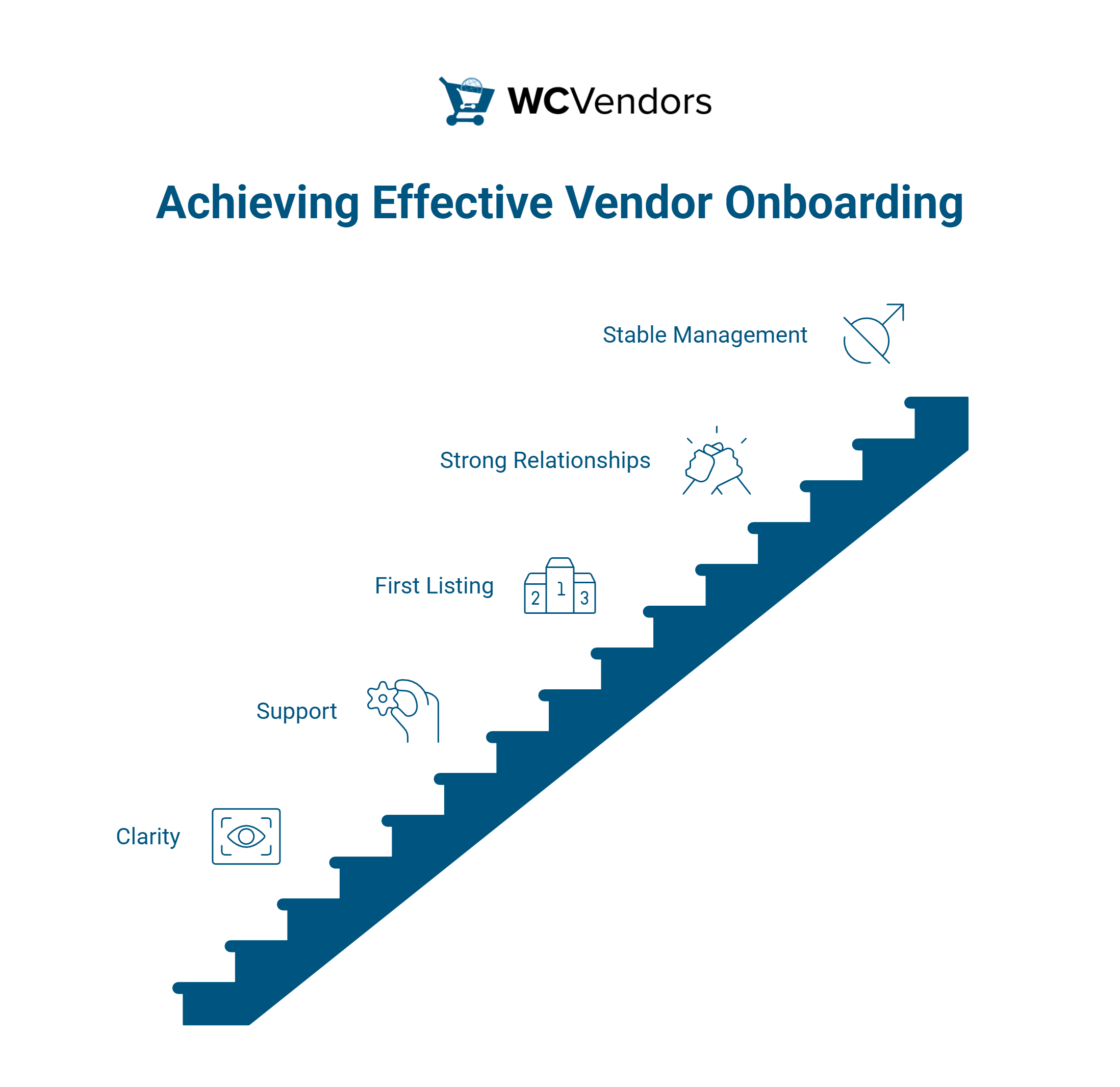
Create a guided onboarding flow that walks vendors through setup step by step: complete your profile, add your first product, configure shipping, set up your store page. Progress indicators (“You are 60% set up”) motivate vendors to complete each step. For a complete framework, see the vendor onboarding process guide.
Optimize the vendor dashboard experience
Vendors who find the dashboard confusing or cluttered stop using the marketplace. Your vendor dashboard should surface the information vendors care about most: sales data, pending orders, payout status, and product performance.
Keep navigation simple. Group related functions together. Make the “add new product” action prominently visible. Vendors should be able to check their daily sales and manage their store in under five minutes. Every minute of friction is a small invitation to log out and never return.
Show vendor success stories and earnings potential
Potential vendors want proof that your marketplace generates sales. Feature vendor success stories, average earnings data (anonymized), and marketplace growth statistics on your vendor recruitment pages.
Social proof works on vendors the same way it works on buyers. If other vendors are succeeding on your platform, new vendors are more likely to invest the effort to set up their store. This is one of the most underused tactics in marketplace conversion rate optimization because most operators focus only on buyer-side trust signals.
Measuring Marketplace Conversion Rates
Track buyer and vendor conversion metrics separately. Combining them into a single “conversion rate” masks what is actually happening on each side, and that hides the leaks you most need to fix.
Key buyer-side metrics
- Browse-to-cart rate: percentage of product page views that result in an add-to-cart action.
- Cart-to-purchase rate: percentage of carts that convert to completed orders.
- Overall buyer conversion rate: percentage of marketplace visitors who make a purchase.
- Average order value: total revenue divided by number of orders.
- Repeat purchase rate: percentage of buyers who purchase again within 90 days.
Key vendor-side metrics
- Registration completion rate: percentage of vendor signup starts that finish registration.
- Onboarding completion rate: percentage of registered vendors who list at least one product.
- Time to first listing: average days between vendor registration and first product listed.
- Active vendor rate: percentage of registered vendors with at least one sale in the past 30 days.
- Vendor churn rate: percentage of vendors who stop listing or selling over a given period.
Tools for tracking marketplace conversions
Google Analytics 4 tracks buyer behavior, including ecommerce events like add-to-cart and purchase. For marketplace-specific tracking, set up custom events for vendor registration steps and product listing actions.
WC Vendors provides vendor-level sales data and commission reports that complement GA4’s buyer-side tracking. Together, they cover both funnels in your marketplace conversion rate optimization program.
Here is what a basic metrics tracking setup looks like (example targets):
- Buyer conversion rate: 2.3% (typical range for marketplaces is 1% to 3%).
- Vendor registration completion: 45% (target: 60% or higher).
- Vendor onboarding completion: 70% (target: 80% or higher).
- Time to first listing: 4 days (target: under 48 hours).
Quick Wins Checklist For Marketplace CRO
Start with these high-impact, low-effort improvements. Each one targets a specific conversion leak on either the buyer or vendor side, and together they form a solid first pass at marketplace conversion rate optimization.
- Reduce vendor registration fields to four or fewer. Only ask for name, email, store name, and password. Collect everything else after registration.
- Add a currency and shipping cost summary to product pages. Buyers abandon when costs stay unclear until checkout.
- Display vendor ratings on every product listing. Trust signals reduce hesitation about buying from unknown sellers.
- Create a vendor onboarding checklist. Guide new vendors from registration to first product with visible progress steps.
- Enable guest checkout. Forcing account creation kills buyer conversions. Let people buy first and create an account later.
- Add vendor success stories to your signup page. Social proof converts more potential vendors than feature lists.
- Optimize product search. Add autocomplete, suggest popular products, and track zero-result searches to fill gaps.
- Send automated follow-ups to incomplete vendor registrations. A simple “You are almost there” email recovers abandoned signups.
- Display a money-back guarantee badge in the checkout. Marketplace buyers need more reassurance than single-store shoppers.
- Simplify the vendor dashboard. Remove unused features from the default view and surface sales data prominently.
WC Vendors Pro supports many of these quick wins out of the box, including customizable vendor registration forms, configurable vendor dashboards, and automated email notifications.
Start optimizing both marketplace funnels
Most marketplace owners pour their conversion efforts entirely into the buyer side and overlook the vendor funnel completely. The operators who grow fastest treat marketplace conversion rate optimization as a two-funnel problem, because each side feeds the other: more vendors lead to richer product selection, richer selection pulls in more buyers, and more buyers attract still more vendors. Break that loop on either end and growth stalls.
Here is what we covered in this article:
- Why marketplace conversion rate optimization differs from regular ecommerce
- Buyer-side conversion rate optimization
- Vendor-side conversion rate optimization
- Measuring marketplace conversion rates
- Quick wins checklist for marketplace CRO
WC Vendors gives you control over both sides of the conversion equation. You can customize your vendor signup, configure your vendor dashboard, and build buyer trust with built-in vendor ratings.
Explore WC Vendors Pro to see how it supports marketplace conversion rate optimization at every growth stage, from your first vendor to your thousandth.
Frequently Asked Questions
What is a good conversion rate for an online marketplace?
Buyer conversion rates for online marketplaces typically range from 1% to 3%, depending on the niche and traffic quality. Established marketplaces with strong brand recognition may see rates above 3%. New marketplaces often start below 1% and improve as they build trust and product selection. Focus on your own trend line rather than benchmarking obsessively against averages.
How do I reduce vendor registration drop-off?
Cut your registration form to essential fields only. Research consistently shows that every additional form field reduces completion rates, which is why marketplace conversion rate optimization usually starts with form simplification. After registration, use a guided onboarding flow with progress indicators to move vendors through profile completion and first product listing step by step.
Should I optimize for buyer or vendor conversions first?
Start with whichever funnel has the most obvious leak. If you are getting vendor signups but no sales, focus on buyer CRO. If buyers are converting but you do not have enough products, focus on vendor recruitment and onboarding. In most cases, begin with vendor-side optimization, because a marketplace with great products but low traffic is easier to fix (add marketing) than a marketplace with traffic but nothing to buy.
How often should I test marketplace conversion changes?
Run one A/B test at a time and give each test at least two to four weeks of data before drawing conclusions. Marketplace conversion rates fluctuate with vendor activity, promotions, and seasonal demand, so short tests produce unreliable results. Prioritize tests on your highest-traffic pages first, such as product listings and the vendor signup page.
What trust signals matter most for marketplace buyers?
Verified vendor badges, buyer protection guarantees, and visible review counts have the biggest impact on marketplace buyer trust. Payment security badges (SSL, recognized payment providers) address baseline concerns. Customer-uploaded product photos in reviews add credibility beyond what the vendor’s own photos provide.

