

With the Country Table Rate shipping method, the vendors can create multiple shipping methods for the same country. It brings vendor shipping behaviour in line with how WooCommerce shipping works by default and gives vendors more flexibility when offering shipping options.
Why Vendors Need Multiple Shipping Methods for the Same Country
WooCommerce natively supports multiple shipping methods per country, and customers expect to see and choose between different shipping options during checkout.
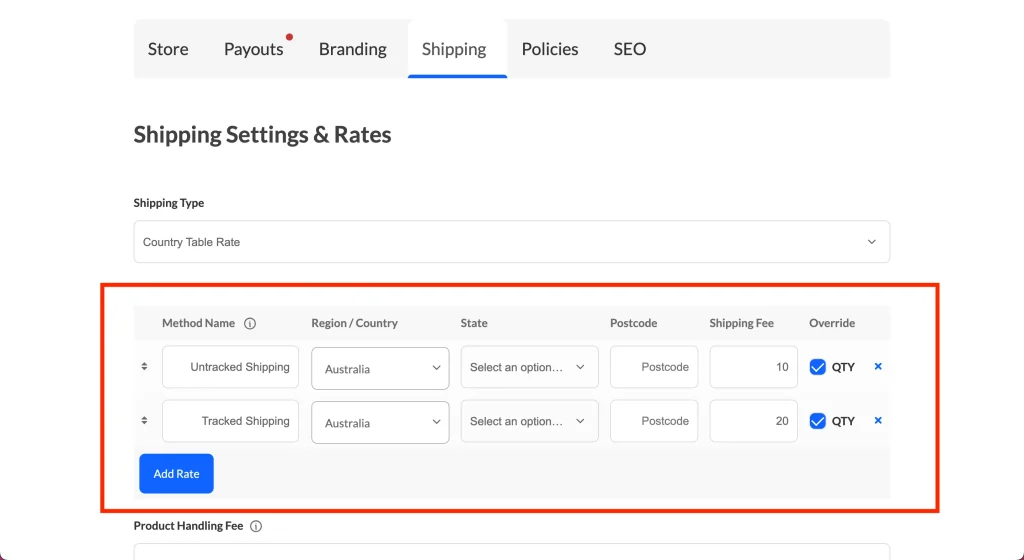
By fully supporting multiple shipping methods in Country Table Rate, vendors can:
- Offer realistic shipping choices (e.g. tracked vs untracked, express vs standard)
- Give customers more control over shipping costs and delivery speed
- Match WooCommerce’s default shipping behavior
This leads to a better checkout experience and fewer shipping-related issues.
How This Update Improves Vendor Shipping
1. Multiple Shipping Methods per Country (Country Table Rate)
Vendors can now create multiple Country Table Rate shipping methods for the same country. All valid methods will appear in the country table rates and be available for customer selection at cart and checkout.
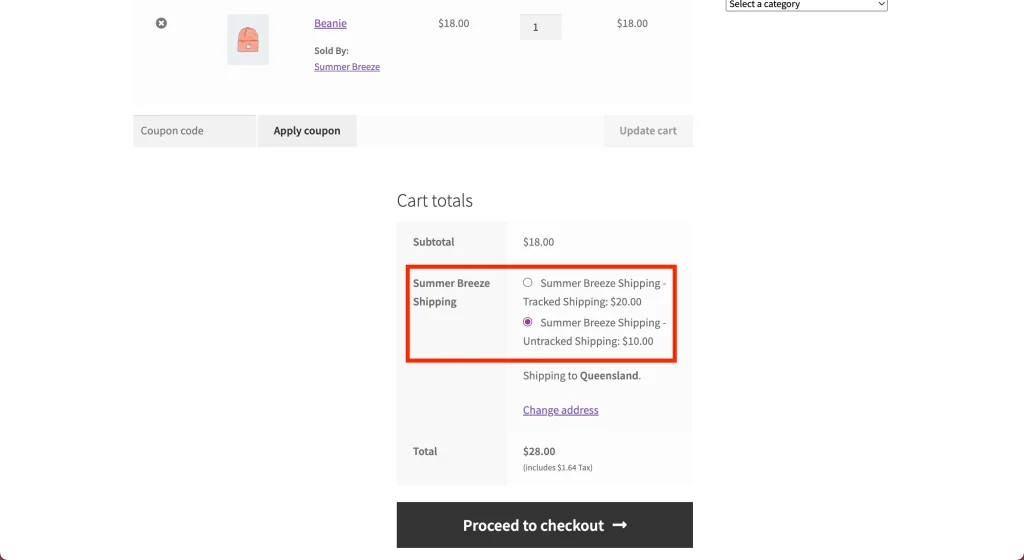
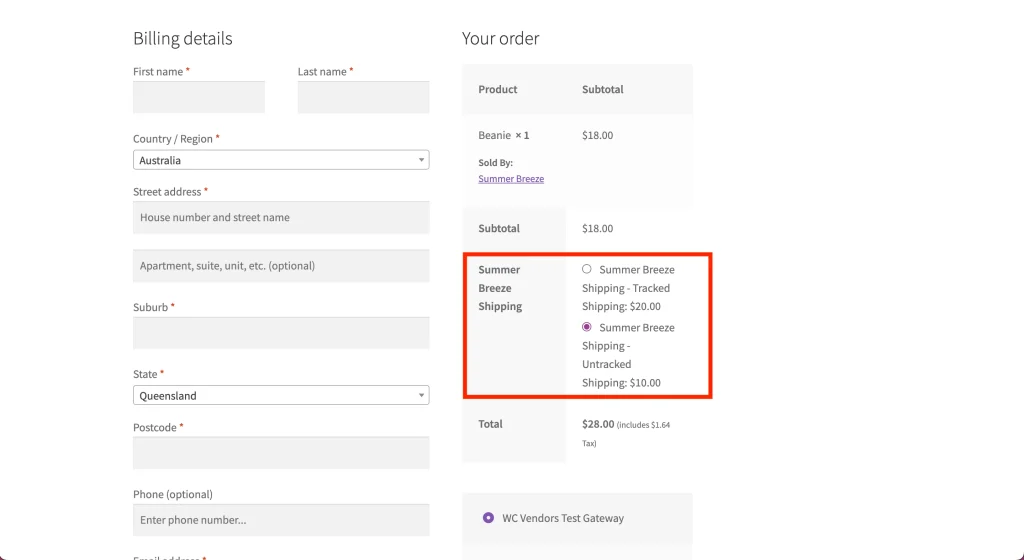
This allows vendors to offer multiple shipping options without one overriding the other.
2. Improved Shipping Method Priority Matching
Previously, shipping methods were matched by priority, causing only one method to apply. With this update, all applicable Country Table Rate shipping methods for a country are supported, not just the highest-priority one.
3. Default Shipping Method Name to Prevent “N/A” Display
If a vendor leaves the shipping method name blank, the system now automatically assigns a default name.
- Default name: Vendor Shipping
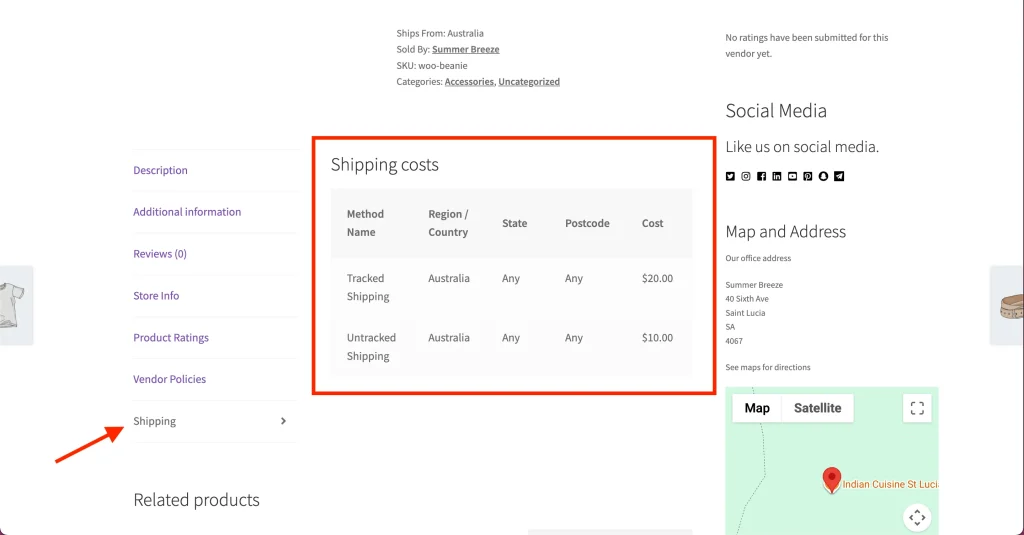
This prevents “N/A” from appearing on product pages and ensures a clean, consistent display for customers.
4. Helpful Tooltips for Vendors
Tooltips have been added to explain unclear fields, especially the shipping method name field.
These tooltips help vendors understand:
- What each field is for
- What information should be entered
This reduces confusion and helps minimize shipping-related support requests.
Summary: Better Vendor Shipping Flexibility and Checkout Experience
With this update, vendors using Country Table Rate shipping can:
- Create multiple shipping methods for the same country
- Offer customers real shipping choices at checkout
- Avoid shipping rules overriding each other
- Display clear, professional shipping method names
- Set up shipping more confidently with built-in guidance
This enhancement makes vendor shipping more flexible, intuitive, and aligned with WooCommerce shipping standards.