
If your marketplace only accepts vendors from specific countries, it’s helpful to simplify the registration form by limiting the country dropdown to only those locations.
By default, the WC Vendors Signup displays all countries, and there isn’t a built-in setting to remove unwanted ones.
Fortunately, you can easily control which countries appear by adding a small custom snippet.
This guide will show you how to:
- Remove unsupported countries from the registration form
- Ensure the country dropdown only shows the ones you want
- Trigger the State/Province dropdown to load automatically
Why Limit Countries on the Registration Form?
Restricting the country list can make your registration form more user-friendly by preventing signups from unsupported regions, reducing confusion, and speeding up form completion.
It also helps improve registration accuracy and creates a cleaner, more focused sign-up experience.
If your marketplace mainly works with just a handful of countries (example: AU & US), this is a great way to streamline onboarding.
How to Show Only Selected Countries (Using a PHP Snippet)
To limit the countries displayed on the Vendor Registration Form, add the snippet below to your theme’s functions.php file or a custom code plugin like WPCode Lite.
How to Pre-Select a Default Country
If you want one country to be selected by default when the form loads, simply put that country first in the $allowed_countries array.
For example:
$allowed_countries = array( 'AU', 'GB', 'US', 'CA' );
In this example, Australia (AU) will appear as the default selected country, while the other countries remain available for selection.
This small tweak streamlines the registration process, especially if most of your vendors are from the same country.
Using the Correct Country Codes
Each country must use a correct 2-digit ISO country code.
Examples:
- AU = Australia
- US = United States
- GB = United Kingdom
- CA = Canada
You can add, remove, or reorder countries simply by editing the list in $args['options'].
The full set of ISO country codes is listed on Wikipedia, showing all the codes you can use.
Why This Optimization Improves Vendor Signups
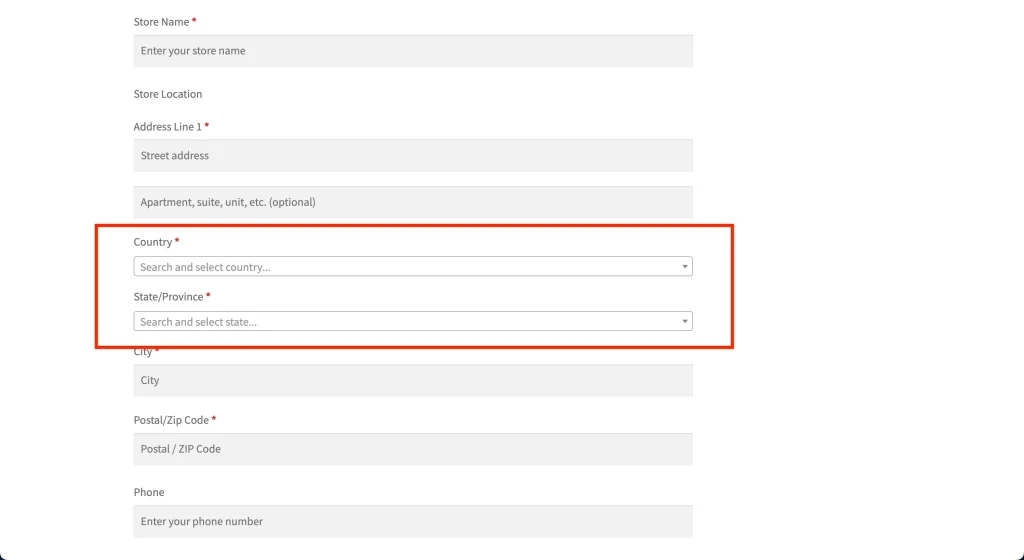
Before implementing the snippet:
- All countries appear in the dropdown
- Vendors may select unsupported regions by mistake
- The form looks cluttered and takes longer to complete
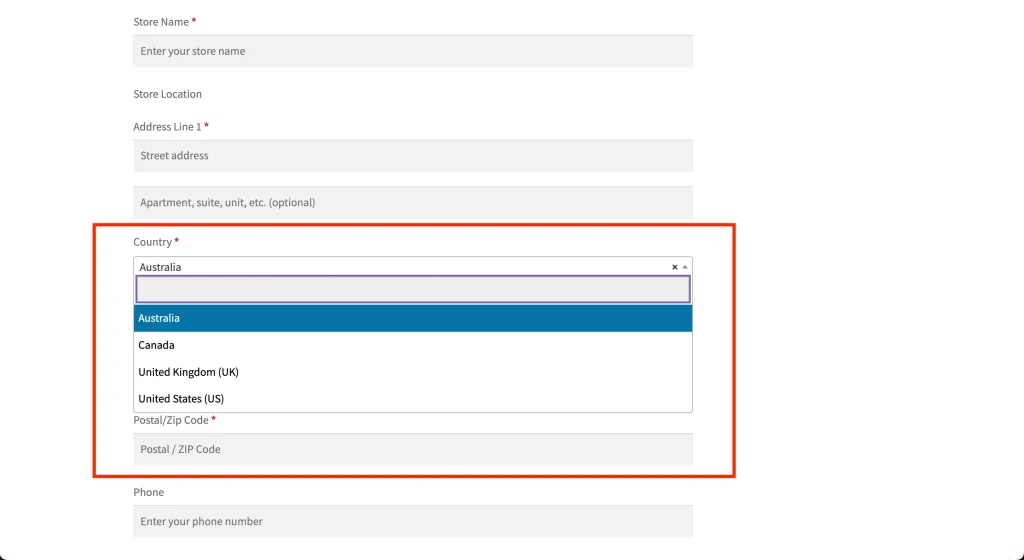
After implementing the snippet:
- Only your allowed countries appear in the dropdown
- One country can be pre-selected by default
- Vendors complete registration faster
- The form is cleaner and more user-friendly
Customizing the country dropdown is an easy but effective way to improve your Vendor Registration Form.
If most of your vendors come from specific countries, this tweak is well worth implementing.
Need help?
If you have a question or run into any issues, we’re here to help.
- Premium users: Open a support ticket
- Free users: Visit our community forum