The best Multivendor marketplace plugin for WooCommerce
Turn Visitors Into Followers & Repeat Buyers With WC Vendors Engage
Capture interest with a follow system
built to grow repeat sale
Build a follow and reward system and pull buyers into a funnel that keeps working for you. WC Vendors Engage turns that follow into a personalized feed of the products they want most, so vendors can reward their best customers and shoppers can stay close to their preferred vendors.
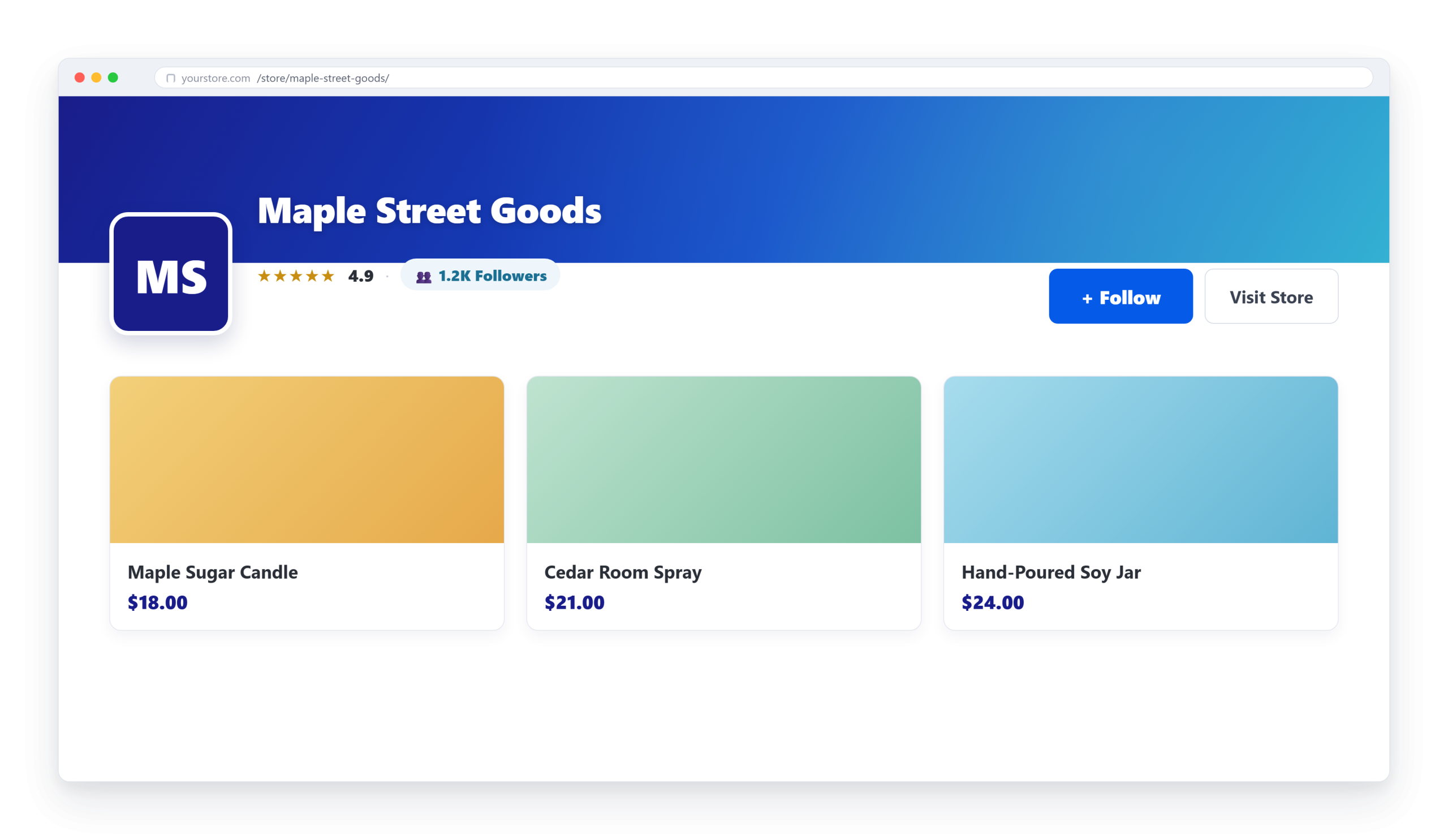
The one-click follow button on every storefront turns that fleeting first visit into an ongoing relationship, keeping relationship with customers consistent even after purchase.
Personalized Shopping Feeds
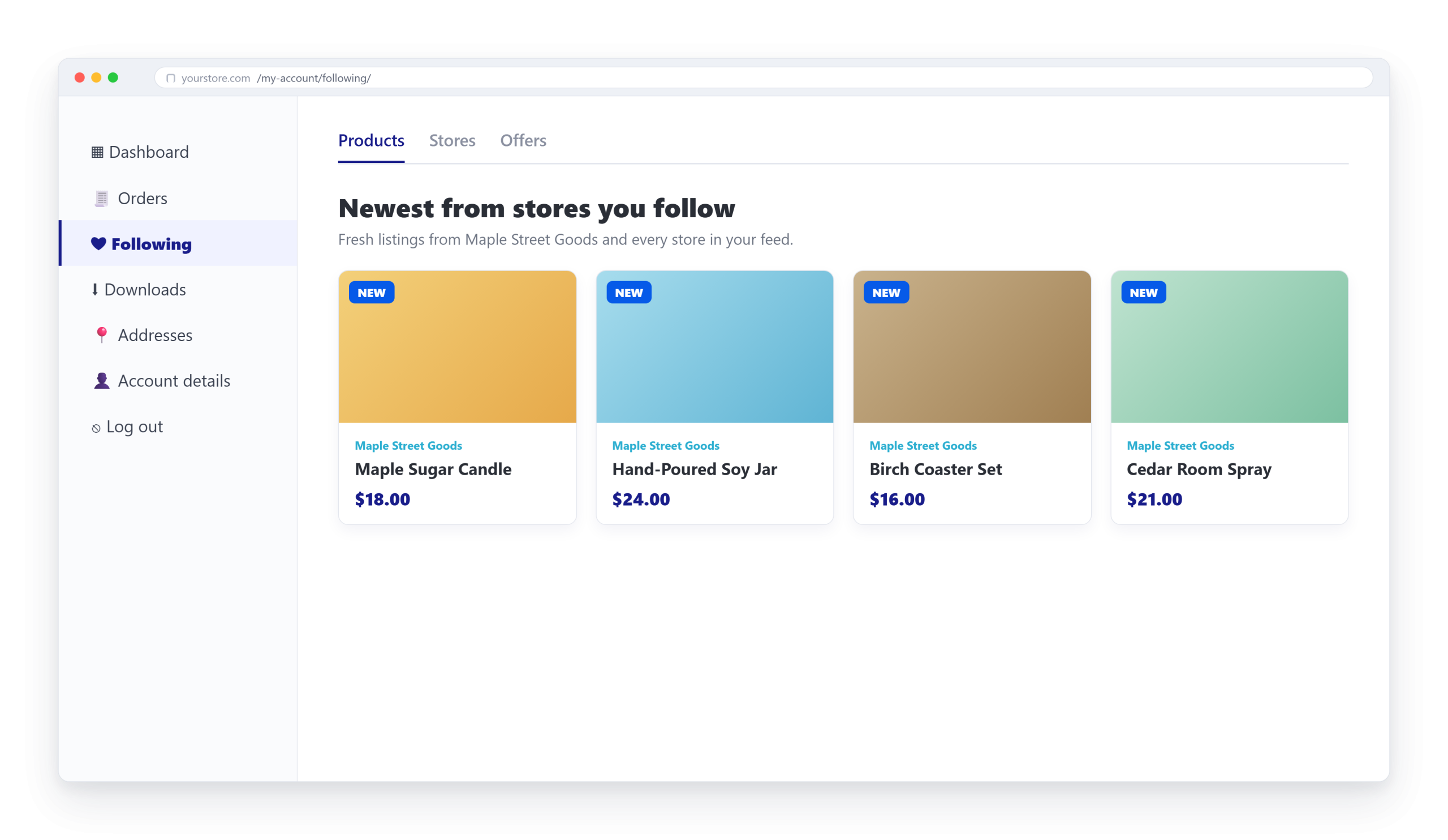
Following fills each customer's "Following Stores" feed with the newest products from the vendors they love, instead of blindly hoping buyers remember to come back.
Exclusive Follower Perks
Vendors can create exclusive follower-only discounts — percentage or fixed, with optional minimums and expiry, giving their followers real incentives.
Smooth & Rewarding Checkout
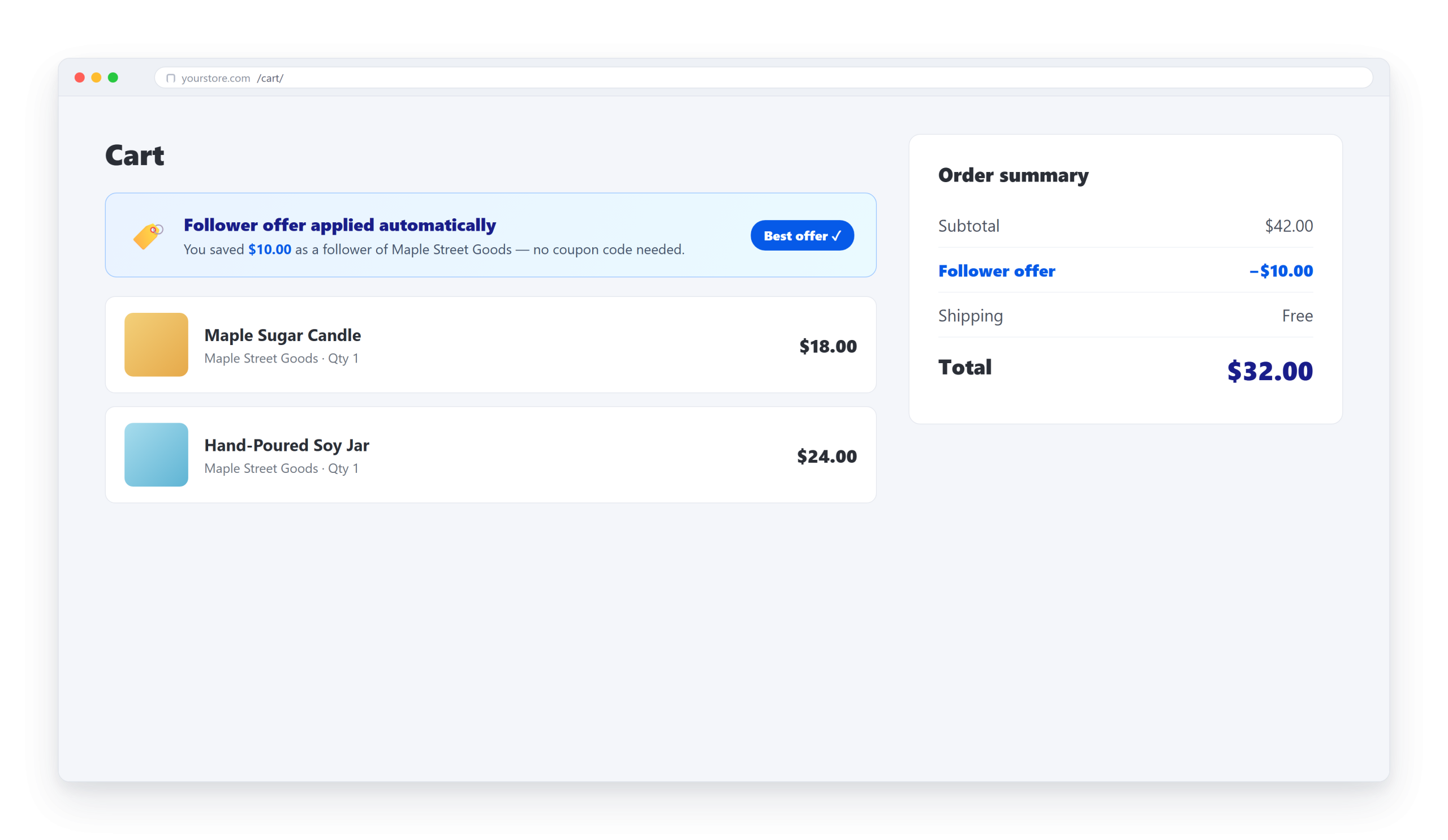
The best eligible follower offer is applied automatically at the cart and checkout, on both classic pages and the newer Cart & Checkout Blocks.
Empowered & Thriving Vendors
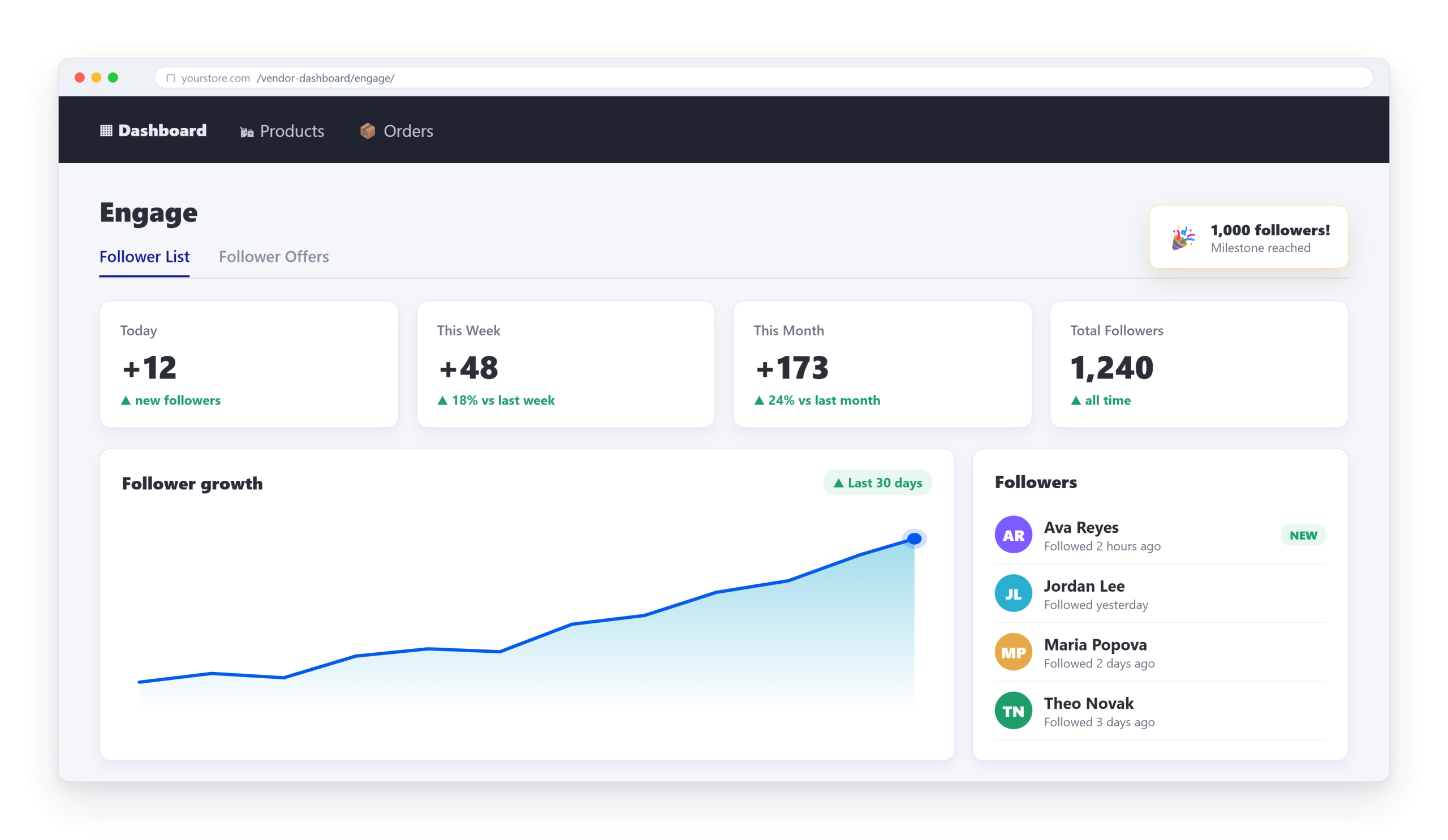
Each vendor gets a follower dashboard — live counts, 30-day growth chart, searchable follower list, milestone celebrations, and CSV export.
Full Marketplace Control
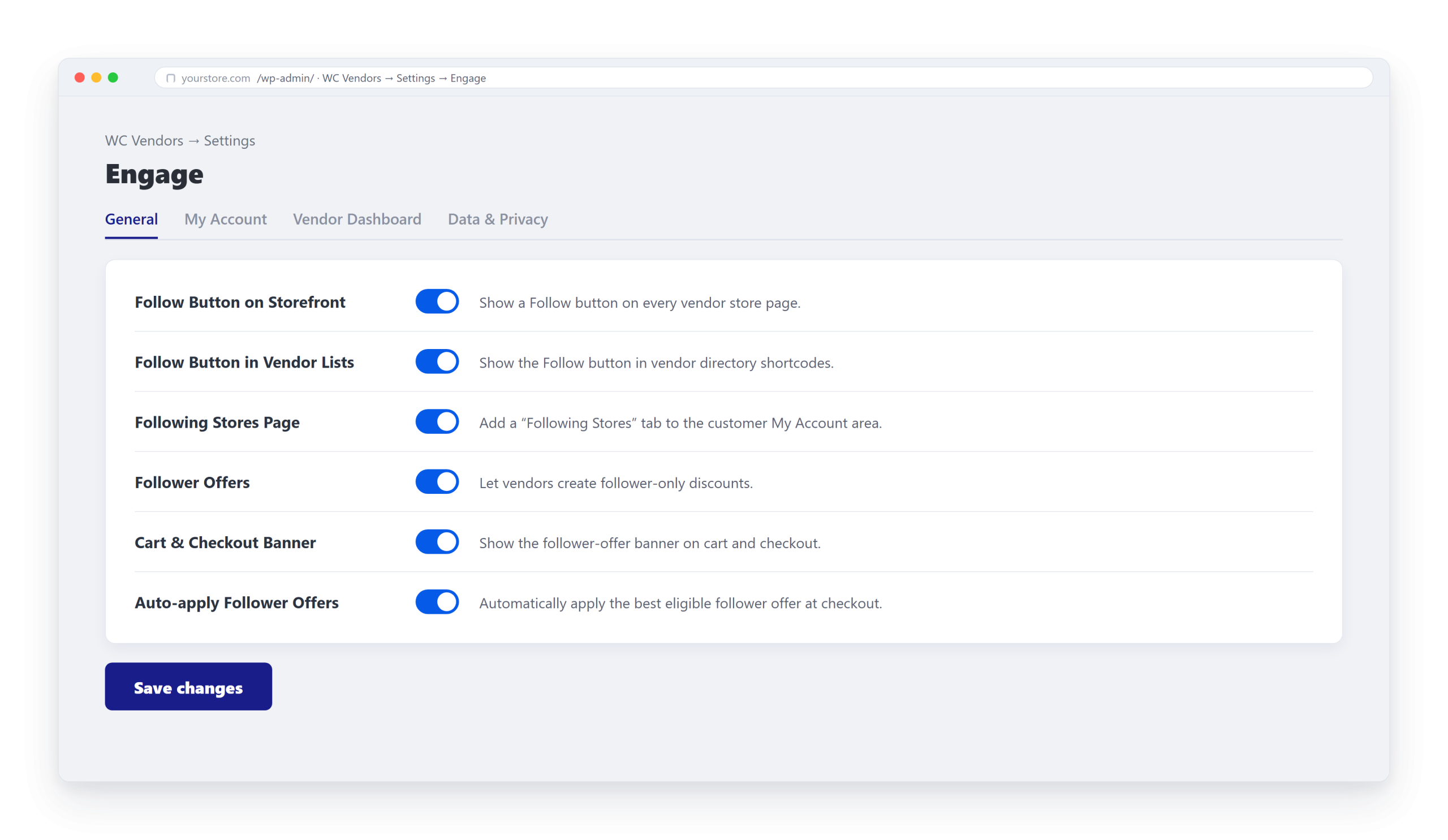
A dedicated Engage settings panel puts you in control — toggle every feature independently and decide what vendors can see and export, so the plugin scales with your marketplace.
Add The Follow Button Your Marketplace Is Missing
Let customers follow their favorite vendors, get rewarded with exclusive offers,
and return for every new drop. It’s the easiest way to grow repeat business.
A follow button and a live follower count badge appear on every vendor storefront and, optionally, in your vendor directory lists. Shoppers follow in a single click, and the count doubles as instant social proof that makes popular stores look even more worth buying from.
Personalized "Following Stores" Feed
Following fills each customer’s “Following Stores” area in WooCommerce My Account with a live feed of the newest products from the vendors they love, complete with a “New” badge on fresh listings (you set how many days counts as new, and how many products show per page).
Follower-Only Offers That Apply Themselves At Checkout
Vendors create exclusive follower-only discounts and automatically apply the best-value offer each shopper qualifies for at the cart and checkout. There are no coupon codes to find or paste. Customers can apply, remove, or switch offers and watch the total update live.
Vendor Dashboard That Turns Sellers Into Growth Partners
From their dashboard, vendors can browse a searchable, paginated follower list, spin up a new offer in a click, and export their followers to CSV. When vendors can see their audience grow, they stay motivated to promote your marketplace, and their success becomes your growth.
Full Owner Controls That Keep You In Charge
A dedicated WC Vendors Settings that lets you switch each feature on or off independently — the follow button, vendor-list button, Following Stores page, follower offers, and auto-apply — while a Data & Privacy section controls exports and data cleanup.
Frequently Asked Questions On WC Vendors Engage
Curious about WC Vendors Signup? We’ve answered the most common questions below to help you get started.
What is WC Vendors Engage?
Engage is an add-on for WC Vendors Marketplace that adds a follow-and-reward system to your store. Customers follow their favorite vendors, get a personalized feed of those vendors' newest products, and automatically receive follower-only discounts at checkout — turning one-time buyers into repeat customers.
How does following actually work for customers?
A Follow button appears on every vendor storefront (and optionally in your vendor directory lists). With a single click, a customer follows that store. From then on, the vendor's newest products appear in the customer's "Following Stores" feed inside WooCommerce My Account — complete with a "New" badge on fresh listings — and they become eligible for that vendor's follower-only offers.
Do customers need a coupon code to get their discount?
No. Engage automatically applies the best follower offer each shopper qualifies for at the cart and checkout — nothing to find, copy, or paste. An interactive banner also lets them apply, remove, or switch offers if they want to.
Will it work with my cart and checkout?
Yes. The follower-offer banner works on both the classic Cart and Checkout pages and the newer WooCommerce Cart & Checkout Blocks, where the total updates live as offers are applied.
What do my vendors get out of it?
Every vendor gets an Engage dashboard: a follower stat card (Today, This Week, This Month, and Total), a 30-day growth trend, milestone celebrations at 10, 50, 100, 500, and 1,000 followers, a searchable follower list, one-click offer creation, and CSV export of their followers.
Can I control which features are turned on?
Yes. A dedicated WC Vendors → Settings → Engage panel lets you switch each piece on or off independently — the follow button, the vendor-list button, the Following Stores page, follower offers, the cart/checkout banner, and auto-apply — so you can roll Engage out exactly how your marketplace needs.
Do I need any coding or technical skills?
None. Engage installs like any other WordPress plugin, and everything is managed with simple on/off toggles in the settings. No code and no developer required.
Which plan do I need to use WC Vendors Engage?
WC Vendors Engage is included on the Growth and Business plans. Once you're on either plan, you can turn Engage on from WC Vendors → Settings → Engage.
Create A Marketplace People Follow, Love & Return To
Give your marketplace a follow button, personalized feeds, and follower-only rewards