
If you are looking for a Webkul marketplace alternative built specifically for WooCommerce, this guide can help you decide.
This guide compares Webkul’s WooCommerce marketplace extension with WC Vendors Pro as a Webkul marketplace alternative, focusing on what matters after launch: licensing, post-launch support, and what’s already included in the base product.
What Webkul Sells, And What WC Vendors Sells
Webkul is a large extension house selling marketplace modules across many ecommerce platforms. Webkul’s store lists marketplace products for Magento, Odoo, Bagisto, PrestaShop, CS-Cart, OpenCart, Shopware, Shopify, BigCommerce, and WooCommerce, among others.
Their WooCommerce Multi Vendor Marketplace plugin converts a WooCommerce store into a multi-seller marketplace, with vendor profiles, a vendor panel for adding and editing products, commission management with per-vendor rates, sales and transaction views for sellers, and a companion mobile app sold separately.
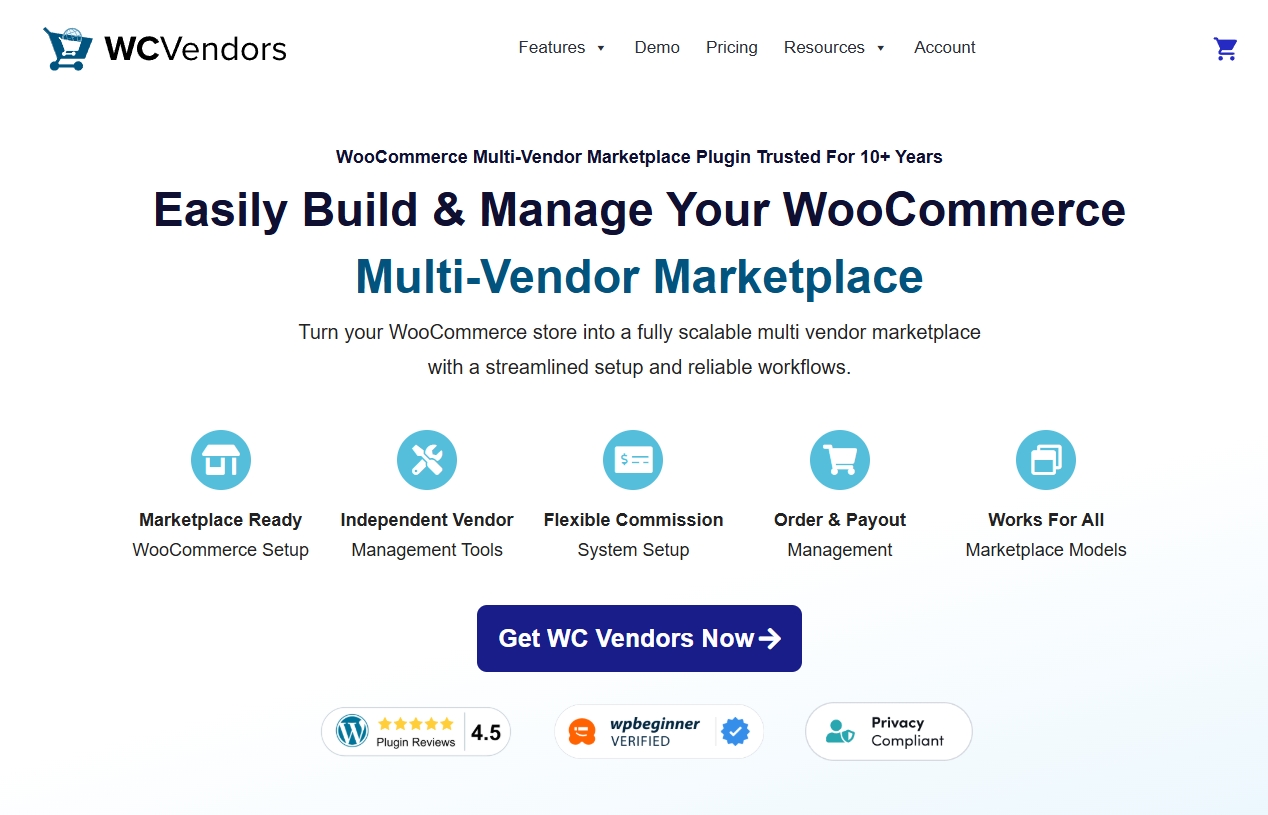
WC Vendors takes a different approach. It is WooCommerce-only, and the frontend vendor dashboard is the product’s core: sellers manage their own products, orders, and sales from the storefront rather than the WordPress admin. Commission is configured from a single screen, and the plugin supports five commission structures: percentage, fixed, percentage plus fee, fixed plus fee, and tiered, with control at the global, per-vendor, and per-product levels. That breadth is a big part of why it stands up as a Webkul marketplace alternative built for one platform.
If you have not yet settled the prior question of whether to build on WooCommerce at all rather than a hosted platform, our comparison of WooCommerce vs SaaS marketplace platforms covers that decision, which is worth making before you compare extensions.
Why A Platform-Focused Webkul Marketplace Alternative Wins
Specialization buys you two things that are hard to see when you compare feature lists: the product’s defaults suit your platform, and the people who support it work on your platform every day. That is the core argument for choosing a platform-focused Webkul marketplace alternative.
A multi-platform vendor has to build the same marketplace concept against systems that disagree about fundamentals. Products, order state, tax, and customer accounts are modeled differently in Magento than in WooCommerce, so a shared feature set has to be abstracted or reimplemented per platform. That work is real, and Webkul does it at considerable scale. The catch is that the WooCommerce edition competes internally for attention with more than a dozen other editions.
A WooCommerce-only product has no such competition, which shows up in unglamorous places: how the vendor dashboard behaves with a WooCommerce theme, whether it follows WooCommerce’s own conventions for order status, and how quickly it responds when WooCommerce ships a change.
Depth is easier to trust when you can see it running. Our write-up of how Sonniss scaled a trusted audio marketplace on WC Vendors is a real example of the seller-managed model at volume, not just a claim.
Feature Comparison: WC Vendors Vs Webkul
Both products deliver the marketplace essentials: vendors, a seller dashboard, commissions, and admin approval. The table shows where each capability sits, because that is where the practical differences live. Webkul details come from their own product page, checked at the time of writing.
| WC Vendors Pro | Webkul Multi Vendor Marketplace | |
|---|---|---|
| Platform focus | WooCommerce only | Many platforms (Magento, Shopify, PrestaShop, and more), WooCommerce among them |
| Vendor dashboard | Frontend, storefront-side | Frontend vendor panel, plus a mobile app sold separately |
| Commission structures | Five types (percentage, fixed, percentage + fee, fixed + fee, tiered); global, per-vendor, and per-product control, all in Pro | Percentage, global or per vendor, in the base plugin; category, product, and rule-based via Advanced Commission add-on |
| Multi-vendor orders | Handled natively, per-vendor sub-orders and commissions | Single-cart checkout in base; per-vendor order splitting via Split Order add-on |
| Vendor payouts | Stripe Connect included in Pro (each vendor connects their own account) | Base withdrawals via bank transfer, UPI, PayPal; Stripe and other gateways among 50+ add-ons |
| Licensing | Starts at $99.50; support and updates included | One-time license ($59, from $99); 3 months support included, longer sold separately |
On commissions, WC Vendors includes all five structures, including tiered, at the entry Pro tier, and lets you apply rates globally, per vendor, or per product. Webkul’s base plugin sets commission as a percentage, globally or per vendor; category-based, product-based, and rule-based commission live in a separate Advanced Commission add-on. If tiered or rule-based commission matters to you, that difference is the whole game, and it favors the Webkul marketplace alternative that ships it in the box.
Vendor payouts are worth singling out because operators underestimate them. Paying many sellers on a schedule, across borders, without doing it by hand is the operational core of a marketplace, not a nice-to-have. On our side, Stripe Connect payouts are included in Pro, with each vendor connecting their own account. Webkul’s base withdrawals run through bank transfer, UPI, and PayPal, and gateways such as Stripe sit in the add-on catalog, so factor in those modules before comparing price alone.
Commission is the setting worth seeing before you commit, since it is the one you revisit as your seller mix changes.
Pricing And Licensing Models
The licensing models differ more than the prices do, and the difference is what happens after the first few months rather than what you pay on day one.
Webkul’s WooCommerce Multi Vendor Marketplace is a one-time payment with no recurring fee, which is genuinely attractive and its strongest argument. The key detail sits just above the price: the included support period is three months. They listed extensions at $23.60 for six months or $29.50 for one year, with optional installation at $11.80 and a 30-day money-back guarantee.
So a like-for-like first year with a year of support came to roughly $88.50 at the time of checking, before any add-ons. Add-ons matter most for a real build, since payment, shipping, and split-order modules all sit in that catalog.
WC Vendors Pro is $99.50 with support and updates included. Growth and Business tiers sit above Pro for marketplaces that need vendor memberships or subscription selling.
What WC Vendors actually buys is different: continuous compatibility work on the one platform we build for, plus the commission structures and payouts you would otherwise buy as add-ons. Weighed as a Webkul marketplace alternative you intend to run for years, that trade-off is worth deciding deliberately rather than on the headline number.
Support And Long-Term Maintenance
A perpetual license with a short support window and an annual license with bundled support are two different bets about the future, and marketplaces are unusually exposed to which one you pick.
The reason is that a marketplace plugin sits directly on top of WooCommerce’s order, product, and tax models, all of which change. WooCommerce ships updates, WordPress ships updates, payment gateways change requirements, and order storage itself has changed. A marketplace that stops receiving compatibility work does not fail immediately or visibly. It drifts, and you find out during a checkout problem you cannot reproduce.
WC Vendors has been in active development since 2013, with 750,000+ downloads on WordPress.org and full High-Performance Order Storage support, so the track record you are buying into is long and specific to WooCommerce.
If you do choose a perpetual license, budget for extending support rather than treating the headline price as the total, and check what “support” covers beyond bug reports, particularly whether it includes version updates. Ask both vendors how long they have supported their marketplace product and what their update cadence looks like, because a long track record on your specific platform is the thing you actually want from any Webkul marketplace alternative.
Which Webkul Marketplace Alternative Should You Choose
If WooCommerce is your platform, WC Vendors is the Webkul marketplace alternative to build on. The commission structures you are likely to need, including tiered, sit in the entry tier and are documented; vendor payouts run through Stripe Connect as part of the product rather than a module you have to identify and buy; and the annual license pays for continuous compatibility work on the single platform we build for.
Webkul’s breadth is real, and their WooCommerce plugin is established, HPOS-compatible, and well reviewed. That breadth is also the trade-off, because the same marketplace concept has to be built against systems that disagree about products, orders, and tax, so the WooCommerce edition shares engineering attention with more than a dozen others. Their license covers three months of support, after which keeping the plugin current with WooCommerce is a separate purchase or your own problem.
For a marketplace you intend to run for years on WooCommerce, that difference compounds in one direction. Our breakdown of the best WooCommerce multi-vendor plugin options puts this choice in context, and our WC Vendors vs Dokan comparison covers the closest WooCommerce-native rival if you want to widen the shortlist.
Choosing A Webkul Marketplace Alternative You Will Still Like In Three Years
For a WooCommerce marketplace, WC Vendors is the right answer, and the reframe that gets you there is that a marketplace plugin is infrastructure, not a purchase. It sits underneath every order, every seller relationship, and every payout, and the cost of changing it later is nothing like the cost of choosing it now.
Judged on what compounds rather than what is cheapest in month one, the case is one-sided: a product built for your platform alone, five commission structures including tiered in the entry tier, payouts in the product rather than in the add-on catalog, and someone still doing compatibility work in year three. A one-time license looks better on the invoice and quietly leaves you holding the maintenance question that decides whether the marketplace still works. That is why, for a store committed to WooCommerce, WC Vendors is the Webkul marketplace alternative worth building on.
Here’s what we covered in this article:
- What Webkul sells, and what WC Vendors sells
- Why a platform-focused Webkul marketplace alternative wins
- Feature comparison: WC Vendors vs Webkul
- Pricing and licensing models
- Support and long-term maintenance
- Which Webkul marketplace alternative should you choose
If WooCommerce is your platform and you want the marketplace layer built for it, see what WC Vendors Pro includes.
Frequently Asked Questions
What is the best Webkul marketplace alternative for WooCommerce?
For a WooCommerce store, WC Vendors is the best Webkul marketplace alternative built specifically for that platform, with a frontend vendor dashboard, five commission structures including tiered at the entry tier, and Stripe Connect payouts included. It is the stronger choice for a marketplace you intend to run for years on WooCommerce.
Is Webkul’s marketplace plugin a one-time payment?
Their product page lists a one-time license with no recurring fee, but the included support period was three months at the time of checking, with longer periods sold separately. Treat the license and the support term as two costs, and verify both on their site before buying.
Which has better commission options?
WC Vendors Pro offers five commission types: percentage, fixed, percentage plus fee, fixed plus fee, and tiered, with rates applied globally, per vendor, or per product. Webkul’s base plugin sets percentage commission globally or per vendor and moves category-, product-, and rule-based commission into a separate Advanced Commission add-on. If you need advanced commission logic without buying a module, WC Vendors is the stronger Webkul marketplace alternative.
Do I need add-ons to run a marketplace on either product?
On our side, vendor payouts and commission handling are in the product. Webkul advertises more than 50 marketplace add-ons covering payment, shipping, and features like split orders, so cost out the modules your build requires rather than only the base plugin.
Can I migrate an existing marketplace between the two?
Products, orders, and customers live in WooCommerce, so your catalog and history stay where they are. Vendor records, commission history, and any plugin-specific settings are the migration work, so plan it around a quiet trading period and keep the old plugin installed until vendor payouts reconcile.