
The real question in any WC Vendors vs MarketKing comparison is not which plugin has more features. Which plugin gives you the most reliable, flexible, and cost-effective foundation for a growing marketplace? That is exactly what this WC Vendors vs MarketKing breakdown covers.
According to Swell’s marketplace research, marketplaces account for 62% of global retail e-commerce sales, representing approximately $2.4 trillion in transaction value. WC Vendors vs MarketKing decision matters because the plugin you pick determines whether you can capture your share of that market efficiently.
We have built and managed WooCommerce marketplaces for years. I will walk you through commission systems, vendor dashboards, payment handling, scalability, and pricing so you can make a confident decision.
Quick Comparison: WC Vendors Vs MarketKing
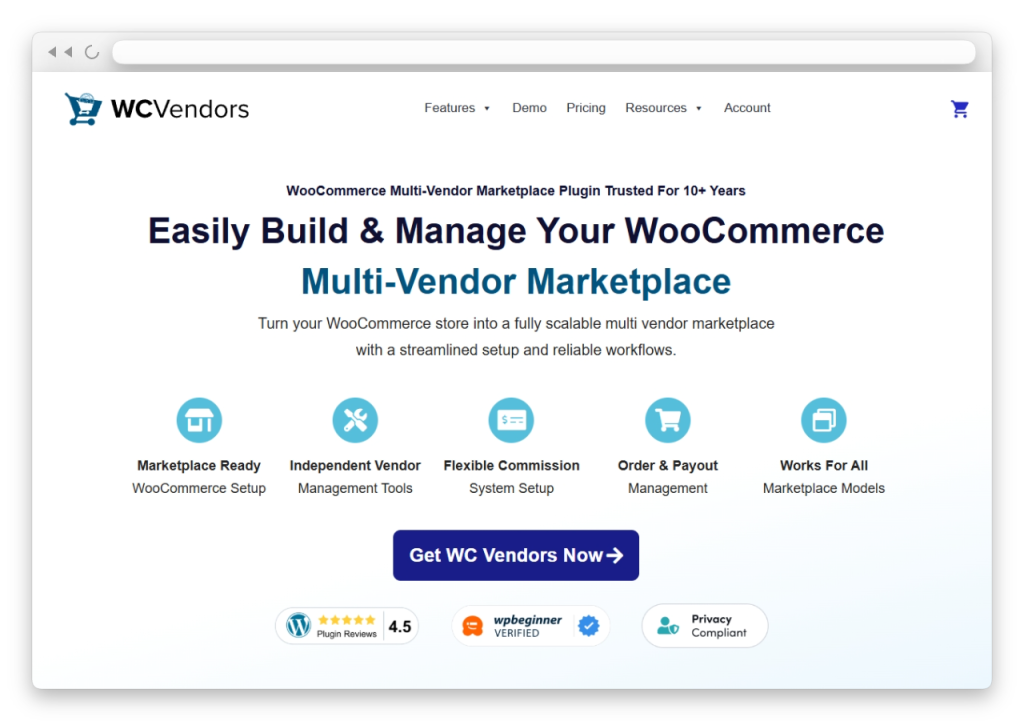
Top Pick: WC Vendors wins on track record, pricing flexibility, and proven reliability. For most WooCommerce marketplace owners, WC Vendors is the stronger choice in any WC Vendors vs MarketKing comparison. It offers a 10+ year track record, 10,000+ active marketplaces, a genuinely functional free tier with unlimited vendors, five commission structures at three levels, and built-in Stripe Connect for automated split payments. MarketKing has a polished UI and a long feature list, but it lacks the multi-year-proven stability that serious marketplaces build demand for.
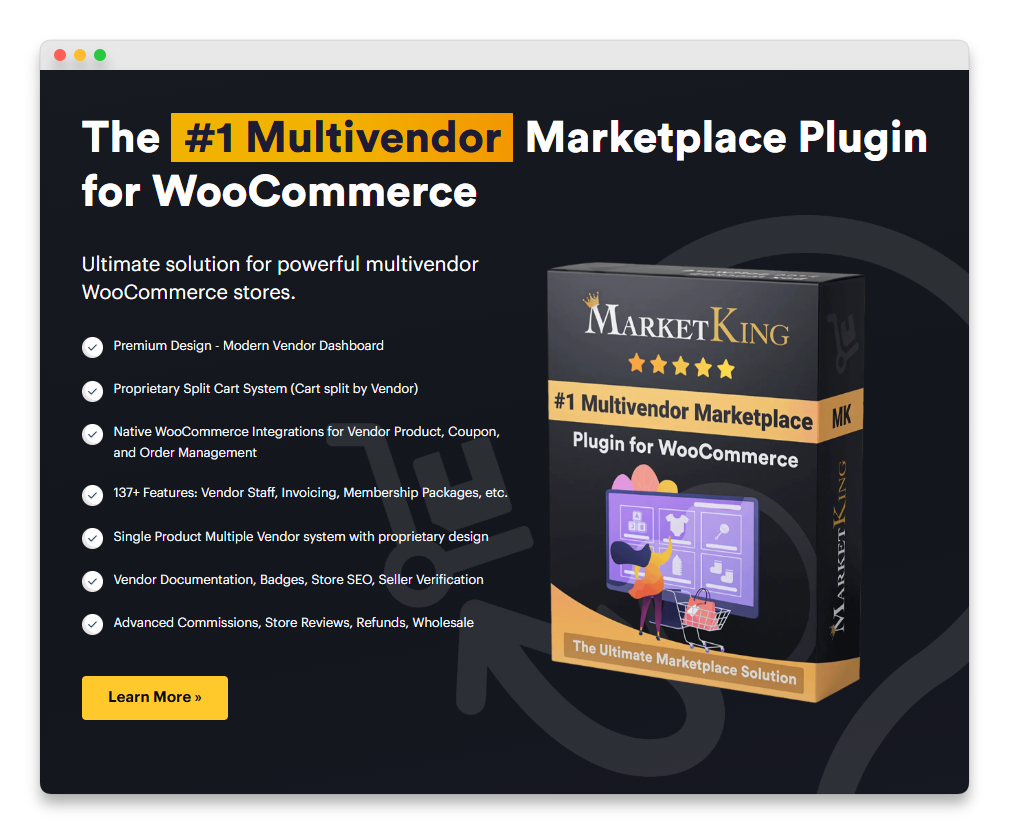
Here is the side-by-side overview before we get into the details:
| Factor | WC Vendors | MarketKing |
|---|---|---|
| Track record | 10+ years on the market | Newer entrant (launched 2022) |
| Free version | Genuinely functional, unlimited vendors | Limited core on WordPress.org |
| Commission structures | 5 types at 3 levels (global/vendor/product) | Multiple types by product/category/vendor/tag |
| Built-in Stripe Connect | Yes (Pro plan) | Stripe Split Pay add-on, separate |
| Pricing model | Transparent yearly, no intro pricing | Yearly subscription with intro pricing pattern |
| WPBeginner endorsement | Yes (top-ranked multi-vendor plugin) | Not endorsed by WPBeginner |
| WordPress.org reviews | Established review history | Growing review base |
| Money-back guarantee | 14 days | 14 days |
Commission System
Commissions are the heart of any marketplace plugin, and this is the first place where WC Vendors vs MarketKing diverges meaningfully.
WC Vendors: Five structures at three levels
WC Vendors Pro offers five commission structures that cover virtually every marketplace model: percentage, fixed, percentage plus fee, fixed plus fee, and tiered commissions. These work at three distinct levels: global (your site-wide default), per-vendor (custom rates for individual sellers), and per-product (overrides for specific items regardless of which vendor sells them).
Read more about how commission levels benefit marketplaces for the strategic upside of multi-level commissions.
MarketKing: Feature breadth, less depth
MarketKing offers commissions by product, category, vendor, and tag, with both flat rate and percentage options. The category-based commission feature works as described, and assigning different rates per product category is useful for marketplaces selling across varied product types.
While the breadth of dimensions (product, category, vendor, tag) sounds impressive, MarketKing lacks WC Vendors’ explicit per-product overrides at the global level. The three-level system in WC Vendors (global default, then per-vendor override, then per-product override) gives you a cleaner mental model and tighter control than juggling rules across tag, category, and vendor dimensions.
In practice, WC Vendors vs MarketKing commission comparison comes down to simplicity and predictability. WC Vendors’ three-level hierarchy is easier to reason about when you have hundreds of vendors and thousands of products. MarketKing’s tag-and-category dimension can do similar things but requires more setup time and creates more opportunities for rule conflicts.
Vendor Dashboard
The vendor dashboard is the workhorse of any marketplace, because it is where your sellers spend most of their time. WC Vendors vs MarketKing dashboard comparison reveals an important difference in philosophy.
WC Vendors: Refined across marketplaces
Vendors Pro provides a complete front-end dashboard where vendors manage products, orders, coupons, and shipping without ever accessing the WordPress admin area. The dashboard has been refined over a decade of marketplace deployments across thousands of real stores, and it shows in the user experience.
WC Vendors’ dashboard loaded with a clean layout. Product creation, order tracking, and earnings reports were all accessible from a single front-end interface. Vendors could upload images, set shipping rates, and manage their coupon codes without needing backend access. Every action that mattered for a vendor’s daily workflow was where you expected it to be.
MarketKing: Modern UI, less battle-tested
MarketKing’s seller dashboard includes branded invoices, earnings reports, and a messaging panel. The interface is visually modern, which is a genuine plus for marketplaces that prioritize first impressions during vendor onboarding. The dashboard is designed to be theme-independent, so it looks consistent regardless of the front-end theme you use.
Some advanced actions required additional clicks compared to WC Vendors, and a few settings that I expected to find on the vendor side were only accessible through the admin panel. The polish is real, but the workflow optimization that comes from years of vendor feedback is not yet at WC Vendors’ level. WC Vendors’ decade of UX iteration is a genuine advantage that pure visual modernity does not replace.
Payment Options
Payment infrastructure is where the WC Vendors vs MarketKing decision gets serious for marketplace operators thinking about scale.
Stripe Connect built into Pro
WC Vendors Pro includes WC Vendors Stripe Connect for automated split payments and vendor payouts. When a customer places an order, the payment is automatically split between the marketplace and the vendor based on your commission settings.
The recent updates to WC Vendors Stripe Connect have made it even more powerful. The latest version added cross-border payout support for international vendors (US, UK, EEA, Canada, Switzerland) and displayed Stripe fee computation, showing vendors the proportional Stripe fee and net payout for every order. These are real workflow upgrades that international and transparency-conscious marketplaces need.
Stripe Split Pay System
MarketKing supports payment configurations, including its Stripe Split Pay system, which automatically routes payments to vendors. The exact payment handling depends on your configuration and the payment gateways you have set up.
Although MarketKing’s Stripe integration does not yet match the depth of WC Vendors’ Stripe Connect’s recent feature additions. Cross-border payout support, transparent Stripe fees computation on the vendor dashboard, and integration with the broader WC Vendors ecosystem are all areas where the WC Vendors vs MarketKing payment comparison tilts firmly toward WC Vendors.
Stripe Connect is the industry standard for marketplace payments because it handles the compliance complexity (KYC verification, tax reporting, payout scheduling) that would otherwise fall on you as the marketplace operator. Having it built into WC Vendors Pro and continuously upgraded with new features means you do not need to purchase a separate payment gateway extension or worry about long-term compatibility.
Scalability And Track Record
Track record is the dimension where WC Vendors vs MarketKing comparison is most lopsided.
WC Vendors: A decade of proven scale
WC Vendors has been actively developed for over 10 years and powers more than 10,000 marketplaces with over 750,000 free downloads of the WordPress.org version. It is the best WooCommerce multi-vendor plugin according to WPBeginner, the largest WordPress resource site, which lists WC Vendors as their top-ranked option for multi-vendor marketplaces.
Within WooCommerce’s massive ecosystem, WC Vendors has one of the longest track records of any multi-vendor plugin. That means compatibility issues with WooCommerce core updates are caught and resolved quickly, and the codebase has been hardened against years of edge cases that newer plugins have yet to encounter.
MarketKing: New entrant
MarketKing was launched in 2022 by Kingtech LLC (the same company behind B2BKing and SalesKing). It is built on a modern codebase and has gained attention for its feature set and modern UI. The vendor claims 20,000+ businesses use plugins from the WebWizardsDev family, though that figure spans MarketKing, B2BKing, and SalesKing combined rather than MarketKing alone.
A newer plugin has not been tested across as many real-world marketplace configurations, hosting environments, and WooCommerce version updates as a 10+ year veteran. For marketplace owners who plan to be running their store five years from now, that real-world battle-testing is not something a feature list can substitute for.
Pricing And Value
Both plugins look similar on the headline price, but WC Vendors vs MarketKing pricing comparison gets more interesting once you dig into what is actually included.
WC Vendors plans
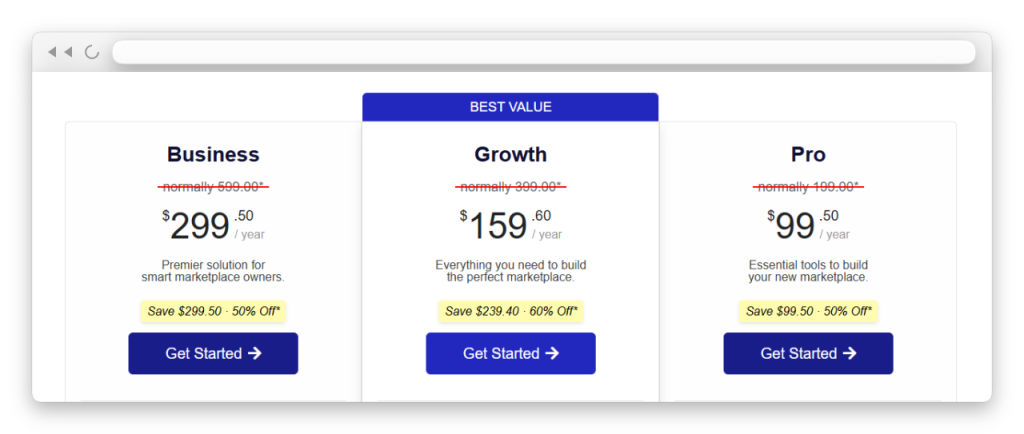
WC Vendors offers a tiered pricing structure designed to match the marketplace stage:
- Free: $0, unlimited vendors, basic features (a genuine starting point)
- Pro: Includes 5 commission structures, Stripe Connect, full front-end dashboard
- Growth: Adds Memberships add-on for vendor subscriptions, plus access to additional add-ons
- Business Plan for a premier solution for smart marketplace owners, including bookings and auctions
Check the current WC Vendors pricing page for the latest tier inclusions, since plan structures can update over time.
MarketKing plans
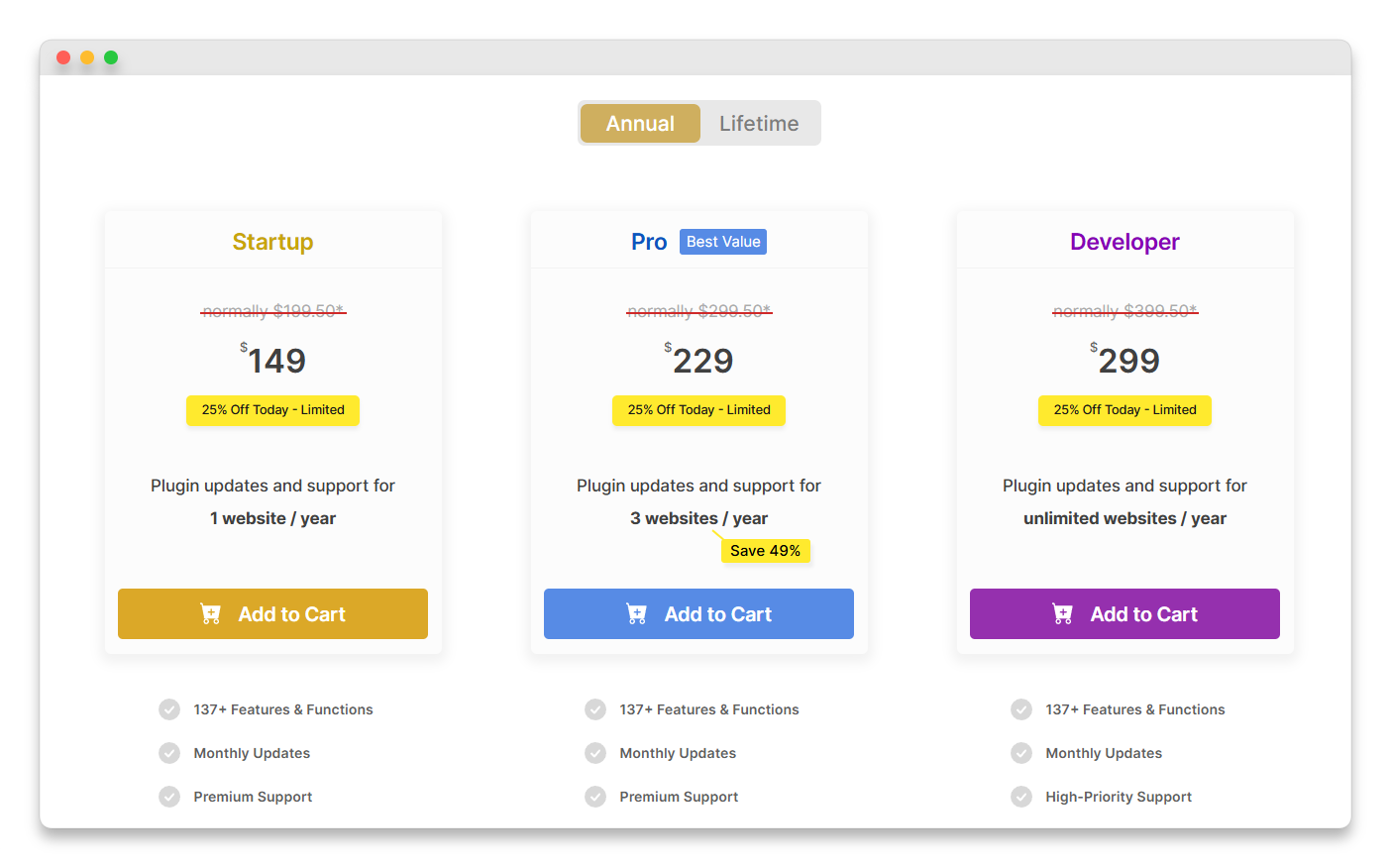
MarketKing’s yearly subscription model follows the same family pricing pattern as B2BKing, with introductory pricing in year one and full-price renewals after that. Multi-site and unlimited tiers scale up significantly. There is also a free version on WordPress.org with limited functionality.
Why WC Vendors wins on value
WC Vendors’ free tier is a genuine starting point where you can build a working marketplace with unlimited vendors and percentage commissions. MarketKing’s free version is more limited. When you look at the paid tiers, WC Vendors Pro includes Stripe Connect (a feature that other marketplace plugins charge extra for), five commission structures, and the full front-end vendor dashboard.
No “intro pricing” shell game with WC Vendors. The price you pay in year one is the price you pay in year two. MarketKing follows the Kingtech family pattern of introductory pricing with full-price renewals, which means your year-two cost can jump unexpectedly. For long-term marketplace planning, the pricing transparency in WC Vendors vs MarketKing is a meaningful advantage.
For marketplace owners running multiple sites or planning to add features like vendor subscriptions, the WC Vendors Growth and Business plans offer real value at the same price points, whereas MarketKing’s multi-site tiers do not provide the same depth.
Support And Documentation
Documentation depth is another dimension where WC Vendors vs MarketKing comparison favors the established plugin.
WC Vendors
WC Vendors offers dedicated documentation, a knowledge base, and priority support on the higher-tier plans. The 10+ year history means the knowledge base covers edge cases and real-world configuration scenarios that newer plugins have not encountered yet.
There is also a broader community advantage. WC Vendors’ larger install base across 10,000+ marketplaces means more tutorials, forum discussions, and third-party guides are available when you run into questions. Search for almost any WC Vendors configuration challenge, and you will find existing answers.
MarketKing (growing knowledge base)
MarketKing provides documentation and support through the KingsPlugins website. As a newer plugin, MarketKing’s knowledge base is still growing and covers fewer real-world edge cases compared to WC Vendors’ established documentation. The community resources outside the official docs (third-party tutorials, forum discussions, freelance developer familiarity) are also smaller, which means you may have to rely more heavily on official support tickets when you hit an unusual configuration challenge.
Which WooCommerce Marketplace Plugin Should You Choose
WC Vendors is the stronger choice for most WooCommerce marketplace builders, and that is true across nearly every dimension that matters for long-term marketplace success. It wins on the factors that drive marketplace growth: a 10+ year track record, unlimited vendors on every plan (including free), five flexible commission structures with three-level granularity, built-in Stripe Connect with cross-border support, WPBeginner’s top endorsement, and pricing that starts at $0 for a genuinely functional marketplace.
MarketKing offers a modern interface and a broad feature set. But when you are building a marketplace that needs to grow steadily, handle real vendor payments at scale, and stay reliable through years of WooCommerce core updates, WC Vendors vs MarketKing decision would land on WC Vendors.
Conclusion
Building a WooCommerce marketplace is a long-term investment, and WC Vendors vs MarketKing decision is one that affects every vendor interaction, every commission payout, and every platform update for years to come.
In this guide, we walked through everything you need to make the right call:
- Quick comparison: WC Vendors vs MarketKing
- Commission system
- Vendor dashboard
- Payment options
- Scalability and track record
- Pricing and value
- Support and documentation
- Which WooCommerce marketplace plugin should you choose
Ready to build your marketplace on a proven foundation? Start with the free WC Vendors version to test the approach, then upgrade to WC Vendors Pro when you need Stripe Connect and the full commission system. The full WC Vendors pricing page has the latest plan inclusions, and the 14-day money-back guarantee covers every paid tier.
Frequently Asked Questions
What is the price difference between WC Vendors Pro and MarketKing?
WC Vendors Pro starts at $99.50/year for 1 site. MarketKing’s standard license sells on CodeCanyon for a one-time payment (currently around $69), with regular updates and support priced separately as renewals. For most marketplaces, WC Vendors’ subscription model includes ongoing development, full HPOS support, and Stripe Connect built in.
How do commission structures compare between WC Vendors and MarketKing?
WC Vendors Pro includes 5 commission types (percentage, fixed, percentage + fee, fixed + fee, tiered) controllable at 3 levels (global, per-vendor, per-product). MarketKing offers commission by product, category, vendor, tag, flat rate, and percentage. WC Vendors bakes tiered commissions into the entry tier.
Which plugin is better for auction and booking marketplaces?
WC Vendors Business Plan is purpose-built for auction and booking marketplaces — Auctions, Subscriptions, and Bookings ship as official add-ons. MarketKing doesn’t have first-party auction or booking modules.
Which plugin has better long-term support and development activity?
WC Vendors has been in active development since 2013. MarketKing launched on CodeCanyon in 2022, version 2.1.20 Feb 2026.
Which plugin is better for beginners?
WC Vendors is better for beginners thanks to its free version that includes unlimited vendors and a straightforward setup process. You can launch a basic marketplace at no cost and upgrade to Pro only when your needs grow. The extensive documentation built up over a decade and the larger community also mean more help is available when you have questions, which makes the WC Vendors vs MarketKing comparison especially clear for first-time marketplace builders.
Can I switch from MarketKing to WC Vendors?
Yes. Your WooCommerce product data, customer accounts, and order history are stored in the WooCommerce database independently of the marketplace plugin. Vendor-specific configurations (commissions, store settings, profiles) will need to be reconfigured in WC Vendors. I would recommend testing the transition on a staging site first.
Which plugin has better Stripe support?
WC Vendors Pro includes WC Vendors Stripe Connect as a built-in feature for automated split payments and vendor payouts, with recent additions like cross-border payout support and transparent stripe fees computation on the vendor dashboard. MarketKing supports Stripe Split Pay, but the WC Vendors integration is more deeply developed and offers features (cross-border payouts, fee transparency) that MarketKing has not yet matched.
Which plugin scales better for large marketplaces?
WC Vendors has been proven across 10,000+ active marketplaces over a decade of WooCommerce updates. MarketKing is newer and has not yet been tested at the same scale through as many WooCommerce core changes. For marketplace operators planning to handle hundreds of vendors and significant transaction volume, WC Vendors’ real-world battle-testing is a meaningful advantage.

