
Requirement
WC Vendors Stripe Connect Version 2.1 or above.
Stripe Connect provides three options for Vendor Payouts:
- Automatic (Default)
- Scheduled
- Manual
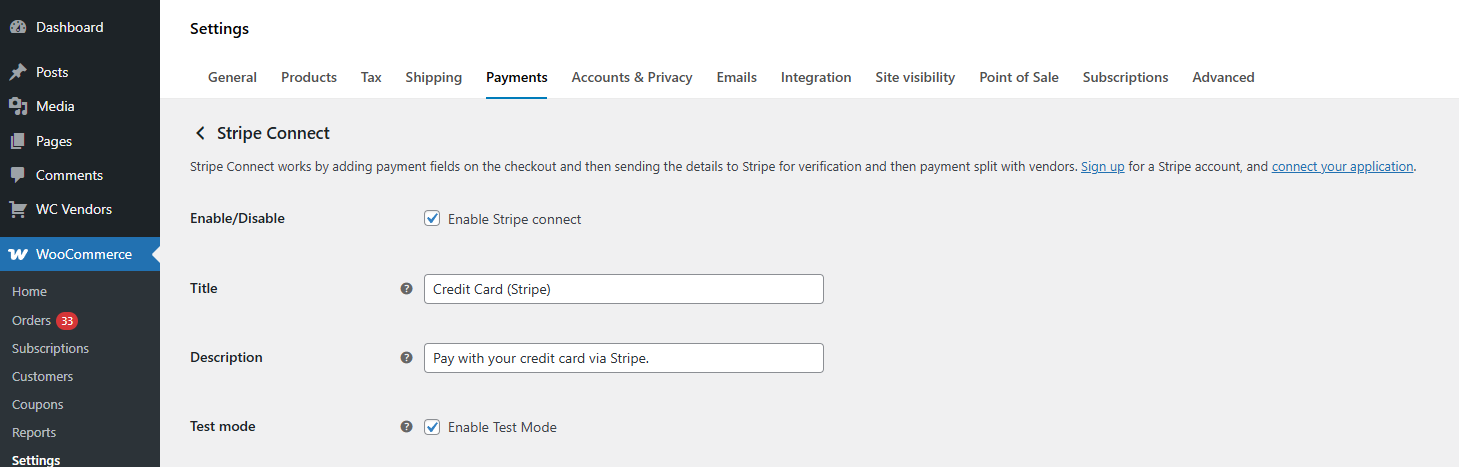
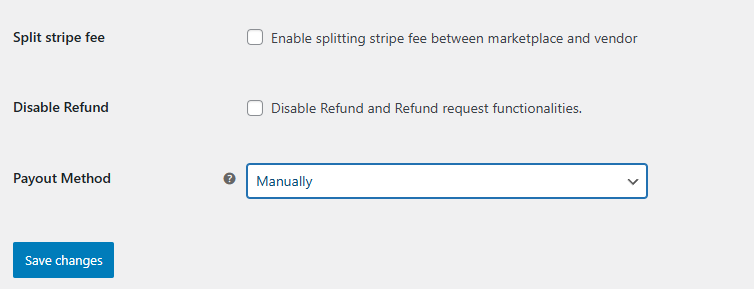
The settings can be found in WooCommerce → Settings → Payments → Stripe Connect. Scroll down to view the Payout Method and other Stripe Connect options.
Automatic Payout
This is the default option and will pay out the vendors when the customer pays for the order at checkout. This means that the marketplace and the vendor will get the split payment instantly.
Scheduled Payout
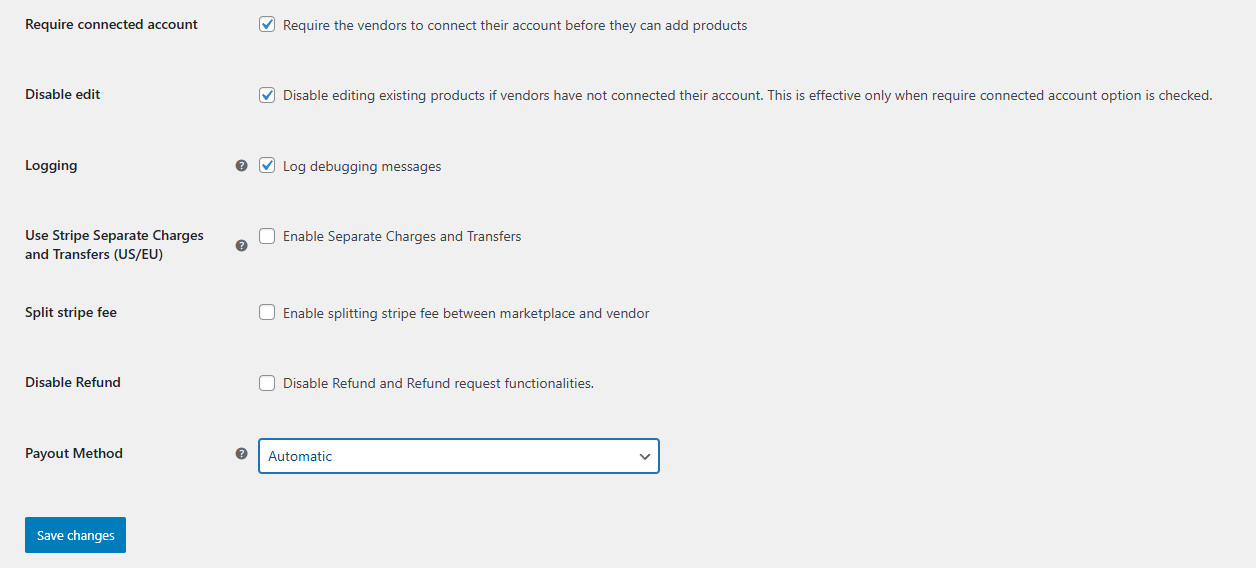
Sometimes, your marketplace or the types of products you sell may require holding the sales funds for a specific period—such as for shipping, refunds, or reviews. This setting lets you adjust the schedule for when vendors receive their commission payouts.
There are two different Scheduling methods
- Weekly Scheduled
- Monthly Scheduled
Weekly Scheduled
The Weekly Schedule payout occurs once a week on the day chosen by the marketplace admin. The Weekly Day refers to the day vendors receive their payments, which can be set to any day from Monday to Friday.
Monthly Scheduled
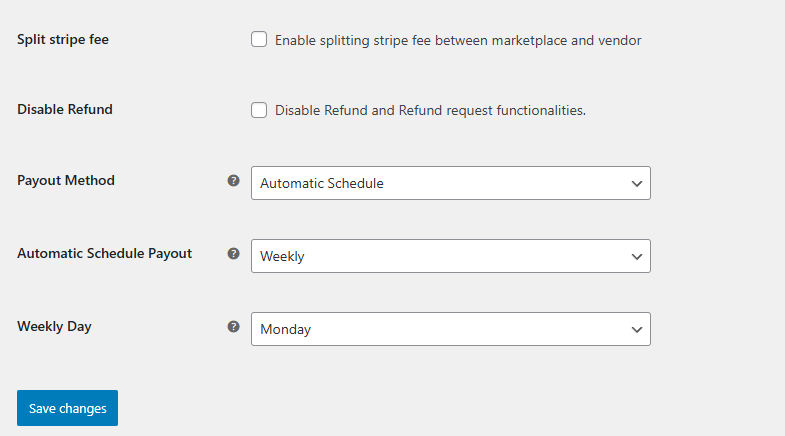
The Monthly Schedule payout occurs once a month on the date chosen by the marketplace admin. The Monthly Day is the day of the month (1–31) when available funds are paid out. If the chosen date is the 31st, payouts for months without a 31st will be made on the last day of that month (e.g., June 30).
Note
Please take note that the scheduled options for WC Vendors Stripe Connect work differently. You will notice that the split will happen immediately but the money will not be valid for withdrawal at the same time.
The schedule you set determines the payout schedule INSIDE of Stripe.
Manual
The user has to go to the Stripe dashboard to make the payment for vendors.
Vendor Setting
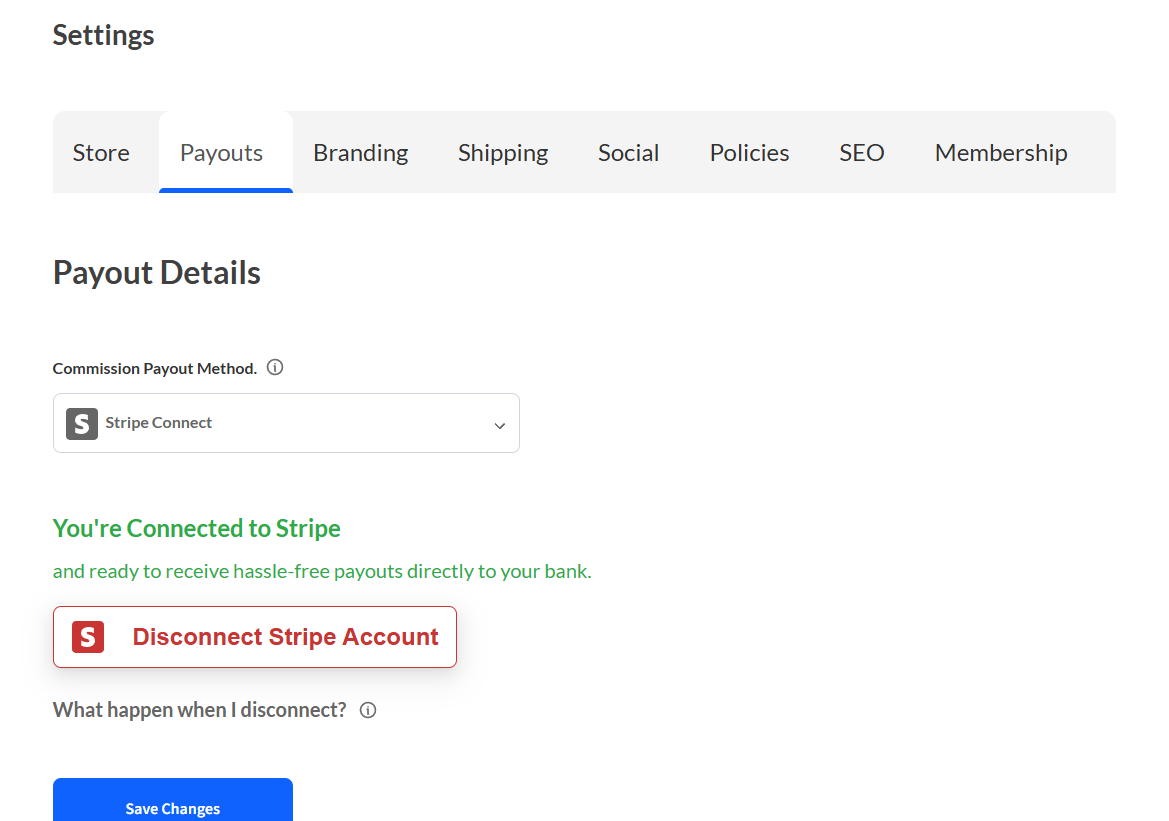
Go to vendor dashboard settings> Payments, from here head over to the Payouts tab. Connect Stripe account with the marketplace.
Frequently Asked Questions
What is a vendor payout?
A vendor payout is the transfer of earned commission or sales revenue from the marketplace owner to the individual vendor (seller). When a customer buys a product on your marketplace, the payment goes to the marketplace first. The vendor payout is when you send the vendor their share of that sale, minus your marketplace commission. In WC Vendors, payouts can be handled automatically through Stripe Connect, on a schedule, or manually.
What is the best way to pay vendors in a WooCommerce marketplace?
The best way to pay vendors in a WooCommerce marketplace is Stripe Connect, which automatically splits payments at checkout and sends each vendor their share. WC Vendors supports three payout methods: Automatic (instant split at checkout via Stripe Connect), Scheduled (weekly, biweekly, or monthly payouts), and Manual (marketplace owner triggers each payout). For most marketplaces, automatic payouts via Stripe Connect provide the best vendor experience and lowest admin overhead.
How does a vendor get paid on a WC Vendors marketplace?
Vendors get paid through the payout method you configure in WC Vendors. With Stripe Connect (the most common method), the payment is automatically split at checkout — the vendor’s share goes directly to their connected Stripe account. With scheduled or manual payouts, the marketplace collects the full payment first, then sends the vendor their share on the configured schedule. Vendors can view their earnings and payout history from their Pro Dashboard.
How often should I pay marketplace vendors?
Most successful marketplaces pay vendors weekly or biweekly. More frequent payouts improve vendor satisfaction and retention, but you should factor in your refund window — if you offer 14-day refunds, paying vendors after 14 days protects you from having to claw back refunded commissions. WC Vendors supports automatic, weekly, biweekly, and monthly payout schedules through Stripe Connect.
Can I set different payout rates for different vendors?
Yes. WC Vendors Pro supports per-vendor commission rates, so you can set different commission percentages for individual vendors. You can also use tiered commissions that increase the vendor’s share as they sell more. This is configured in WC Vendors → Settings → Commission or on each vendor’s profile page.
What payment gateways support vendor payouts in WooCommerce?
WC Vendors supports vendor payouts through Stripe Connect (recommended — automatic payment splitting), PayPal (manual or scheduled payouts), and manual bank transfers. Stripe Connect is the most popular option because it handles payment splitting automatically at checkout, supports 40+ countries, and reduces the marketplace owner’s payout admin work.
Need help?
If you have a question or run into any issues, we’re here to help.
- Premium users: Open a support ticket
- Free users: Visit our community forum