
Black Friday 2026 lands on Friday, November 27, which leaves about four weeks to get your marketplace ready. On a multi-vendor marketplace, though, being ready doesn’t depend on you alone. Your revenue rides on independent sellers, and each of them needs a sale-ready storefront, accurate listings, enough stock and clear shipping rules before the rush hits.
That’s why this guide is built around a vendor Black Friday checklist you can hand straight to your sellers, plus the WC Vendors settings that make each step easier. When your vendors prosper, your marketplace flourishes. Let’s make sure they’re prepared.
Why Your Vendors Need A Black Friday Checklist This Year
The opportunity keeps growing. Adobe’s 2026 holiday shopping forecast expects U.S. shoppers to spend $12.9 billion online on Black Friday (up 9.2%) and $15.1 billion on Cyber Monday, November 30, inside a record $275.1 billion holiday season. Last year, a record 202.9 million people shopped between Thanksgiving and Cyber Monday, and 134.9 million of them shopped online, according to the National Retail Federation’s Thanksgiving weekend survey.
Two details from Adobe’s forecast matter most for marketplace sellers:
- Mobile rules the big days. Adobe expects a record 63% of Thanksgiving online spend to come through mobile devices, so a storefront that feels clunky on a phone will leak sales.
- Discounts start early. Deals are forecast to reach up to 14% off in early November and up to 21% just before Thanksgiving, then peak at up to 30% during Cyber Week. Vendors who start planning on Thanksgiving week will be late.
A shared Black Friday checklist keeps every seller on the same timeline, cuts down on last-minute support tickets and protects your marketplace’s reputation when orders spike. After all, one vendor who oversells or ships late can trigger the bad reviews that make shoppers hesitate on everyone else’s products, too.
The Vendor Black Friday Checklist At A Glance
Send this timeline to your vendors now, then use the sections below to fill in the details.
| When | What vendors should do |
|---|---|
| Now to Nov 6 | Refresh store branding, audit listings, confirm stock and supplier lead times |
| Nov 9 to Nov 20 | Schedule sale prices, create vendor coupons, set shipping rates and policies |
| Nov 23 to Nov 26 | Publish store notices, test checkout on mobile, confirm customer service coverage |
| Nov 27 to Nov 30 | Watch stock, ship fast, add tracking numbers, answer questions quickly |
| Dec 1 onward | Process returns, restock, and promote holiday shipping cutoffs |
Treat this Black Friday checklist as a living document. Pin it in your vendor community or onboarding emails, and remind sellers of each milestone as it approaches.
Step 1: Get Vendor Storefronts Sale-Ready
Vendor storefronts are where shoppers decide whether to trust a seller they’ve never bought from. During Black Friday, customers compare deals fast, so a polished storefront gives vendors a real edge.

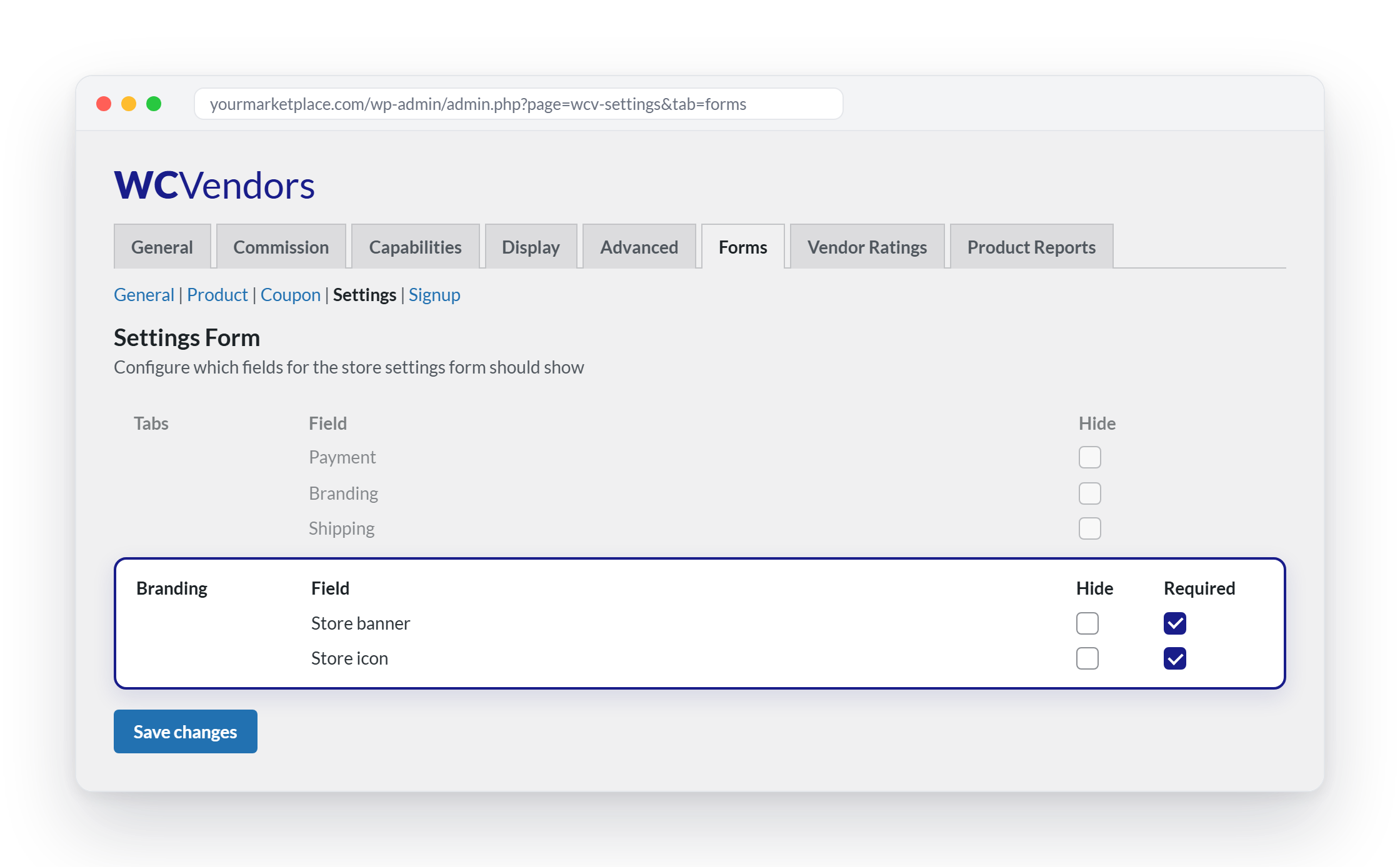
Branding. Ask vendors to upload a store banner and store icon that reflect their brand and, ideally, a seasonal Black Friday look. On paid WC Vendors plans, you control these fields under WC Vendors > Settings > Forms. Make sure the Store banner and Store icon fields aren’t hidden, and tick Required if you want every vendor to upload them. For sellers without branding, upload a seasonal fallback image as the default store banner under WC Vendors > Settings > Display > Branding.
Store notices. Vendors on paid plans can turn on a store notice, a short message that appears at the top of their store pages. It’s ideal for lines like “Black Friday: 25% off everything through Cyber Monday” or “Order by December 14 for Christmas delivery.” Encourage vendors to update the notice as the sale moves from early deals to Cyber Monday to final shipping cutoffs. Time-bound wording such as “ends Monday at midnight” creates a sense of urgency that nudges shoppers to buy now.
Imagery. Clear, well-lit, high-resolution product photos help shoppers decide quickly. Banner text should be large and high-contrast so it stays readable on a small screen.

Mobile test. Have each vendor open their own store on a phone and walk through the full path: browse, open a product, add to cart and reach checkout. Anything that’s hard to tap or slow to load goes on the fix list. If every store looks cramped on mobile, the issue is likely your marketplace theme rather than the vendors. A lightweight, responsive theme such as WooCommerce’s Storefront is a safe baseline.

Step 2: Audit Product Listings And Schedule Sale Prices
Black Friday shoppers scan rather than read. Before discounts go live, every vendor should check that their listings have:
- Clear titles that name the product type and its key attribute
- Accurate descriptions, sizes, variations and photos
- Sale prices that are genuinely lower than a regular price shoppers have actually seen
- The right categories and tags, so products show up in your marketplace’s deals section
Schedule sale prices ahead of time. Vendors can enter a sale price on the product form in their vendor dashboard and set start and end dates, so discounts go live and expire automatically. It mirrors the sale price Schedule option in WooCommerce itself, where the end date expires at 11:59 pm, according to the WooCommerce product editor documentation. Scheduling means nobody is changing prices by hand at midnight on November 27.
Use bulk tools for big catalogs. If you turn on the Import Products capability under WC Vendors > Settings > Capabilities, vendors on paid plans can update listings in bulk from a CSV file instead of editing products one at a time.
Choose a discount strategy, not a random number. Varied discounts (“up to 40% off”) let vendors protect margins on bestsellers while clearing slower stock more aggressively. Vendors should also double-check that any discount still leaves room for your marketplace commission and their shipping costs. For help picking a number, share this guide to the most effective discount percentage from our sister brand, Advanced Coupons.

Step 3: Lock Down Stock Levels
Overselling is the fastest way to turn a Black Friday win into refunds and one-star reviews. Add these inventory items to every vendor’s Black Friday checklist:
- Turn on stock management for every discounted product and set a low stock threshold, so the vendor is warned before an item runs out.
- Confirm supplier lead times now. If a restock takes three weeks, anything ordered after early November may not arrive before Cyber Monday.
- Label limited-quantity doorbusters clearly on the listing.
- Plan for the unexpected. On paid WC Vendors plans, vendors who can’t fulfill orders for a while can switch on vacation mode with a custom message and, optionally, disable the cart so customers can’t buy products that won’t ship on time. Pausing honestly beats overselling.
Step 4: Set Shipping Rules And Holiday Cutoffs
Shipping is where marketplace promises break most often, so it deserves the most detail on any vendor Black Friday checklist. Each vendor ships from their own location on their own schedule, and customers need clear expectations from every seller.
Shipping rates. With vendor shipping enabled, vendors can set flat rate or table rate shipping from their dashboard, add a handling fee and offer free shipping above a set order amount. A free shipping threshold is a simple way to lift order value without cutting product prices any further.
Policies. Vendors can publish their own shipping policy and return policy for shoppers to read. Ask them to update both before Black Friday with realistic processing times and the return window for holiday orders. Our guide to improving your marketplace refund policy covers what a customer-friendly policy should include.
Cutoffs. For delivery before Christmas within the contiguous U.S., USPS recommends sending Ground Advantage and First-Class Mail by Thursday, December 17, Priority Mail by Friday, December 18, and Priority Mail Express by Saturday, December 19, according to its 2026 holiday shipping deadlines. Vendors should set their own “order by” dates a few days earlier to allow for processing, then show those dates in their store notice.
Tracking. From the Orders page of their vendor dashboard, vendors can add tracking numbers and mark orders as shipped. Make this a rule for every Black Friday order, because “where’s my package?” messages pile up fast in December.
Step 5: Create Vendor Coupons That Protect Margins
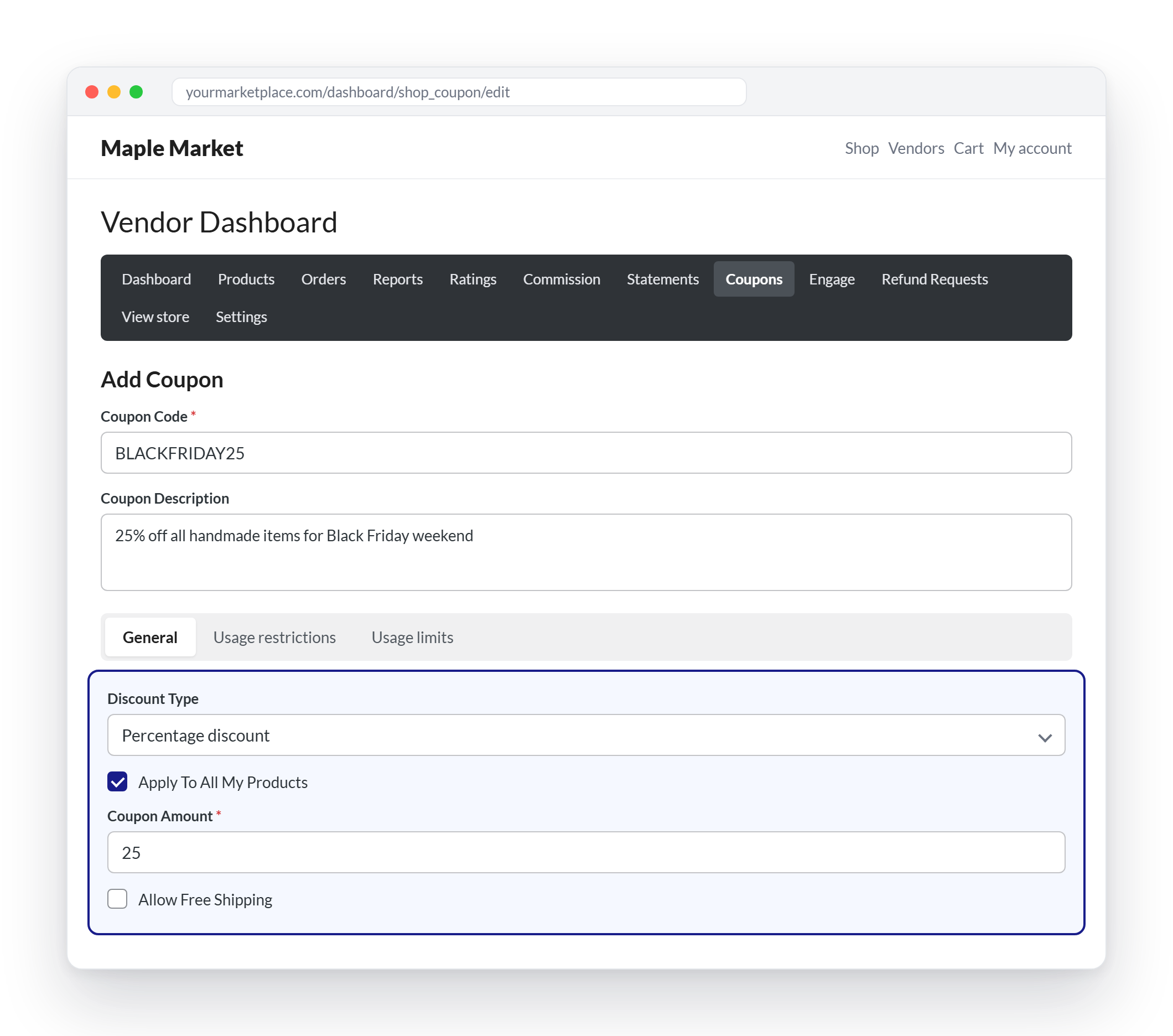
Vendor coupons are included in every paid WC Vendors plan. From the Coupons section of their dashboard, vendors can create codes that offer:
- A percentage discount or a fixed discount
- Coverage of all their products, or only selected products, with optional exclusions
- Free shipping
- An expiry date
- A minimum or maximum spend
- Individual use only and the option to exclude sale items
- Usage limits per coupon and per customer, plus restrictions to specific email addresses
A few coaching points help vendors use these well:
- Match the expiry date to the campaign, such as the end of Cyber Monday, so codes don’t linger into December by accident.
- Exclude sale items when products already have a scheduled sale price, so discounts don’t stack beyond what the vendor can afford.
- Use a minimum spend to grow average order value.
- Keep codes unique and memorable, since each coupon code must be unique across the marketplace.
Decide how coupons affect commission. WC Vendors includes a Coupon Action setting under WC Vendors > Settings > Commission that controls whether commission is calculated before or after a coupon is applied. Tell vendors which option you use, so nobody is surprised when payouts land.
Go beyond basic coupons when you need to. For offers that vendor coupons don’t cover, such as buy one, get one deals, gift cards or loyalty rewards, you can add Advanced Coupons, WC Vendors’ sister plugin, to your WooCommerce marketplace. Its guide on how to make a WooCommerce BOGO coupon is a good starting point. For a deeper look at coupon types, free shipping offers and how vendor coupons differ from marketplace-wide promotions, read our guide to Black Friday WooCommerce offers.
Step 6: Prepare For Order Volume And Customer Questions
A sale that brings in orders but leaves customers waiting for answers still damages your marketplace. Help vendors get ahead of it:
- Agree on a response time, such as replying to customer messages within 24 hours during Cyber Week.
- Prewrite answers to the questions that come up every year: shipping times, return windows, sizing and gift options.
- Explain your refund process so vendors know exactly what happens when a customer asks for their money back.
- Plan staffing for the four days from Black Friday through Cyber Monday, especially for solo sellers.
Your own side of the Black Friday checklist matters here, too. Test checkout, payment gateways and order emails before Thanksgiving week. If your marketplace slowed down under last year’s traffic, fix hosting now rather than on November 26. Managed WordPress hosting built for database-heavy marketplaces, such as Levamo, offers free migration and no traffic overage fees, which takes some of the risk out of a traffic spike.
Step 7: Promote Vendors Across Your Marketplace
Vendors handle their own stores, but you control the biggest stage. Make promotion the final item on your Black Friday checklist:
- Build a Black Friday deals page or category where shoppers can find every vendor’s offers in one place.
- Feature standout vendors in your newsletters and social posts. Our guide to Black Friday emails walks through teaser, launch and last-chance sends.
- Grow and segment your list early. Capture more subscribers before the sale with popups from OptinMonster, then segment them in a tool like ActiveCampaign so each group sees the vendors and categories it cares about.
- Reward followers. On the Growth and Business plans, WC Vendors Engage lets customers follow their favorite vendors, see updates in a personalized feed and receive follower offers. Encourage vendors to give followers early access to their Black Friday deals.
- Coordinate a marketplace-wide promotion that vendors can opt into, so your own campaign and their offers point in the same direction.

After The Rush: Keep The Checklist Going
Black Friday doesn’t end on Cyber Monday. Adobe expects discounts of 10% to 15% to continue throughout December, and holiday shipping cutoffs keep vendors busy until mid-December. Extend your Black Friday checklist with a few December items: process returns quickly, reconcile commissions before payouts, restock bestsellers and update store notices with final “order by” dates.
For a full walkthrough of what to do once the sale ends, see our post-Black Friday tasks for marketplace owners.
Conclusion
On a multi-vendor marketplace, Black Friday success is shared success. A clear Black Friday checklist gives every vendor the same plan: refresh their storefront, tighten their listings, schedule sale prices, protect their stock, set honest shipping cutoffs and use vendor coupons without eroding margins. With Black Friday on November 27 and Cyber Monday on November 30, 2026, the vendors who work through that list in early November will be the ones who capture the early-discount shoppers Adobe expects.
Your role is to make the checklist easy to follow. Turn on the WC Vendors settings that support each step, explain how coupons affect commission, keep your hosting and checkout stable and give your best vendors a bigger stage. Share this Black Friday checklist with your sellers this week, and you’ll head into the busiest shopping days of 2026 with a marketplace that’s ready for them.
Here’s what we covered in this article:
- Why your vendors need a Black Friday checklist this year
- The vendor Black Friday checklist at a glance
- Step 1: Get vendor storefronts sale-ready
- Step 2: Audit product listings and schedule sale prices
- Step 3: Lock down stock levels
- Step 4: Set shipping rules and holiday cutoffs
- Step 5: Create vendor coupons that protect margins
- Step 6: Prepare for order volume and customer questions
- Step 7: Promote vendors across your marketplace
- After the rush: keep the checklist going