Setting the right prices in an online auction can decide whether an item sells or not. One pricing tool sellers often rely on is the reserve price. So, what is reserve price in an auction? This article explains how it works in the auction process, especially for those using a WooCommerce multi-vendor store.
From understanding the purpose of a reserve to knowing how it shapes buyer behavior, we’ll explore how this pricing strategy protects your bottom line. We’ll also show how to set a reserve price using the WooCommerce Simple Auctions plugin together with WC Vendors.
Let’s start by answering the question: what is reserve price, and how can it benefit sellers?
Understanding Reserve Price
A reserve price is the minimum amount a seller is willing to accept in an auction. If bidding doesn’t reach this amount, the item isn’t sold.
This is different from the starting bid, which sets the opening price for bidders. While a low starting bid encourages early interest, the reserve price makes sure the seller doesn’t lose money.
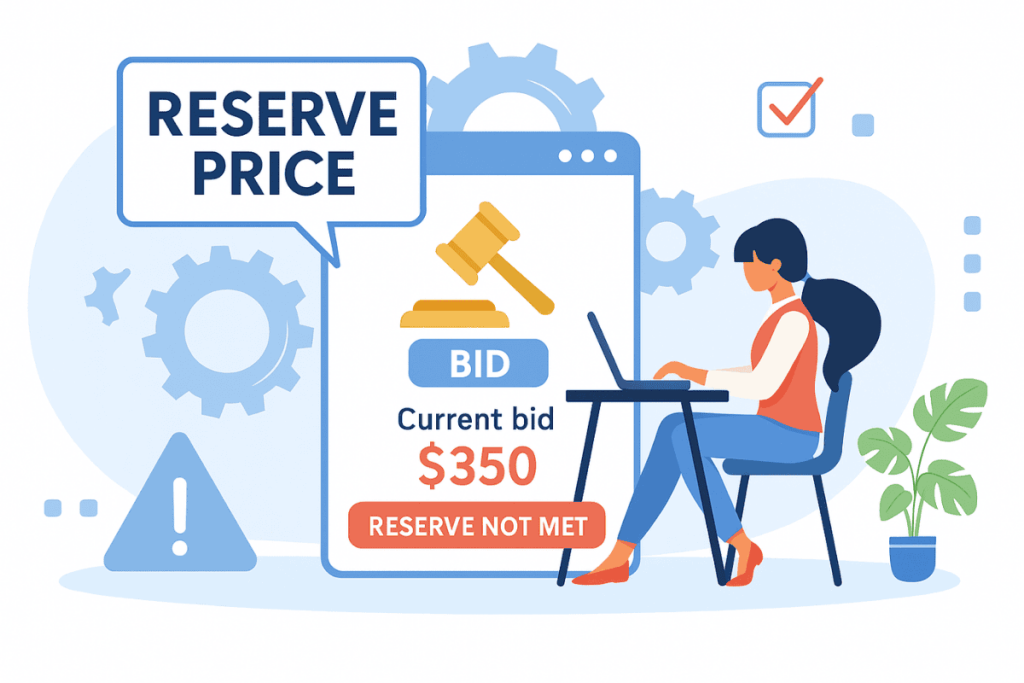
In WooCommerce auctions, a reserve not met outcome means the highest bid didn’t meet the reserve price. It helps sellers avoid underselling, especially for rare or high-value products.
Reserve pricing is also known as a reservation price, particularly in academic or economic contexts. It also helps in multi-vendor stores where vendors manage their own listings and want control over pricing limits.
Reserve Price Vs Starting Price
The starting price is where bidding opens, and the reserve price is the lowest bid the seller will accept. Bidders see the starting price, while the reserve usually stays hidden.
Sellers often pair a low start with a higher reserve. The low opening number pulls bidders in, and the reserve still protects the seller’s floor. If both are set to the same figure, the reserve adds nothing, because nobody can bid below the start anyway.
Here’s what this looks like in practice (example data): a vendor lists a vintage camera with a starting price of $50 and a reserve of $200. Bids climb from $50. If the auction closes at $180, the camera doesn’t sell. If it closes at $210, the highest bidder wins at $210.
The bid increment, the minimum step between bids, is the third number on the same form, and it decides how fast bidding climbs toward the reserve.
The three options side by side:
| Starting price | Reserve price | No reserve | |
|---|---|---|---|
| What it is | Where bidding opens | Lowest price the seller accepts | No floor; highest bid wins |
| Visible to bidders? | Yes | Usually hidden | n/a |
| If not reached | n/a | Item doesn’t sell | Always sells |
| Set by (on WC Vendors) | Vendor, Auction tab | Vendor, Auction tab | Leave Reserve empty |
Why Do Sellers Use A Reserve Price?
Sellers use reserve pricing to avoid selling an item below its value. This helps when:
- You’re selling collectibles, electronics, or premium items.
- The market for the product fluctuates.
- You want to test interest but don’t want to risk underselling.
It also supports your brand’s pricing standards. If you’re selling through a WooCommerce marketplace, this prevents your vendors from underpricing their products by accident.
In some cases, having a reserve can increase bidding tension. But it can also backfire if the reserve is set too high. So set a reserve price that reflects real market demand.
Reserve pricing also complements broader inventory and pricing strategies. For example, if you’re running a large WooCommerce store, you might be managing hundreds of products across vendors. That’s where proper marketplace inventory management becomes essential.
Auction Reserve VS No-Reserve Auctions

There are two main types of auctions: those with a reserve and no-reserve auctions.
A no-reserve auction sells the item to the highest bidder, whatever the final price. There’s no floor, so the seller carries all of the price risk.
That certainty is why no-reserve listings tend to draw more bidders. Everyone knows the item will change hands, so nobody holds back wondering whether the seller will accept their bid.
By contrast, an auction reserve gives you more control. It ensures that your item only sells when bids meet a pre-set limit. This is ideal when you want to maintain pricing integrity.
Going no-reserve makes sense for:
- High-demand items: Popular products with plenty of interested buyers rarely close far below their usual value.
- Clearance stock: Older inventory you’d rather turn into cash than store for another season.
- A new marketplace: No-reserve listings can drive engagement while your bidder base is still small.
If you want to protect product margins, reserve pricing is more reliable. It can also work well alongside other pricing strategies. For example, when combined with a seasonal pricing strategy, it lets vendors adjust reserve levels depending on seasonal trends.
The same choice comes up in other formats. When you run an online silent auction, each lot can still carry a floor or go without one.
How Reserve Prices Affect Auction Outcomes
A reserve changes how bidders behave and how the auction ends.
Buyers are more cautious if they suspect a high reserve price. Some may hesitate to bid at all if they think the price is the minimum the seller will accept.
On the other hand, a realistic reserve can motivate bidding if it feels achievable. Avoid setting the minimum price too high unless you’re prepared to risk no sale.
An unmet reserve means no sale at all, even with bids on the listing. On WC Vendors, the vendor can then relist the item from their dashboard with new dates, as covered in the setup section below.
If you’re running a WooCommerce multi-vendor marketplace, educate your vendors about how reserve prices work. Vendors who understand how to set a reserve are more likely to succeed in auctions.
Tips To Set A Reserve Price

Use these tips to determine your reserve:
- Research your product’s typical sale value on similar platforms.
- Consider your cost price and the lowest acceptable profit margin.
- Avoid emotional pricing, and base your reserve on real market behavior.
- Review your auction history to spot patterns.
If you sell often, look back at your past auction results to identify performance trends. This helps you avoid setting a reserve that deters buyers.
A Mistake To Avoid: Setting the reserve at the price you hope for rather than the lowest you’d accept. Those auctions tend to end unsold, and the vendor ends up blaming the marketplace. Set the reserve at your true floor, and let the bidding do the rest.
A good rule: Set your reserve price just below your product’s average market value. That way, buyers feel like they’re getting a deal, and you still protect your minimum.
How To Set Reserve Prices With WC Vendors + WooCommerce Simple Auctions
WC Vendors Simple Auctions is the integration that brings auctions to a WC Vendors marketplace. It gives each vendor an Auction product type, with its own Auction tab, in their dashboard. It needs WC Vendors Pro plus the WooCommerce Simple Auctions plugin by WPGenie, which is sold separately, and it’s included in the WC Vendors Business plan only.

From the vendor dashboard:
- Choose to sell an item via auction.
- Add your product details and select “Auction” as the product type.
- Enter the starting bid and your reserve price. Add a Buy It Now price too if you want buyers to have a fixed-price option.
- Set the auction duration and publish.
All of this runs on WC Vendors Pro. If you’d rather not offer auctions at all, admins can hide the Auction product type from all vendors in WC Vendors > Settings > Capabilities.
The reserve is one field among several your sellers control. WC Vendors Simple Auctions lets each vendor set a starting price, a reserve price and a bid increment from their own dashboard, alongside proxy bidding and item condition. If the marketplace owner turns on sealed bidding in WooCommerce Simple Auctions settings, vendors can also run sealed-bid auctions, where bidders can’t see each other’s offers and the highest bid wins. If an auction ends without being paid for (no winning bid, reserve not met, or the winner never pays), the vendor can relist it from their dashboard with new start and end dates; relisting clears the old bids. And anti-sniping pushes the closing time out when a bid lands in the final moments.
Because all of these fields sit on the same Auction tab, a vendor can decide the start, the floor and the bidding step in one pass. To see the full feature list, visit the WC Vendors Simple Auctions page.
If you’re just starting to build an auction website, our tutorial walks you through the full setup.


And if you need help picking products to auction, check out our list of auction item ideas for inspiration.
Reserve Price FAQs
What is a reserve price in an auction?
A reserve price is the lowest amount a seller will accept. Bidding can start below it, but if the auction closes underneath the reserve, the item does not sell. Bidders usually can’t see the reserve, only whether it has been met, so a seller can open the bidding low to attract interest without risking a sale below their floor.
What does “no reserve” mean at auction?
It means the item sells to the highest bidder, whatever the final price. There is no floor and no protection for the seller, which is why no-reserve listings often attract more bidders: everyone knows the item will change hands.
What is the difference between a reserve price and a starting price?
The starting price is where bidding opens. The reserve is the minimum the seller will accept. They can be the same, but sellers often set a low start and a higher reserve: the low opening number draws bidders in, and the reserve still protects the seller’s floor.
What happens if the reserve price is not met?
The item goes unsold, even though there were bids. The seller can relist it, lower the reserve, or negotiate privately with the highest bidder. On platforms that charge listing fees, the seller usually still owes them, so an unrealistic reserve costs money without producing a sale.
Can you ask what the reserve price is?
You can ask, but most sellers and auction houses won’t say. Keeping the reserve hidden is the point: if bidders knew the floor, many would wait and bid exactly that. Some auctioneers give a guide price or a range instead, which tells you roughly where the reserve sits without revealing the number.
How do you know the reserve price has been met?
The listing tells you. Online auctions usually show a “reserve not met” label until a bid reaches the reserve, then switch to “reserve met”. In a live room, the auctioneer may announce that the item is “on the market” or “selling” once bidding passes the reserve.
Protect Your Floor With A Reserve Price
Using a reserve price is a smart way to control outcomes when selling through online auctions. It gives sellers confidence, helps prevent losses, and supports pricing consistency across your marketplace.
On a marketplace, that consistency depends on vendors understanding the setting. Share the basics with your sellers when you switch auctions on, and fewer listings will close unsold.
To recap, here’s what to do:
- Learn what a reserve price is and how it protects a seller’s minimum.
- Pair a low start with a higher reserve to draw bidders without risking your floor.
- Choose reserve or no-reserve based on demand and how much you need the sale.
- Set your reserve at your true floor using market value and cost.
- Turn on vendor auctions with WC Vendors Pro and WooCommerce Simple Auctions.
Ready to get started? Set reserve prices on vendor auctions with WC Vendors Simple Auctions or try the live demo to see how reserve pricing fits into your auction setup.