When marketplace owners ask me about a WooCommerce gift registry, the first question is rarely about the registry. It’s “what happens to the commission when one registry holds products from nine different vendors?”
That’s the right question. On a single-vendor store a registry is a list. By contrast, on a marketplace it’s a list spanning multiple sellers, payouts and shipping arrangements. All of it is triggered by guests who have no idea any of that is happening.
This guide covers how gift registries behave across a multi vendor marketplace. We’ll walk through the setup, the commission and payout side, and what to tell your vendors.
Table Of Contents
- What Is A Multi Vendor WooCommerce Gift Registry?
- Why Registries Are Harder On A Marketplace Than A Single-Vendor Store
- Marketplace Registries Versus Single-Vendor Registries
- What The SaveTo Wishlist Gift Registry Addon Adds To Your Marketplace
- How The Gift Registry Addon And WC Vendors Work Together
- How To Set Up A WooCommerce Gift Registry On Your Marketplace Step By Step
- How Commissions And Payouts Work On Registry Orders
- Managing Split Shipping Toward One Event Date
- What To Tell Your Vendors Before Registry Season
- What To Track On Marketplace Registry Orders
- Start Offering A WooCommerce Gift Registry On Your Marketplace
- Frequently Asked Questions
What Is A Multi Vendor WooCommerce Gift Registry?
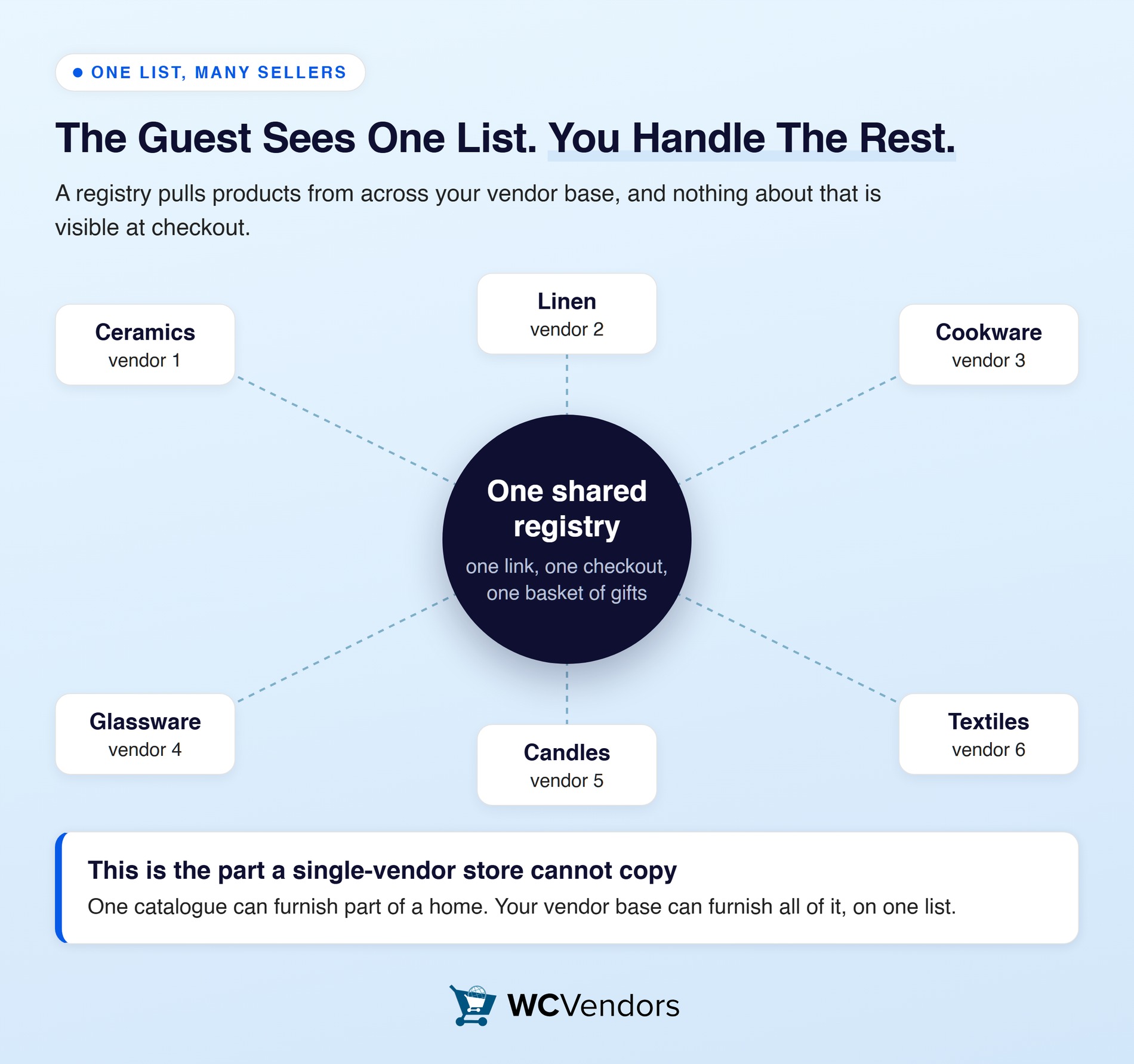
A multi vendor gift registry is a shared gift list built from products across several vendors in your marketplace. The customer sees one list. Your marketplace handles the fact that its contents belong to different sellers.
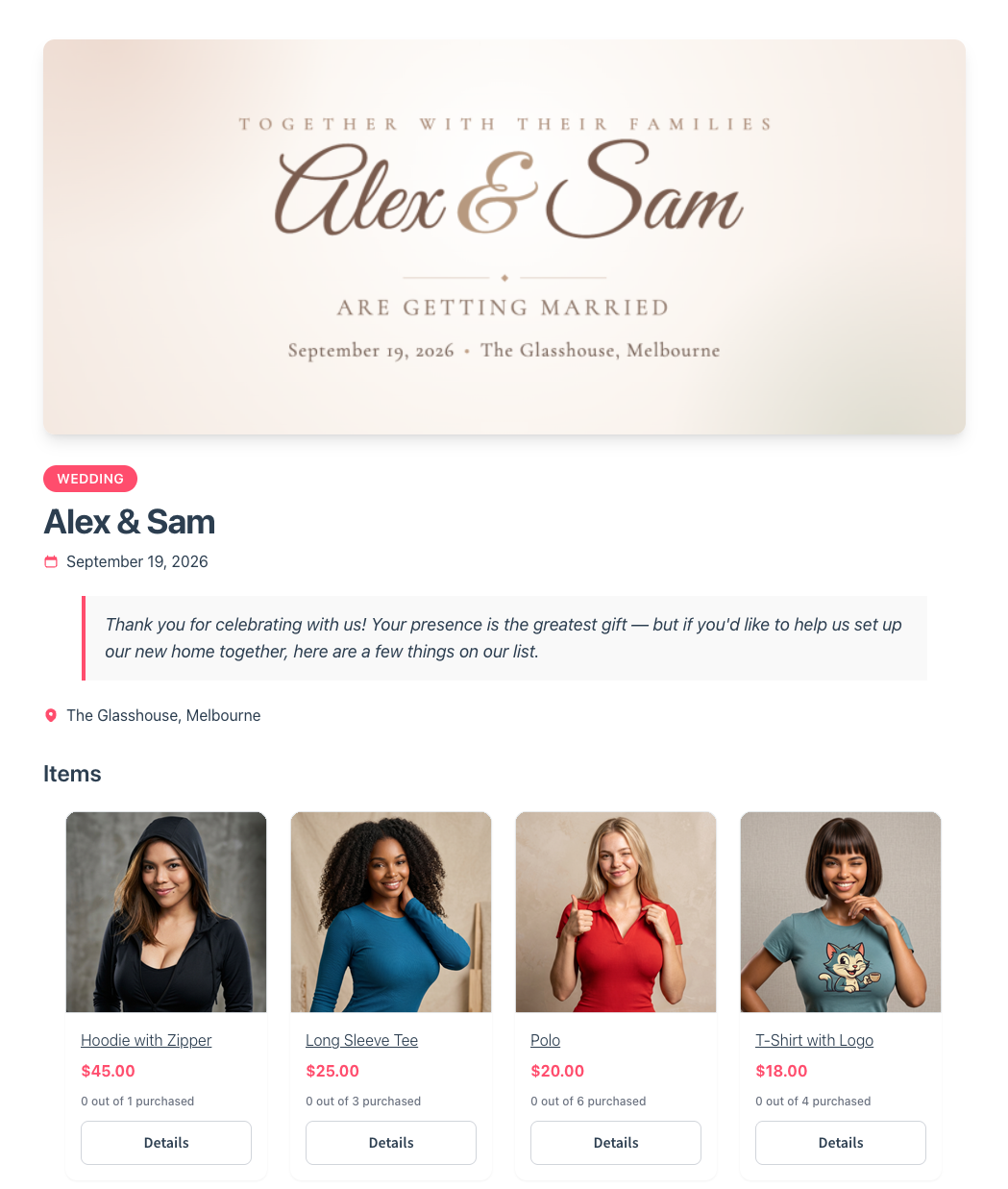
The customer experience is the easy half. Someone building a wedding registry doesn’t care which vendor sells the ceramics. Instead, they care that everything sits on one list they can share.
The operational half is where marketplaces differ from ordinary stores:
- One registry, many vendors. A single list can touch a dozen seller accounts.
- Many small orders, not one big one. Each guest buys separately, so vendors receive a trickle of single-item orders.
- Split shipping. Items ship from different places on different timelines toward one event date.
- Commission on every line. Each purchase needs the right commission calculated for the right vendor.
None of that is a problem, but it is a difference. It’s worth understanding before you promote registries to your customers.
Why the guest never sees any of this
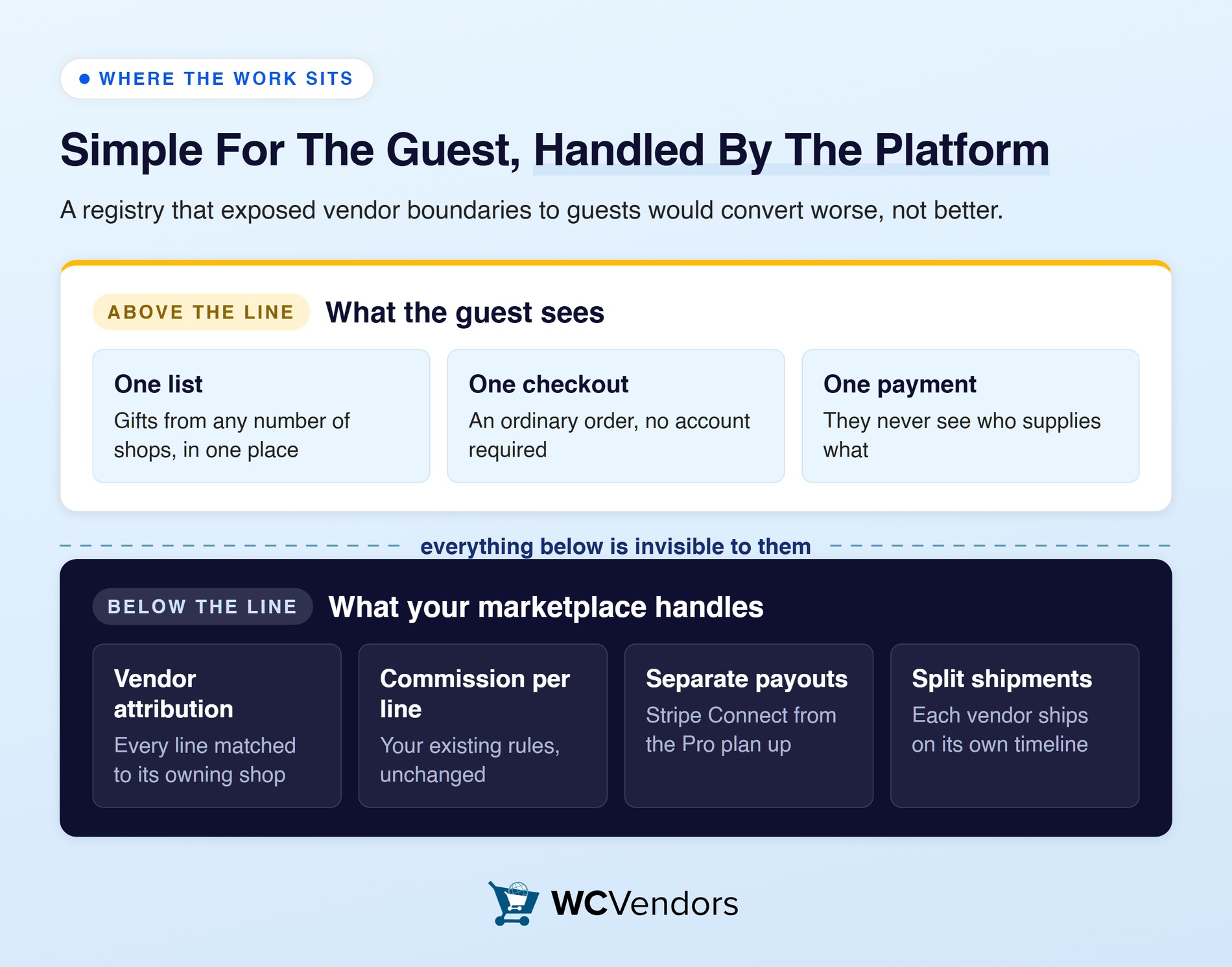
A guest buying one item from a registry places an ordinary order in your marketplace. The vendor attribution, commission split and payout all happen behind that single transaction.
That’s the design goal: complexity absorbed by the platform, not pushed onto the shopper. After all, a registry that exposed vendor boundaries to guests would convert worse, not better.
The event types worth supporting
Weddings are the obvious case, but not the only one. Similarly, baby showers, birthdays, housewarmings and graduations follow the same shape. One person builds a list, many people buy from it, and the purchases cluster around a date.
Event types are configurable in the addon, including custom ones. So you can support whichever occasions match your vendor mix.
Why Registries Are Harder On A Marketplace Than A Single-Vendor Store
The difficulty isn’t technical, it’s coordination. A registry concentrates many small purchases into a short window. On a marketplace those purchases land across many vendors, each seeing only their own slice.
The volume behind a single event is substantial. According to The Knot Worldwide’s 2026 Real Weddings Study, the average wedding cost $34,000 in 2025. Couples spent an average of $292 per guest, across 10,474 US couples surveyed. As a result, a hundred-guest event can mean a hundred separate orders in a fortnight.
Conversion pressure applies too. Baymard Institute puts the average documented cart abandonment rate at 70.22%, across 50 separate studies. On a marketplace, confusing shipping costs from an unfamiliar vendor are an ordinary way to lose that order.
🔍️ One thing we commonly see: marketplace owners launch a registry feature without telling their vendors. Then they field angry messages when a vendor’s stock sells out from a source they didn’t know existed. Brief your vendors first. It costs one email and prevents the whole class of complaint.
Marketplace Registries Versus Single-Vendor Registries
The differences determine what you need to prepare, not just what to expect. WC Vendors has a full guide on building a multi vendor marketplace.
| Factor | Single-vendor store | Multi vendor marketplace |
|---|---|---|
| Catalogue breadth | Limited to one seller’s range | Spans every vendor, so a registry can cover a whole home |
| Stock accuracy risk | One inventory to trust | As many inventories as vendors on the list |
| Shipping | Usually one shipment | Multiple shipments on different timelines |
| Commission | Not applicable | Calculated per product against the owning vendor |
| Fulfilment responsibility | The store | Each vendor, from their own dashboard |
| Who to brief before launch | Your own team | Every vendor whose products may be added |
Read that table as advantages and obligations in equal measure. Catalogue breadth is a genuine edge a single-vendor store cannot match. Stock accuracy across many vendors is the corresponding risk you manage.
Where marketplaces win
Selection is the whole argument. A couple furnishing a home wants ceramics, linen, cookware and glassware. However, very few single-vendor stores carry all four well.
A registry built across your vendor base can hold the complete list. That makes your marketplace the natural home for it, rather than one of four stores the couple juggles.
Lead with that when you promote registries. “Build one registry from 40 independent makers” lands better than “we now have gift registries.”
What The SaveTo Wishlist Gift Registry Addon Adds To Your Marketplace
The SaveTo Wishlist Gift Registry Addon lets customers turn any wishlist into a shareable gift registry. It handles the list side of the workflow.
What the addon provides
What it provides:
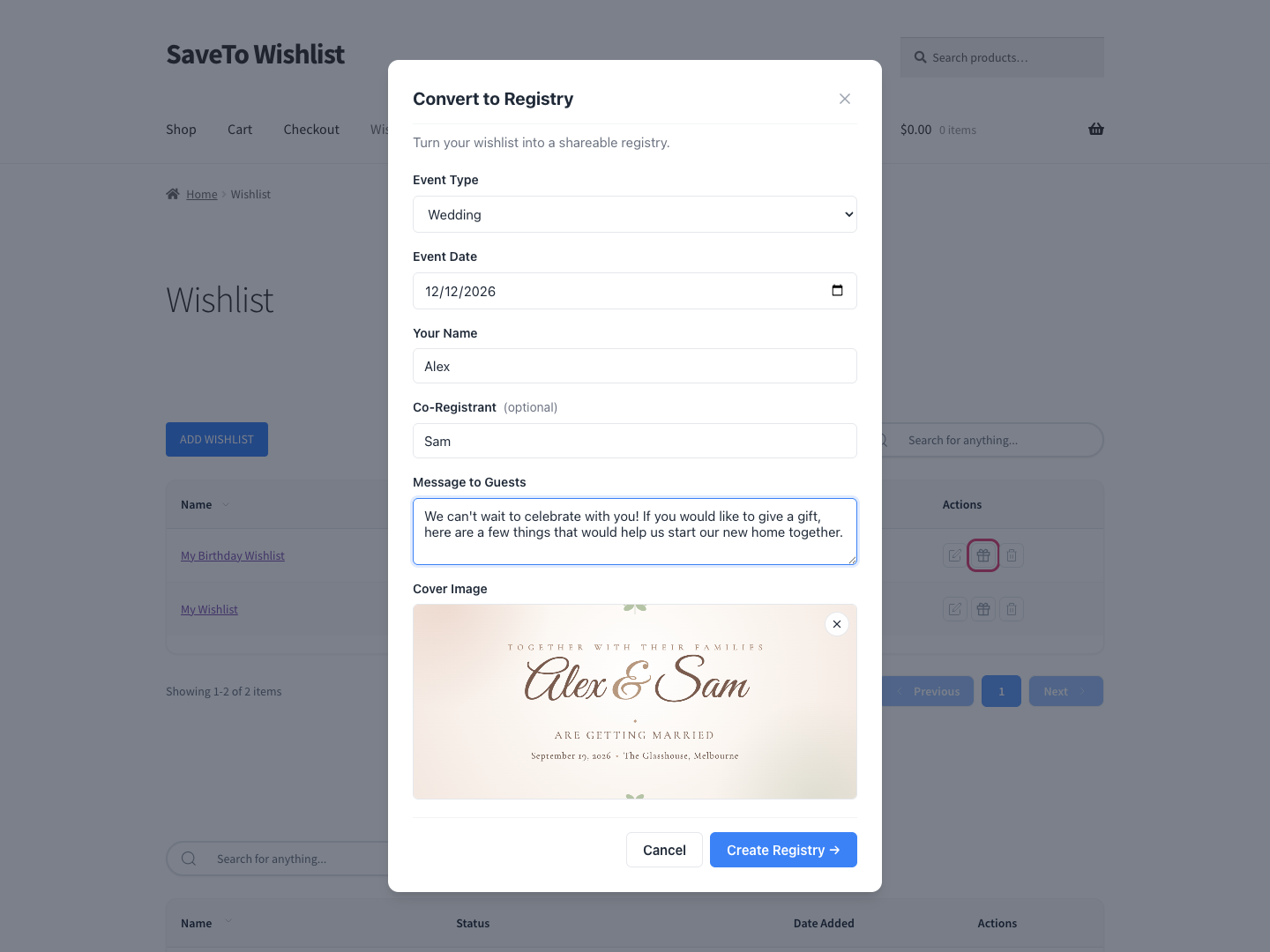
- Registries built from any wishlist, with an event type, event date and registrant names. An optional welcome message and cover image make the page read as their event, not your plugin.
- A shareable registry link plus an owner-only share button for copying the URL, emailing it, or posting to social. That link is how guests who never heard of your marketplace arrive.
- Per-item quantity tracking. Guests see how many were requested, bought, and still needed. Those counts are what stop most duplicate gifts. A “Fully purchased” badge replaces the add-to-cart control once an item is fully bought.
- A registry search page published on activation. Guests find a registry by registrant name and filter by event type. Someone who mislaid the link can still reach it.
- An owner dashboard in My Account showing the buyer’s name and email per item. It also lists the purchase date, the order number, and a thank-you toggle with notes. The owner never has to reconstruct who sent what.
- A central Registries screen in the admin for viewing, editing, archiving or restoring registries. Deleting is a soft delete that keeps purchase records. Closing off a finished event takes seconds, not a support thread.
- Email notifications to the owner on purchase or refund, and to admins on registry creation. The owner hears about a purchase without watching for it.
How registries behave across your vendor catalogue
A registry is built from products in your catalogue. So a customer can add items from as many vendors as they like. The list doesn’t care about vendor boundaries, which is exactly what you want from the customer’s side.
One behaviour to plan around: adding a gift to a cart doesn’t reserve it. Items count as bought only once the order goes through. So two guests checking out the last unit will both succeed. That matters more here than on a single-vendor store, because stock accuracy spans every vendor on the list.
Which plans include the addon
The addon is available on the SaveTo Wishlist Plus and Business plans. Plus is $99.50 for the first year, renewing at $199. Business is $199.50, renewing at $399.
A free Lite tier and a Growth plan at $49.50 also exist. Neither includes the addon. Current figures are on the SaveTo Wishlist pricing page.
How The Gift Registry Addon And WC Vendors Work Together
A registry purchase is an ordinary WooCommerce order. That single fact is what makes these two plugins work together. They’re separate products with no dedicated integration, and they don’t need one.
The addon owns the list. Meanwhile, WC Vendors owns vendor attribution, commission and payouts. Neither has to know the other exists.
In practice that gives you four things:
- Commission logic stays untouched. You don’t need registry-aware rules, because registry purchases are just purchases.
- The order number is your reconciliation key. The addon records it against every purchase in the owner dashboard. That’s how you trace a registry gift back to the vendor order in your reporting.
- Registry lines survive catalogue changes. Each item keeps its own copy of the product title, SKU and image. A vendor removing a product doesn’t break the list.
- Offline payments still count. Purchases credit when an order reaches Processing, not only Completed. That covers bank transfer and cheque, so test it against your own payment setup.
Be clear about the limit, too. Registry management is marketplace-wide rather than vendor-scoped. The Registries screen and the owner dashboards are not per-vendor views.
So don’t promise your vendors a registry dashboard of their own. They see registry purchases as ordinary orders in their vendor dashboard, which is where they manage and ship them.
How To Set Up A WooCommerce Gift Registry On Your Marketplace Step By Step
The setup itself is short. In fact, most of the work sits in the preparation around it. WC Vendors covers automating your vendor onboarding.
Step 1: Get the wishlist layer running first
A registry is a converted wishlist. So wishlists need to be live before registries mean anything. Install and activate SaveTo Wishlist, then confirm customers can save products across your vendor catalogue.
Test this with products from two different vendors. If wishlists work cleanly across vendor boundaries, registries will too.
Step 2: Install and activate the Gift Registry Addon
Install the addon alongside SaveTo Wishlist. It’s on the Plus and Business plans, so check your plan covers it before you build a launch around it.
Step 3: Configure your event types
Set up the event types that match your vendor mix. Weddings and baby showers are the standard pair. Add others to suit what your marketplace actually sells.
Keep the list short at launch. Otherwise, a long dropdown of occasions nobody selects adds friction to the one moment you want frictionless.
Step 4: Check your registry search page
Activation publishes a Find a Registry page for you and assigns it automatically. Confirm the assignment looks right, then link the page from your navigation or footer during gifting season.
This page matters more on a marketplace. Guests arriving from a shared link may land anywhere and need a way back.
Step 5: Turn on and test the email notifications
Registry owners get alerts when a gift is purchased or refunded. Admins get one when a new registry is created. Enable them and send yourself a test before you promote anything.
Step 6: Run one full cross-vendor test purchase
This is the step worth not skipping. Build a test registry with products from at least three different vendors. Then buy one item from each, as a guest would.
Check four things. Each purchase attributed to the right vendor, and commission calculated as expected. Quantities decremented on the registry, and the owner notification delivered.
How Commissions And Payouts Work On Registry Orders
Your existing commission rules apply unchanged. Nothing about a registry alters how a sale settles. This is the part marketplace owners most want answered, and the answer is reassuring.
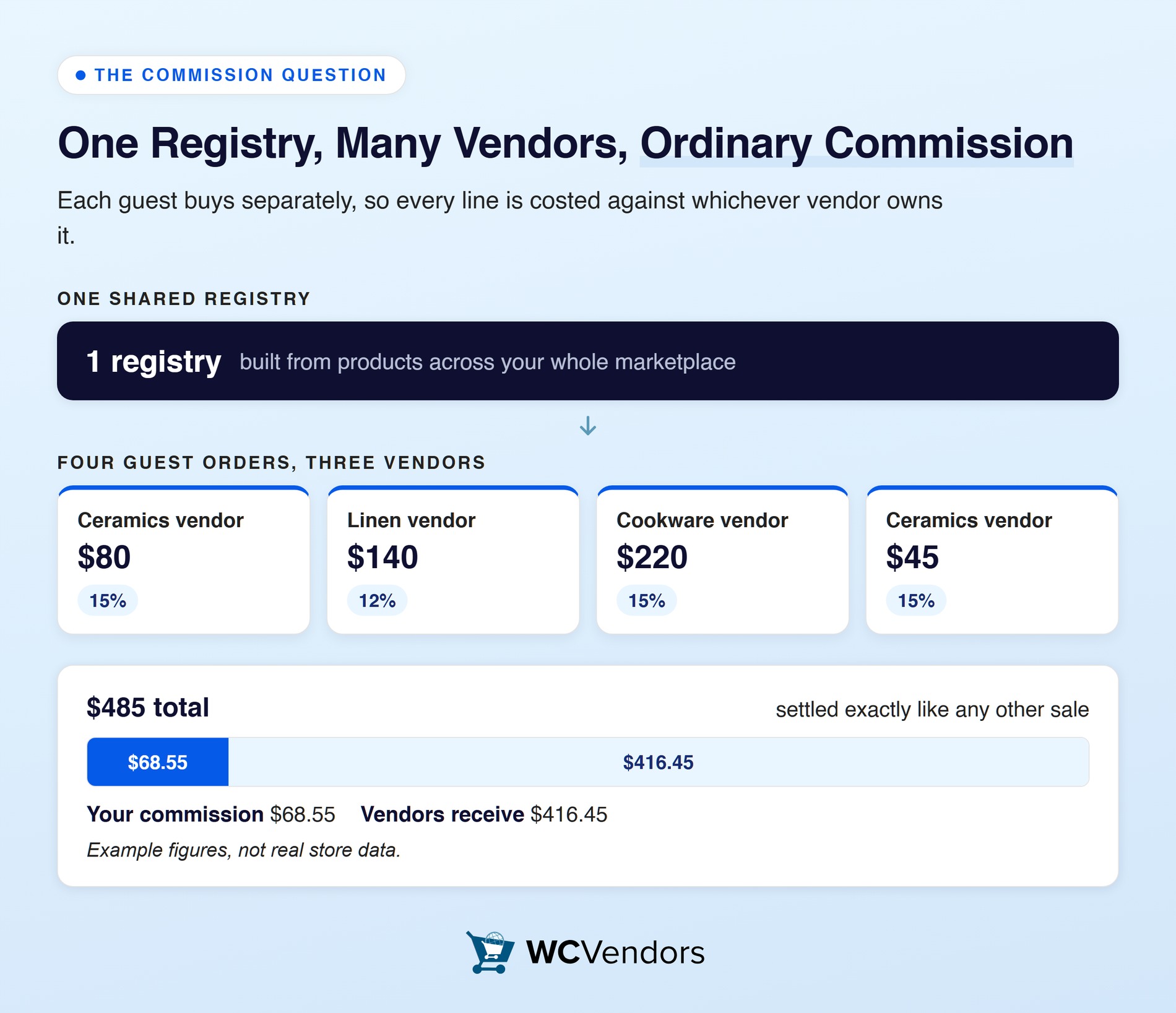
WC Vendors calculates commission per product against the vendor who owns it. A guest buying three items from three vendors produces three ordinary commission records.
The commission options you already have all still apply:
- Four standard types: percentage, percentage plus fee, fixed, and fixed plus fee.
- Three tiered types, where the rate varies by sales by vendor, sales by product, or product price.
- Four levels to set them at: global, per vendor, per product category, and per product.
The free plugin gives you one commission type. WC Vendors Pro unlocks all seven, along with the per-level overrides.
Payouts work the same way. Stripe Connect handles vendor payments, with automated payouts from the Pro plan up. So a burst of registry orders doesn’t create a manual reconciliation job.
A worked example
Here’s how one registry’s purchases might break down. These are example figures, not real store data.
| Guest order | Vendor | Item value | Commission rate | Your commission | Vendor receives |
|---|---|---|---|---|---|
| Order 1 | Ceramics vendor | $80 | 15% | $12 | $68 |
| Order 2 | Linen vendor | $140 | 12% | $16.80 | $123.20 |
| Order 3 | Cookware vendor | $220 | 15% | $33 | $187 |
| Order 4 | Ceramics vendor | $45 | 15% | $6.75 | $38.25 |
| Totals | 3 vendors | $485 | mixed | $68.55 | $416.45 |
Four ordinary orders, three vendors, one registry. Nothing about the calculation is special, and that’s the point. Your vendor commission setup never learns a registry was involved.
Refunds and cancellations
Refunds behave as they normally do on your marketplace. The addon adjusts its own tracking automatically, and the registry owner is notified.
A full refund puts the item back on the list, so another guest can buy it. A partial refund reduces the count by the right amount instead of wiping the record. Either way, a refund doesn’t leave a dead entry.
Managing Split Shipping Toward One Event Date
Split shipping generates the most customer contact of anything here. Almost all of it is preventable with expectation setting. WC Vendors also has a guide to running a WooCommerce marketplace.
The situation is simple. A registry owner receives gifts from several vendors, each shipping on their own timeline. Nobody is doing anything wrong. Still, it feels disorganised unless you’ve said in advance that it will look like this.
Three things reduce the friction:
- Say it on the registry page. A line explaining that gifts arrive separately from different sellers answers the question before it’s asked.
- Give vendors a ship-by expectation for the season. Not a new rule, just a clear statement that registry items are date-sensitive.
- Watch your slowest vendors specifically. Marketplace averages hide the problem. One vendor shipping in eight days while the rest ship in two is where complaints start.
Vendors manage their own orders and shipping, so the operational work sits with them. Your job is visibility, knowing which vendors are slow before a customer tells you.
Where the operational cost actually lands
The cost isn’t commission calculation, it’s order volume. Vendors receive many single-item orders instead of a few larger ones. In other words, that changes their picking and packing rhythm rather than yours.
Say a vendor is used to a handful of multi-item orders a day. Twenty single-item registry orders is a different working pattern. It isn’t harder in total, but it is different. Vendors who weren’t warned will read it as a problem.
What To Tell Your Vendors Before Registry Season
A short briefing prevents most registry-related friction. Send it before you promote the feature, not after. WC Vendors covers onboarding marketplace sellers.
Cover these five points:
- Registries exist and customers can add your products to them. Vendors dislike surprises about where their orders come from more than they dislike the orders.
- Expect more single-item orders in a compressed window. Their fulfilment rhythm will change during peak gifting periods.
- Stock accuracy matters more than usual. An item may sit on a registry for weeks before it’s bought. A guest buying something unavailable is a refund plus a bad first impression.
- Ship-by dates are real deadlines. Registry purchases are tied to an event, so late shipping has a consequence beyond an unhappy customer.
- Commission is unchanged. Registry orders are ordinary orders on their existing terms.
A briefing note you can adapt
Something this short is enough:
“We’ve turned on gift registries. Customers can now build a shareable gift list from products across the marketplace, including yours. Their guests buy items from it individually.”
“Two things to expect. You’ll see more single-item orders during gifting periods, and those orders are tied to an event date. So shipping promptly matters more than usual. Please keep stock levels accurate, because registry items can sit on a list for weeks.”
“Your commission terms are unchanged. These are ordinary orders and appear in your dashboard as normal.”
Send it once before launch, and again a fortnight before your peak season. It’s also worth auditing stock on registry items monthly, so you can nudge a vendor before a guest finds out.
What To Track On Marketplace Registry Orders
Track vendor fulfilment time on registry orders first, because it determines whether gifts arrive before the event. Compare it against your marketplace average, and look at the slowest vendors specifically.
Four other measures are worth watching:
- Vendors per registry: how many sellers a typical registry spans. It tells you whether registries are genuinely cross-vendor or clustering on a few shops.
- Registry order value versus your average order value: individual orders are usually smaller. The aggregate per event is much larger.
- Out of stock incidents on registry items: a direct read on vendor stock accuracy.
- Guest-to-customer conversion: registry guests are new customers you acquired for free. Whether they return is the real prize.
Order and commission data comes from your WC Vendors reporting. Registry-level detail comes from the addon’s Registries screen and the owner dashboards. For pulling those numbers into files, Visser Labs covers exporting gift registry orders.
The number most marketplaces miss
Registry completion rate is the one worth building a habit around. Divide items purchased by items requested across your registries.
A low completion rate usually means the registries are too large, too expensive, or too narrow. Read it as a merchandising signal, pointing at which vendors and price points belong in a starter collection.
Start Offering A WooCommerce Gift Registry On Your Marketplace
The genuine advantage a marketplace has here is selection. A registry built from one store’s catalogue is limited to that catalogue. A registry built across your vendor base can cover a whole home.
Here’s the short version of what to do:
- Marketplace Registries Versus Single-Vendor Registries. Know your advantages and your obligations.
- How The Gift Registry Addon And WC Vendors Work Together. The order number is your reconciliation key.
- How To Set Up A WooCommerce Gift Registry On Your Marketplace Step By Step. Run one cross-vendor test purchase before launch.
- How Commissions And Payouts Work On Registry Orders. Your existing commission rules apply unchanged.
- What To Tell Your Vendors Before Registry Season. Brief them before you promote the feature.
Want flexible commissions, tiered rates and Stripe Connect payouts in place first? Compare the Pro, Growth and Business plans from WC Vendors.
If that side is already running, the missing piece is the gift list itself. That’s the part the SaveTo Wishlist Gift Registry Addon handles. It’s worth a look before engagement season, which is when registries actually get built.
Get the Gift Registry Addon today!
Frequently Asked Questions
Can a WooCommerce gift registry include products from multiple vendors?
Yes. Vendor boundaries don’t exist as far as the list is concerned. A shopper can pull ceramics from one seller and linen from another onto the same registry. Attribution happens per line behind the scenes, so the guest only ever sees one shareable list.
How is commission calculated on a registry order?
Exactly as it is on any other order. Each line is costed against whichever vendor owns that product. So a guest buying from three sellers generates three separate commission records. All seven structures still apply, four standard and three tiered.
Do vendors get their own registry dashboard?
No. Registry management sits at marketplace level, with no per-vendor view of it. To a vendor, a registry gift arrives as a normal order to pack and ship. Say so in your briefing, because sellers sometimes expect a screen of their own.
How do split shipments work when a registry spans several vendors?
Each vendor fulfils and ships their own items, as with any marketplace order. Guests buying separately means shipments naturally arrive at different times. So it’s worth telling registry owners that gifts will land progressively rather than in one delivery.
What happens if two guests buy the last one of a registry item?
Both purchases go through. A cart doesn’t hold a claim on the item, so the count only moves when an order completes. That’s deliberate, since the alternative is declining someone’s payment mid-checkout. Refunding one of them returns the item to the list.
What happens to the registry if a guest’s order is refunded?
Tracking corrects itself and the owner gets an email. Refund in full and the item becomes available to another guest. Refund part of it and only that share of the count is released. Either way, nobody edits the registry by hand.