
WC Vendors Membership displays detailed subscription information under Vendor Dashboard → Settings → Membership.
Sometimes, you may want to hide specific rows for free plans such as “Next Payment Date” or “Allowed Categories” without affecting paid plans. This guide shows how to safely achieve that using a template override with conditional logic.
WC Vendors Membership currently does not provide filters to remove these fields programmatically. Template overrides with conditional logic is the official and supported method.
1. Template Override Path
First, please ensure you’re using a child theme so that your template override won’t be overwritten when the parent theme is updated. If you’d like guidance on setting one up, you can click here to learn how to create a child theme.
To customize the Membership tab, use the following override path in your child theme:
wp-content/themes/yourtheme/wc-vendors/dashboard/membership-details.phpFor example, if you’re using a child theme based on the Storefront theme, the file path may look like this:
wp-content/themes/storefront-child/wc-vendors/dashboard/membership-details.phpThis file renders the vendor’s subscription plan details. All modifications should be made here rather than in the plugin core to maintain compatibility with future updates.
2. Conditional Logic to Hide Fields
Free plans do not display recurring prices by default. You can identify free plans by their title and conditionally hide specific rows.
Define Free Plans:
$free_plans = array(

    'basic vendor plan',

    'standard vendor plan',

);

$plan_title_lower = strtolower( $plan_title );
3. Hiding Next Payment Date and Selected $stats Rows
Here’s a full working example that hides the Next Payment Date and certain $stats rows (Allowed Categories, Commission, Commission Rate) for free plans, while keeping paid plans fully visible:
✅ This ensures:
- Free plans hide sensitive rows like Next Payment Date, Allowed Categories, and Commission.
- Paid plans remain fully visible.
- Core subscription logic and renewal behavior are unaffected.
4. Membership Details Visibility Comparison: Free vs Paid Plans
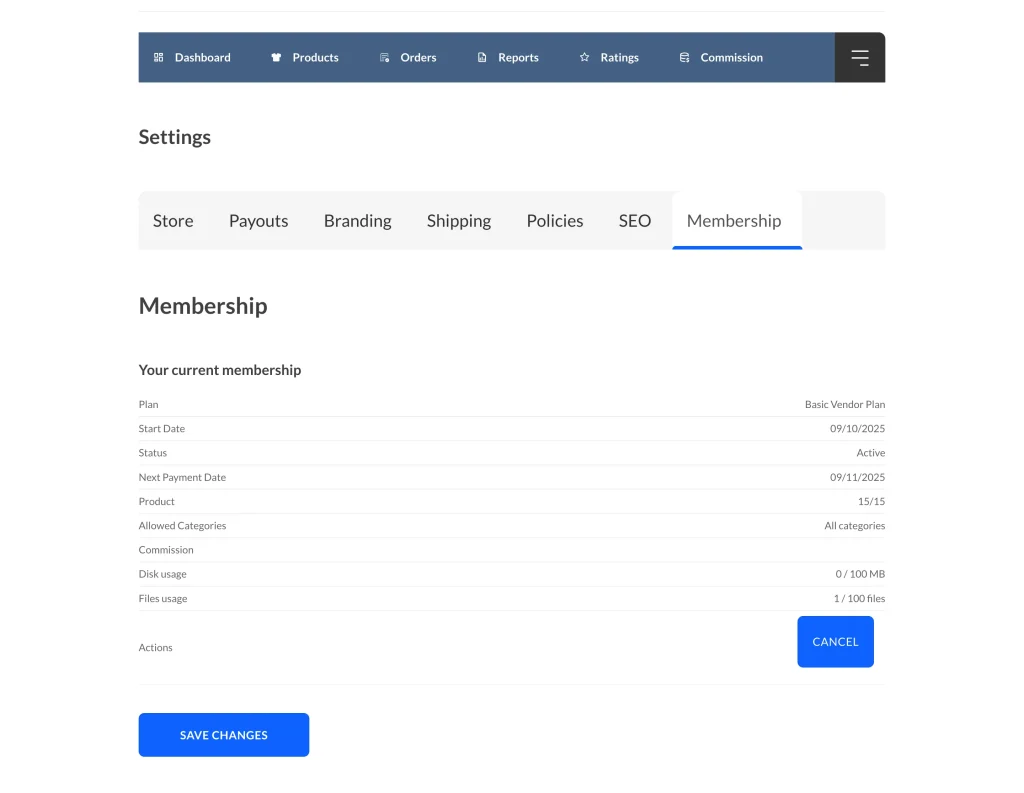
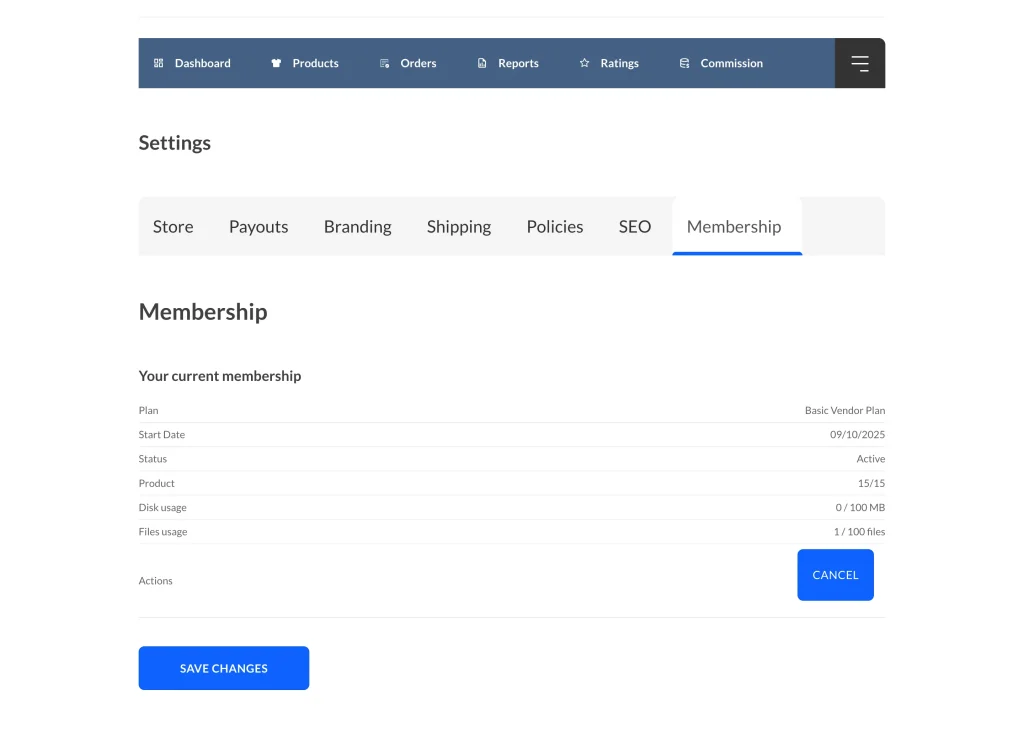
| Field / Row | Membership Plan (Visible) | Membership Plan (Hidden) |
| Plan Name | ✅ Visible | ✅ Visible |
| Start Date | ✅ Visible | ✅ Visible |
| Status | ✅ Visible | ✅ Visible |
| Next Payment Date | ✅ Visible | ❌ Hidden |
| Allowed Categories | ✅ Visible | ❌ Hidden |
| Commission / Commission Rate | ✅ Visible | ❌ Hidden |
| Product Usage / Disk / Files | ✅ Visible | ✅ Visible |
| Actions (Cancel, Renew) | ✅ Visible | ✅ Visible |
5. Best Practices for Customizing the Membership Details Template
- Always use a child theme for template overrides.
- Avoid editing core plugin files to ensure updates don’t break customizations.
- Clear all caches (LiteSpeed, Autoptimize, object cache) after changes to see updates on the front end.
This guide ensures site admins can safely hide specific vendor dashboard information for free plans while keeping paid plan functionality intact.
Need help?
If you have a question or run into any issues, we’re here to help.
- Premium users: Open a support ticket
- Free users: Visit our community forum