
Added a custom order status through a shipping, fulfillment, or subscription plugin and want your vendors to see those orders on their Vendor Dashboard? By default, WC Vendors Pro only shows vendors’ orders that are Processing, Completed, On hold, or Cancelled. Here’s how to choose exactly which order statuses, custom ones included, appear in your vendors’ orders table.
Before you begin
- WC Vendors Pro must be active on your marketplace. This setting isn’t available in the free WC Vendors plugin.
- If you want a custom order status to appear as an option, the plugin that adds it needs to be active, and the status needs to already be registered in WooCommerce.
Step 1: Open the order status setting
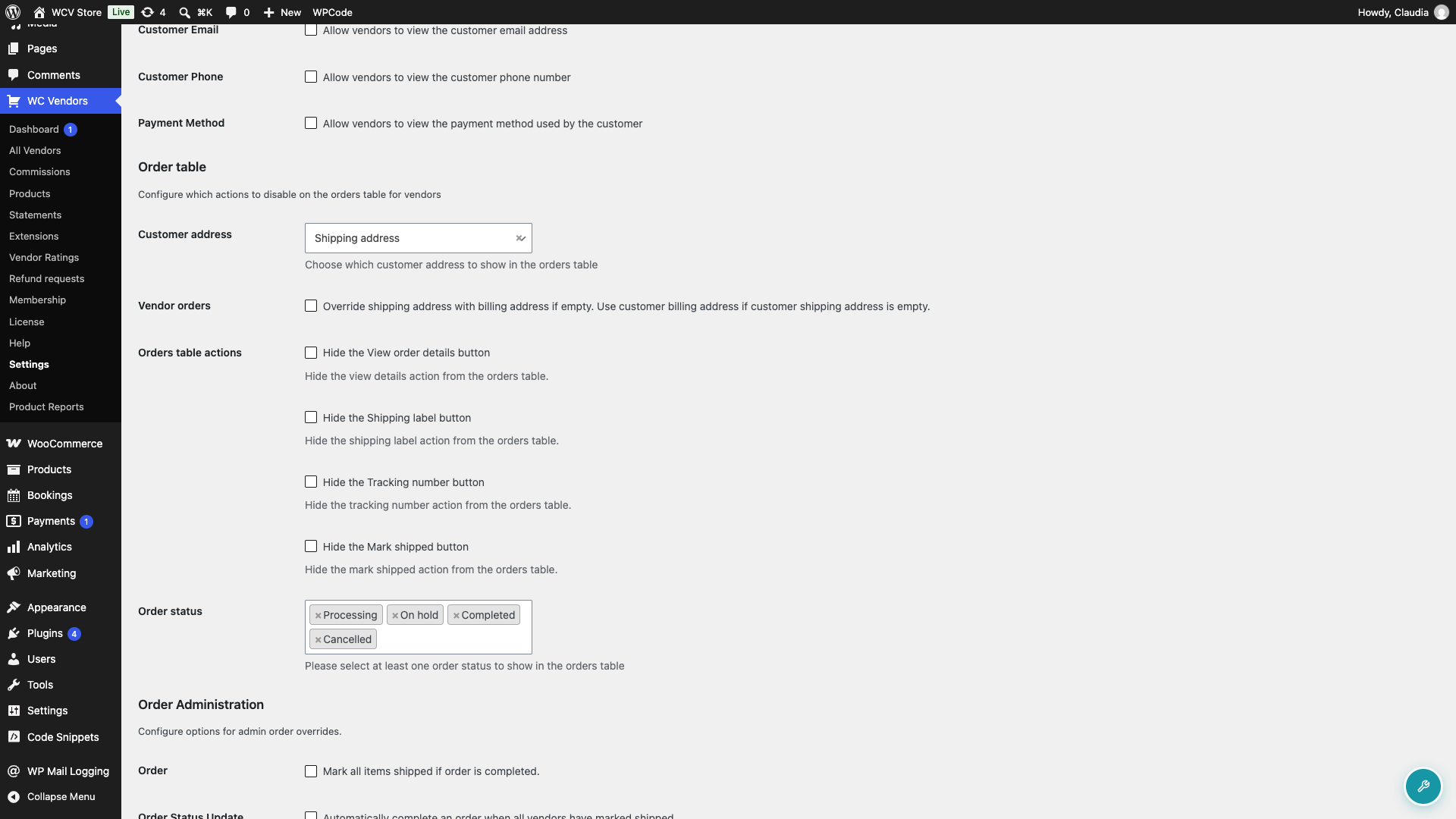
- Go to WC Vendors > Settings > Capabilities.
- Click Orders in the row of section links.
- Scroll down to the Order table section.
Step 2: Choose which statuses to show
- Click into the Order status field. It’s a multi-select, so you can pick as many statuses as you need.
- Select every status you want vendors to see, including any custom statuses added by other plugins. By default, Processing, Completed, On hold, and Cancelled are selected.
- To remove a status, click the small x next to its name.
- Click Save changes.
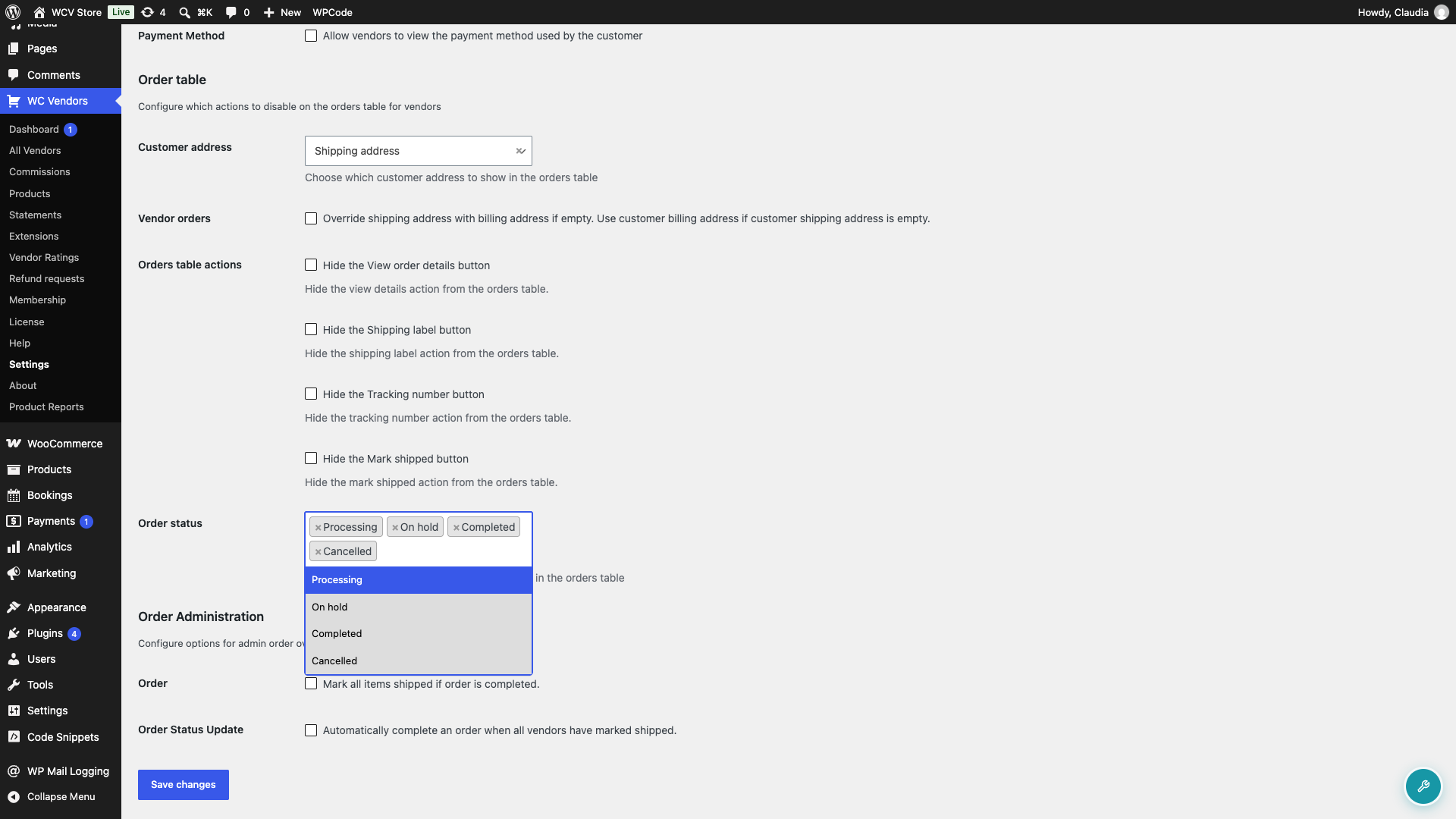
You need to keep at least one status selected. WC Vendors Pro won’t let you save the settings page with this field empty.
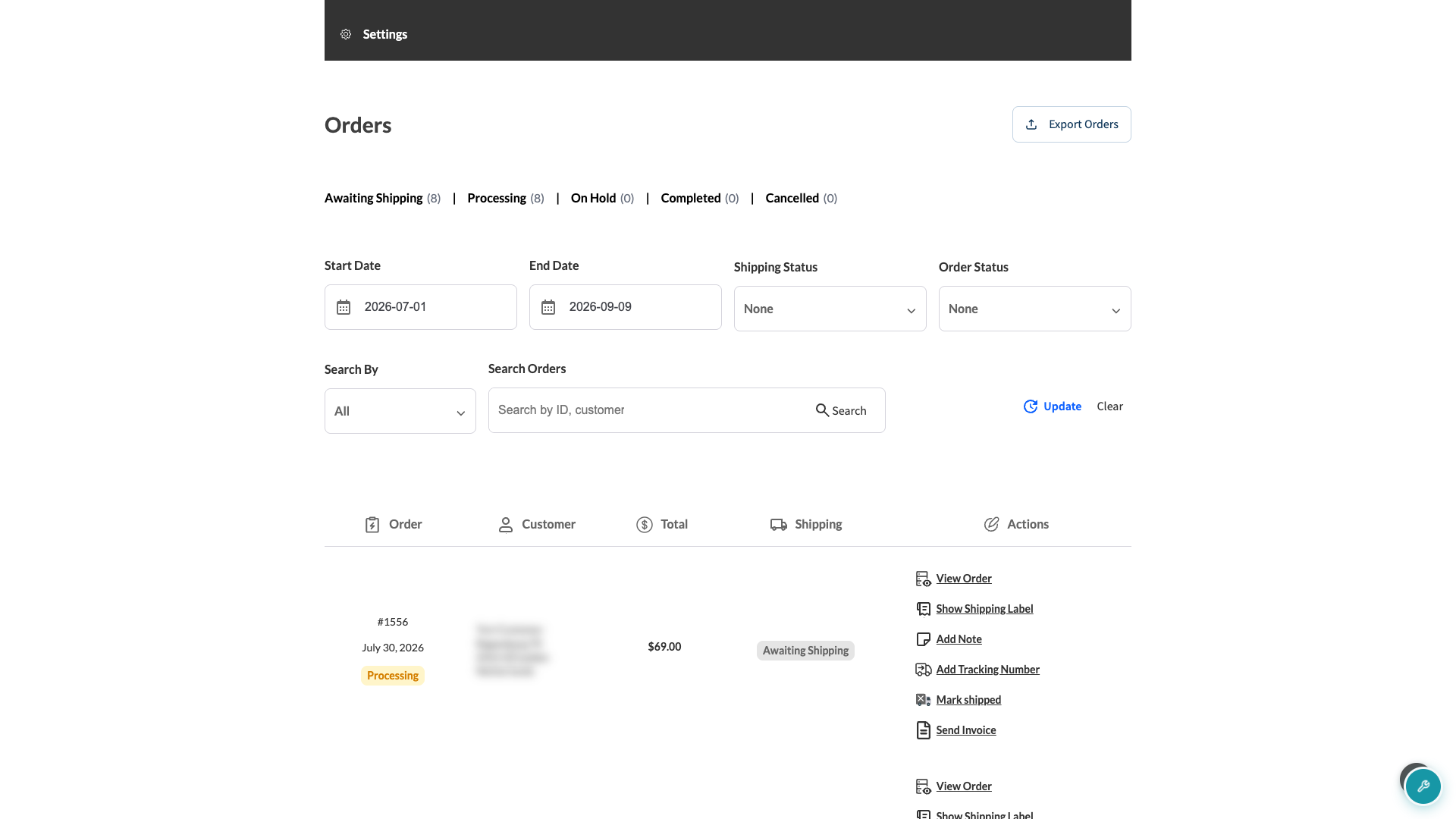
Once you save, vendors will see only the statuses you selected in their orders list on Vendor Dashboard > Orders (see the Vendor Dashboard Overview for a full tour), along with matching counts on the status tabs above the table.
Troubleshooting
A custom order status isn’t showing up as an option. WC Vendors Pro lists every order status registered in WooCommerce automatically, so a custom status has to come from an active plugin first. Confirm that plugin is active and that the status already shows up on the main WooCommerce > Orders screen, then check the Order status field on the Capabilities page again.
Vendors are only seeing Processing orders, even though you selected more statuses. This usually means the Order status field was saved empty at some point. Go back to WC Vendors > Settings > Capabilities > Orders, select the statuses you want, and save the page again.
Frequently asked questions
Can individual vendors choose which statuses they see?
No. The Order status setting applies to every vendor on your marketplace at once, and vendors can’t change it themselves.
Will a new custom order status show up automatically once I install a plugin that adds one?
It’ll appear as an option in the Order status field, but you still need to select it and save the settings page before vendors will see orders in that status.
Why can’t I select Refunded, Failed, Pending payment, or Draft orders?
These statuses aren’t available in the Order status field. WC Vendors Pro excludes them from the vendor dashboard by default.
Need help?
- Premium users: Open a support ticket
- Free users: Visit our community forum