
Your vendors trust the numbers they see on their commission dashboard. When Stripe processes a payment, it takes a processing fee and that deduction can leave vendors wondering why their payout is lower than their commission.
WC Vendors Stripe Connect adds a setting that shows vendors their exact Stripe fee and net payout, both on their commission dashboard and in their new order emails, so there are no surprises.
Requirements
- WooCommerce, WC Vendors Marketplace, and WC Vendors Pro installed and active
- WC Vendors Stripe Connect installed and active
- Stripe Connect configured in a supported mode:
- Direct Charge mode (with Use Stripe Separate Charges and Transfers disabled), or
- Charge & Transfer mode (with Use Stripe Separate Charges and Transfers enabled and Split stripe fee enabled).
Enable the setting
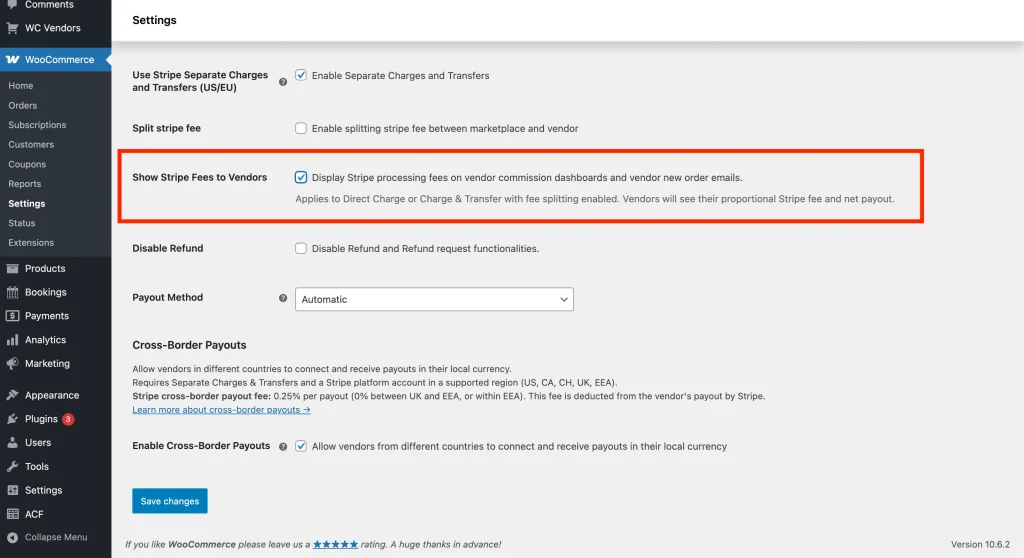
- In your WordPress admin, go to WooCommerce → Settings → Payments.
- Find Stripe Connect in the list and click Manage.
- Scroll down to the Show Stripe Fees to Vendors option.
- Check the box to enable it.
- Click Save changes.
What vendors see
Once the setting is enabled, Stripe fee information appears in two places for your vendors.
On the commission dashboard
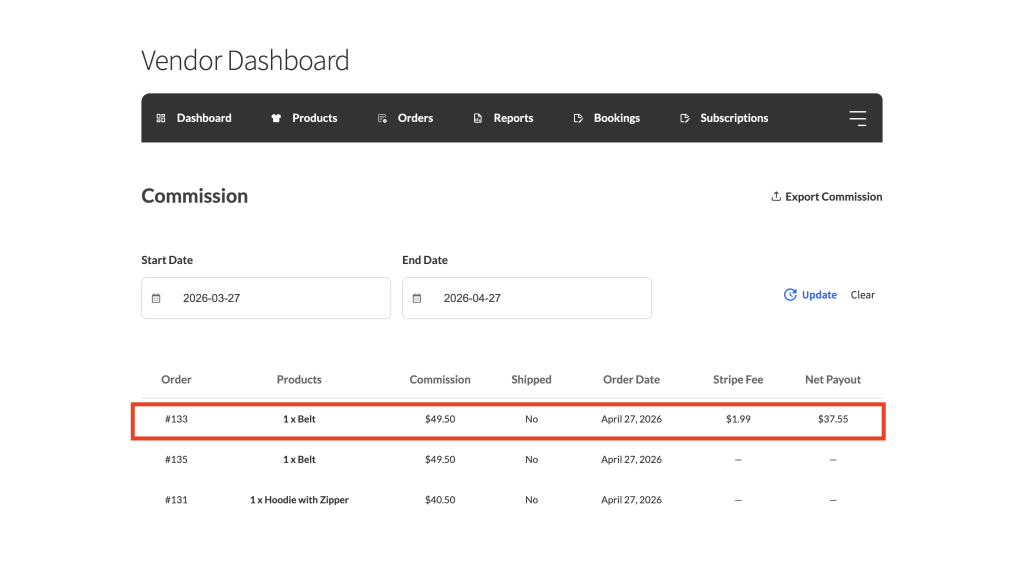
Two new columns appear in the vendor’s commission table. Stripe Fee shows the processing fee Stripe deducted from the payment. Net Payout shows the amount the vendor actually receives after that fee.
In the new order email
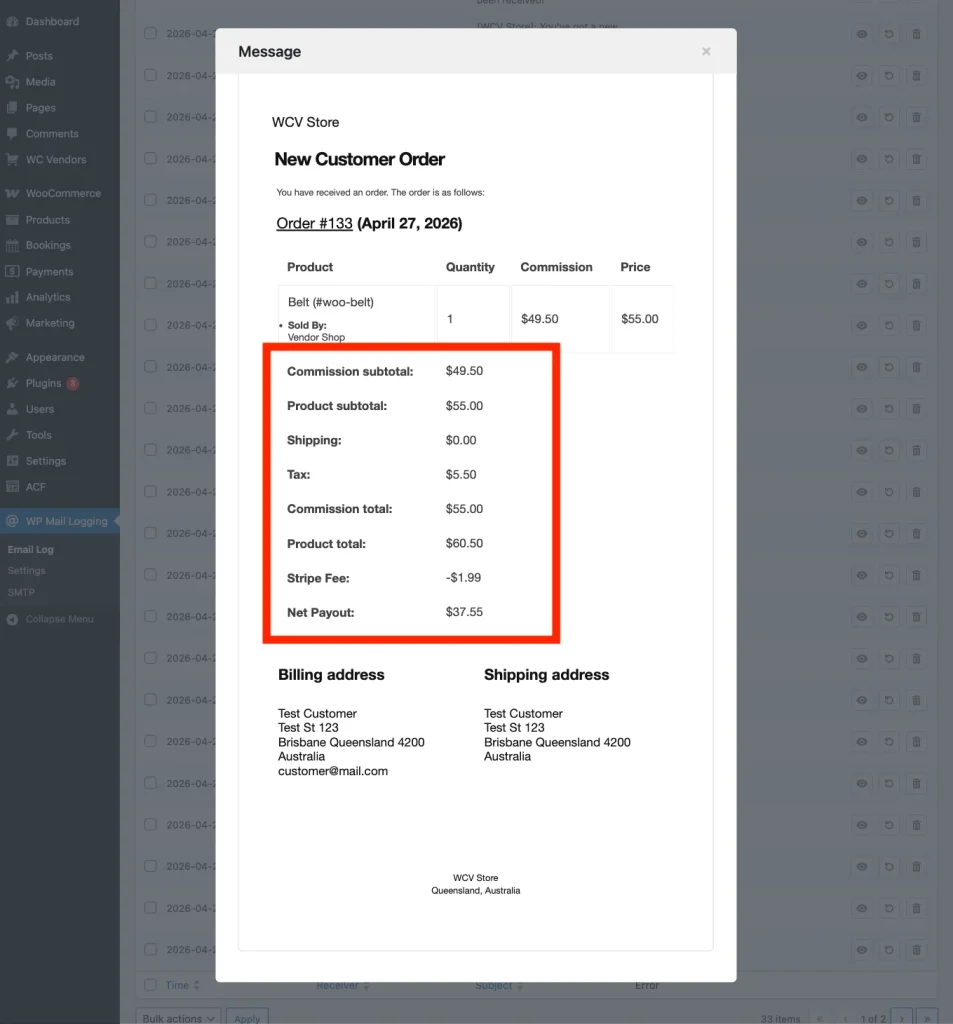
When a vendor receives a new order notification, two additional rows appear below their commission total. Stripe Fee shows the deduction (displayed as a negative value). Net Payout shows the final amount the vendor will receive.
Frequently asked questions
Why don’t Stripe fees show up on my previous orders?
Orders placed before WC Vendors Stripe Connect version 2.2.5 do not have Stripe fee data stored because the plugin was not capturing that information at the time. Full fee breakdowns will only appear for new orders placed after you have updated the plugin and enabled the setting.
Does enabling this change how Stripe fees are calculated or charged?
No. This setting only controls what vendors see on their dashboard and in their emails. It doesn’t affect how Stripe calculates or deducts its processing fees.
Need help?
If you have a question or run into any issues, we’re here to help.
- Premium users: Open a support ticket
- Free users: Visit our community forum