
There is a known compatibility issue between WC Vendors and variation swatch plugins. If your vendors are using product attributes with color, image, or button swatches, the attribute values may not display correctly in the vendor product form.
Who is affected
This issue affects marketplaces that use all of the following together:
- WC Vendors of any version before 2.6.8
- A variation swatches plugin that registers custom attribute types, such as WooCommerce Variation Swatches for WooCommerce or any plugin that adds color, image, or button attribute types via the WooCommerce attribute type API
- Vendors who use those custom attribute types on their products
What the vendor sees
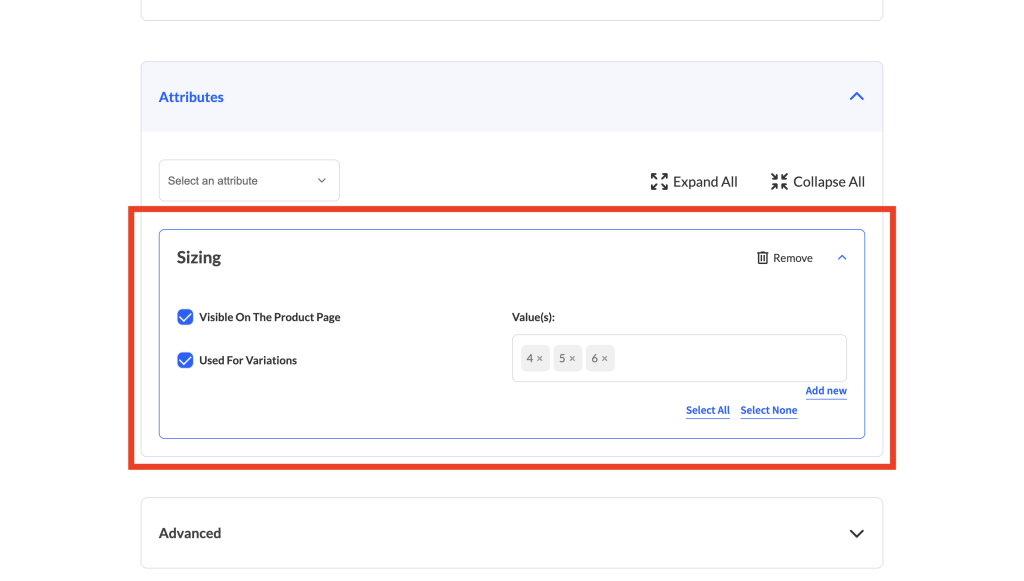
When a vendor opens the product edit form and tries to add an attribute that uses a custom swatch type (for example, a “Color” attribute configured with color swatches), the attribute values field doesn’t work as expected. The values field is either missing entirely or won’t let the vendor pick or type any values, so they can’t set the attribute’s values the way they would in the regular WooCommerce product editor. The swatches themselves are a storefront display feature. They show on the product page for shoppers, not inside the vendor form, which uses a standard values field.
What causes it
When a vendor adds an attribute to their product, WC Vendors fetches the attribute form via an internal request. During that process, WC Vendors checks the attribute’s type. On affected versions, the vendor form only knew how to render a values field for the standard “select” and “text” attribute types, so when an attribute used a custom swatch type the values field failed to load.
This is a bug in WC Vendors, not in the variation swatches plugin. The swatch plugin is registering its attribute types correctly. WC Vendors just isn’t passing them through.
A second symptom: variation attribute values not saving
Separately from the display problem above, some vendors ran into custom attribute values not saving when they added new variations from the vendor dashboard. When a vendor added a variation and set a custom (text) attribute value on it, the value wasn’t stored, so the saved variation came back blank.
This was a separate bug in how WC Vendors handled variations added through the dashboard, where the new variation’s custom attribute value was dropped before the product was saved. It’s fixed in WC Vendors Marketplace 2.7.0. You can track the fix on GitHub issue #1809.
How to fix it
Both problems are fixed in WC Vendors Marketplace. The attribute values field display issue was fixed in 2.6.8, and the related variation-not-saving issue in 2.7.0. Update to the latest version so you get both fixes, and the vendor product form will handle custom attribute types and save variation attribute values correctly.
- In your WordPress admin, go to Plugins → Installed Plugins.
- Find WC Vendors Marketplace and click update now in its update notice.
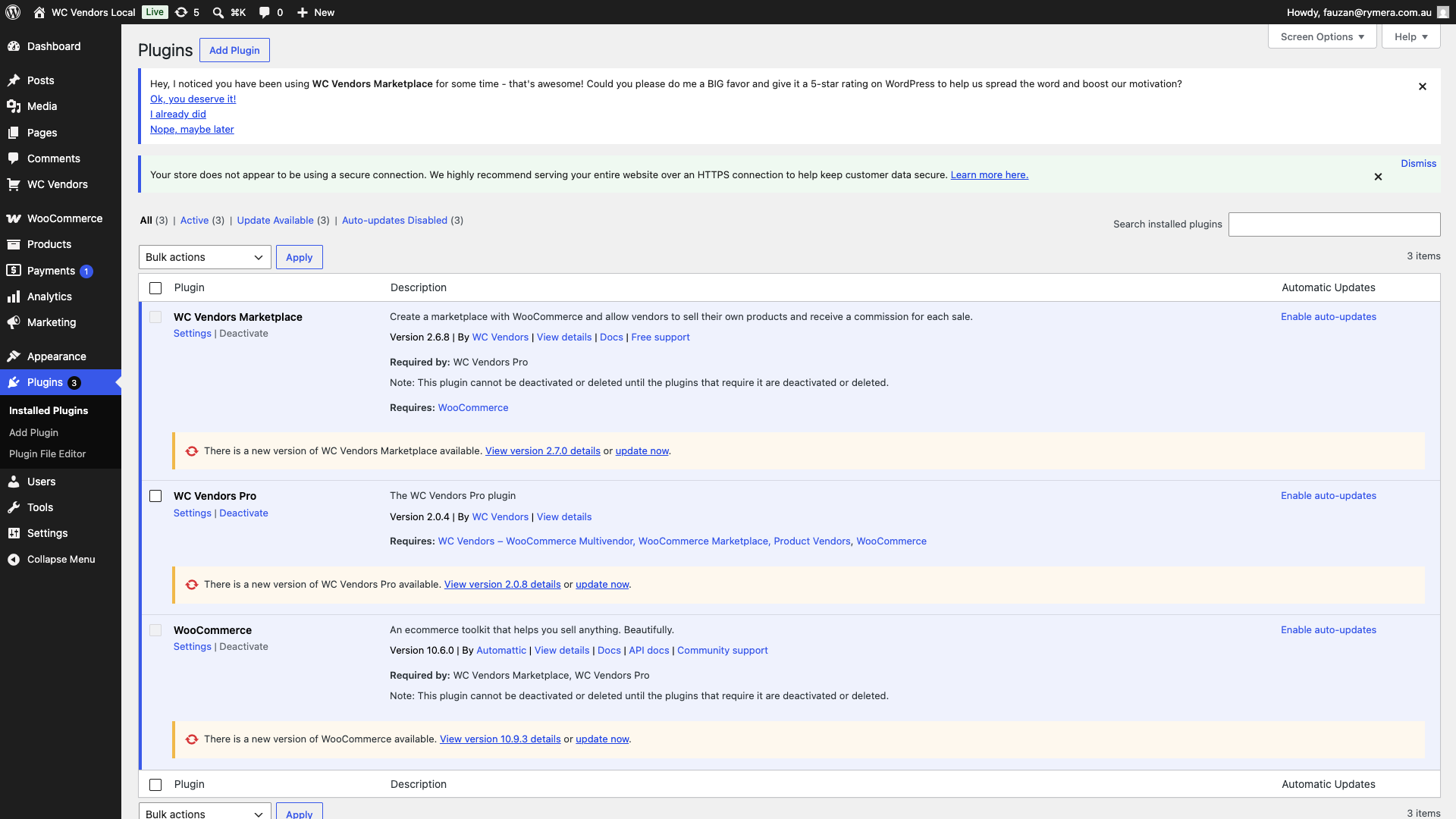
To confirm the fix, ask a vendor to open a product, add the attribute, and check that the values field loads and lets them select or type values. Saving the product should keep those values, and any values set on new variations should save too. The swatches themselves still show on the storefront product page, not in the vendor form.
Frequently asked questions
Which variation swatches plugins does this affect?
Any plugin that registers custom attribute types using WooCommerce’s attribute type API will trigger this issue on unpatched versions of WC Vendors. That includes WooCommerce Variation Swatches for WooCommerce and similar third-party swatch plugins.
Does this affect products vendors have already saved?
The display problem only affects how the attribute values field looks in the vendor product edit form. It doesn’t change attribute data that was already saved correctly. The variation issue is different. On affected versions, custom attribute values a vendor set on newly added variations weren’t saved at all, so those values need to be re-entered and saved again after updating to WC Vendors Marketplace 2.7.0 or later. Once you update, vendors can reopen their products, the attribute values field loads correctly, and the values they select save as expected.
Is there a workaround if I can’t update right now?
There’s no simple workaround that doesn’t require code changes. The safest option is to update WC Vendors as soon as possible. If you need help, open a support ticket and we can advise on your specific setup.
Need help?
If you have a question or run into any issues, we’re here to help.
- Premium users: Open a support ticket
- Free users: Visit our community forum